3. Rand Navigation 2.0
Rand Tablet User Manual 39
40
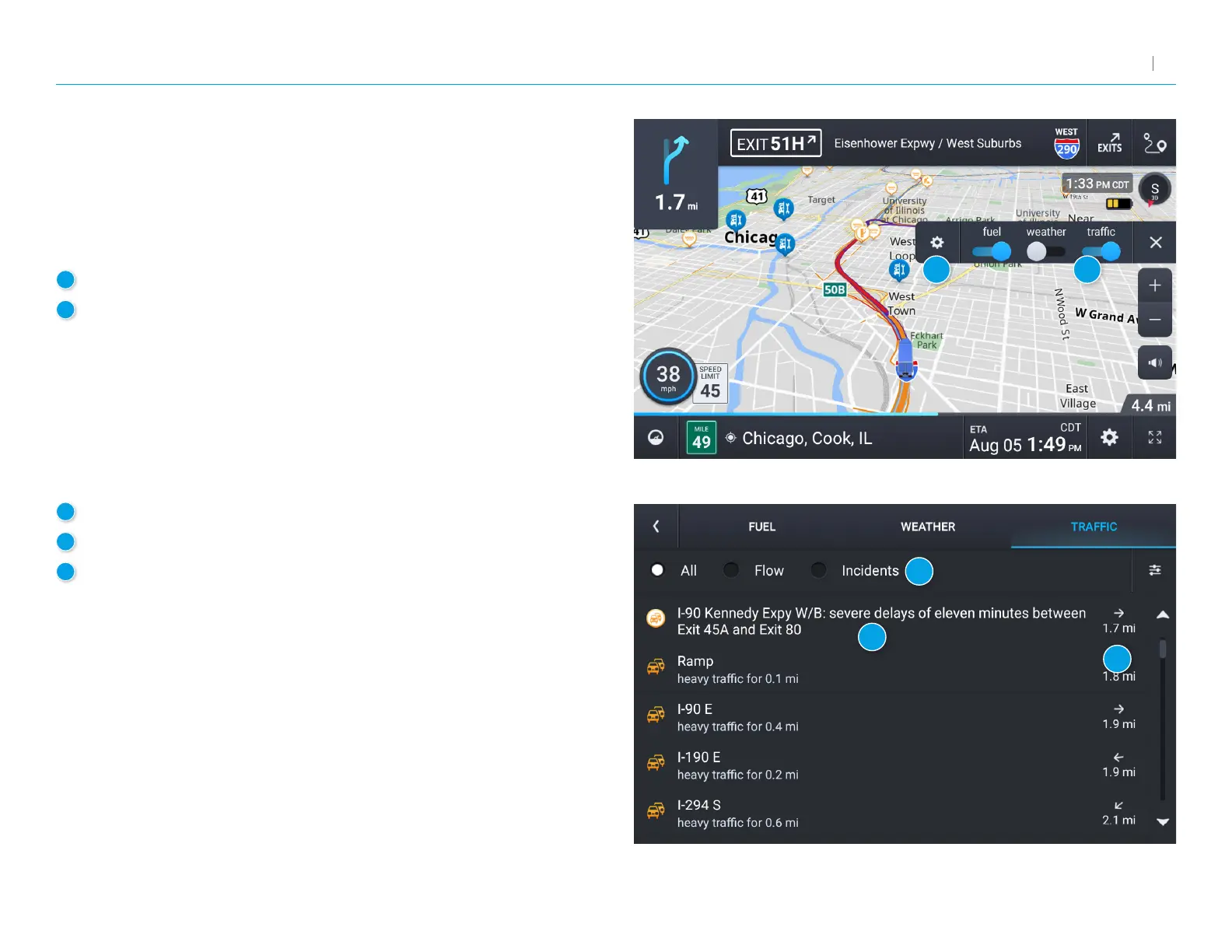
Trafc
To view trafc information, tap the gear icon on the map screen and
then the Trafc slider. Trafc conditions will overlay on the map when
trafc is enabled.
Note:RequiresaWi-Ficonnection.
1
Tap to enable trafc.
2
Tap to view details and enter settings. 3
3
Select to view trafc ow, incidents, or all.
4
Current trafc conditions/incidents along your route.
5
Your distance to the trafc conditions/incidents.
1
2
3
4
5



 To Next Page