Instructions for Use MPR1 DATALOGGER
Manufacturer: zwo-399EN
RAUMEDIC AG, Hermann-Staudinger-Strasse 2, 95233 Helmbrechts, Germany Rev. 9, 2020-10-16
Page 29 of 98
4.1.2.3 Data field
The data field is used to display the data measured.
There are three different data displays and in addition the window for device configuration. Hereinafter, they
will be referred to as screens for short. Each screen is identified by a number 1 to 4, which is displayed in
the information field.
The screens have a fixed sequence; the screen forward key (also referred to as screen selector key) can
be used to skip between the individual screens.
The following three symbols are available: digital display, graphics and trend.
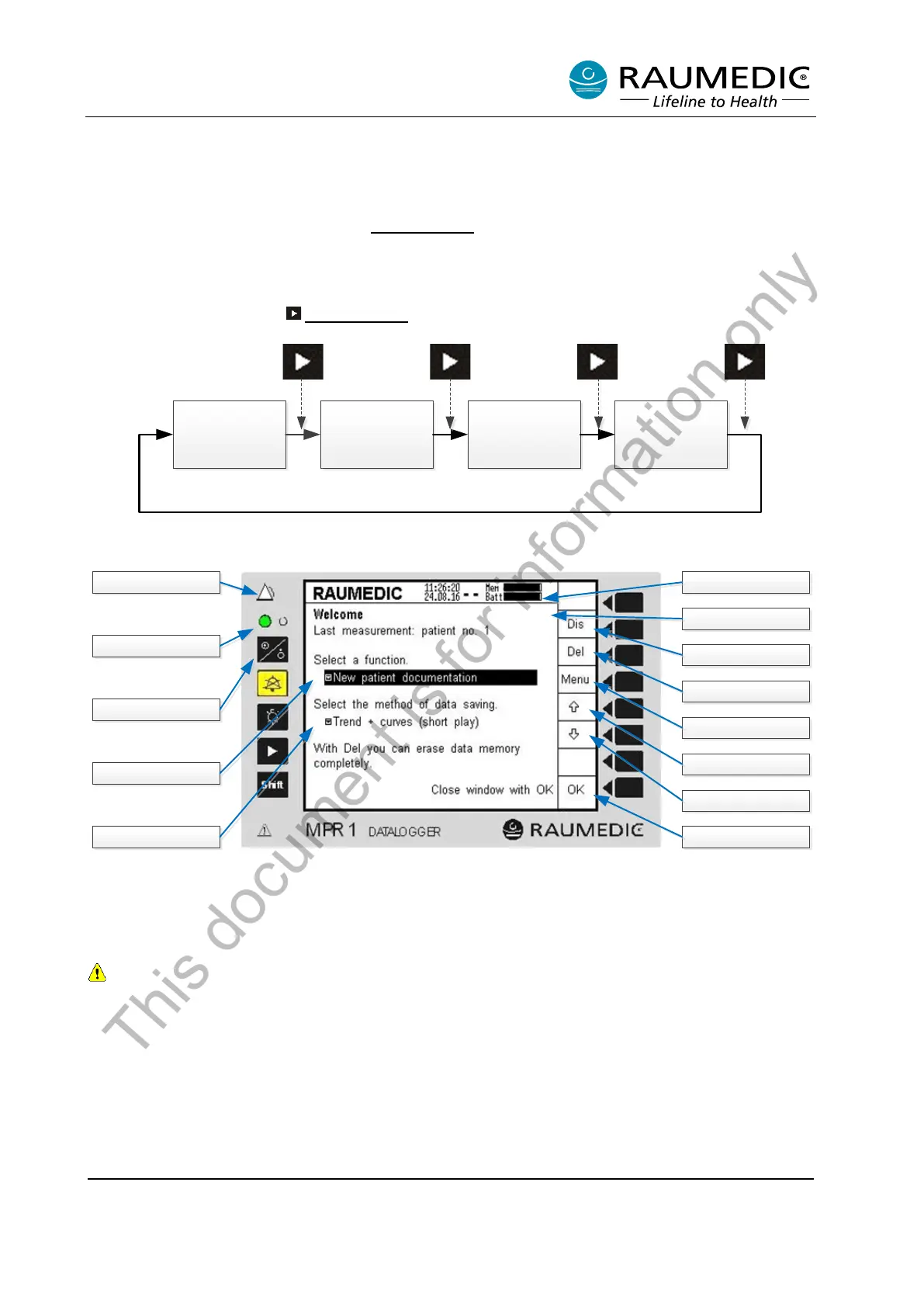
In base condition (i.e. after the apparatus has been switched on), the start screen will always be displayed
(cf. Figure 9).
By repeated actuation of the screen forward key, you skip between the individual screens:
4.2 Start screen
Alarm LED
Delete
Selection
Navigation
Navigation
Acknowledgement
Display configuration
Software version
Charge condition
Power
-On
-LED
On/O ff key
Patient documentation
Select memory mode
Software ver sion
Figure 9: Start screen
After the apparatus has been switched on you will be greeted by the Welcome screen. On this screen is
shown the version of installed device software.
In the further description of the device, the software version shown in the graphics may differ from that
installed on your device.
Further, you can in this view
• read off the firmware version
• delete the patient data saved
• define a new patient
• select the memory mode
Overview
[1]
Overview
[2]
Overview
[3]
Overview
[4]
1x
2x 3x
4x
This document is for information only



 To Next Page