Instructions for Use MPR1 DATALOGGER
Manufacturer: zwo-399EN
RAUMEDIC AG, Hermann-Staudinger-Strasse 2, 95233 Helmbrechts, Germany Rev. 9, 2020-10-16
Page 61 of 98
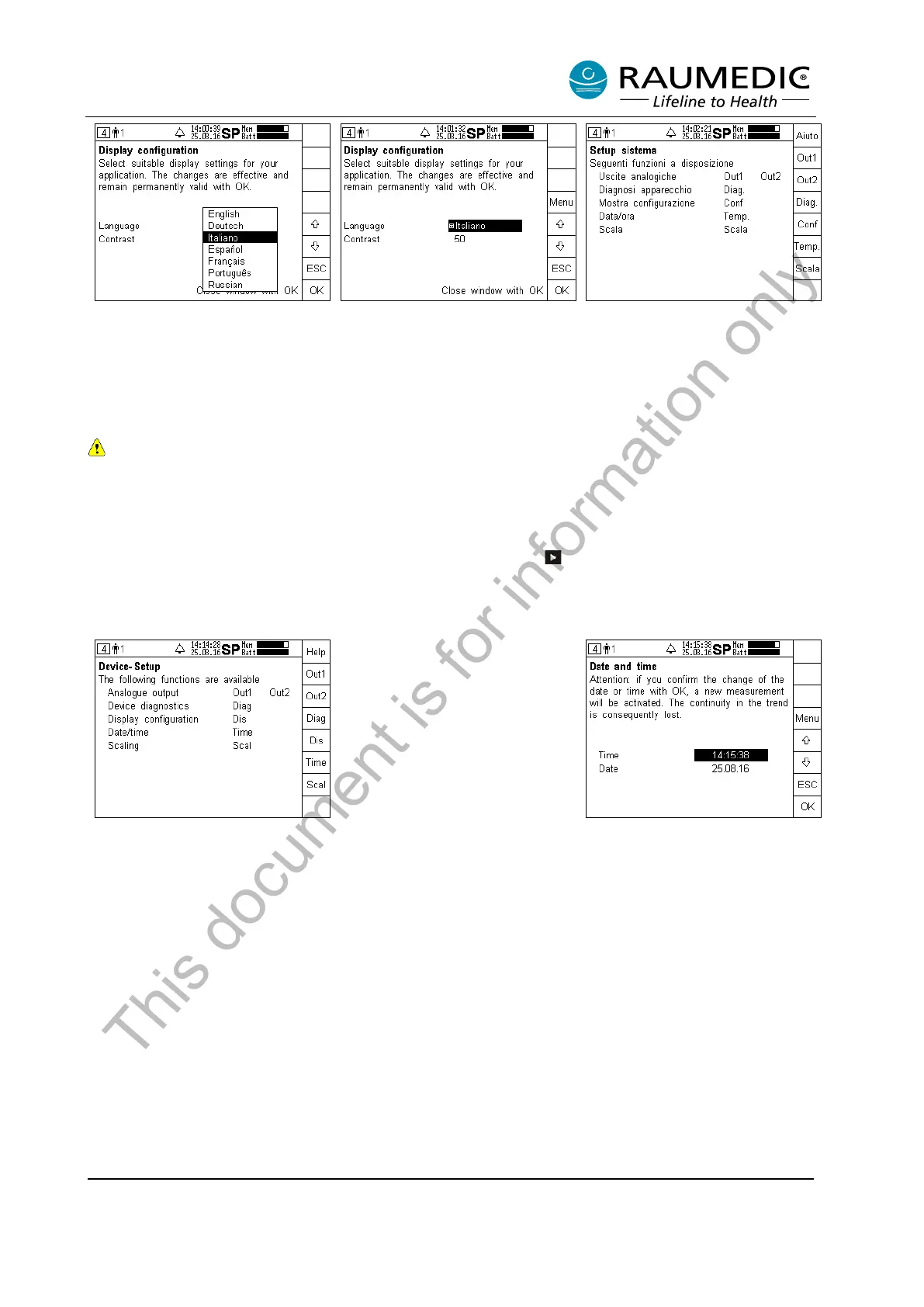
Step 4:
Press the OK key.
Step 5:
Acknowledge the newly selected
language by pressing OK.
Step 6:
The new language version
selected is active.
4.6.5 Setting date and time
Changing the date and time requires the automatic creation of a new measurement, which means
that on saving the data on the PC two files are created, one for the time prior to the time setting
and one for the time after. Thus, the data cannot be viewed continuously. On the MPR1, the trend
data from the time prior to the time setting will not be displayed any more. They will remain
saved, however.
Now skip to the setup screen by pressing the screen selector key several times, if and when required,
and carry out the following steps 1 to 8:
Setting the time:
Step 1:
Call the Device setup
Step 2:
Press the Menu key to set the
time.
This document is for information only



 To Next Page