Instructions for Use MPR1 DATALOGGER
Manufacturer: zwo-399EN
RAUMEDIC AG, Hermann-Staudinger-Strasse 2, 95233 Helmbrechts, Germany Rev. 9, 2020-10-16
Page 46 of 98
4.4.3.2.2 Activating and deactivating the alarms
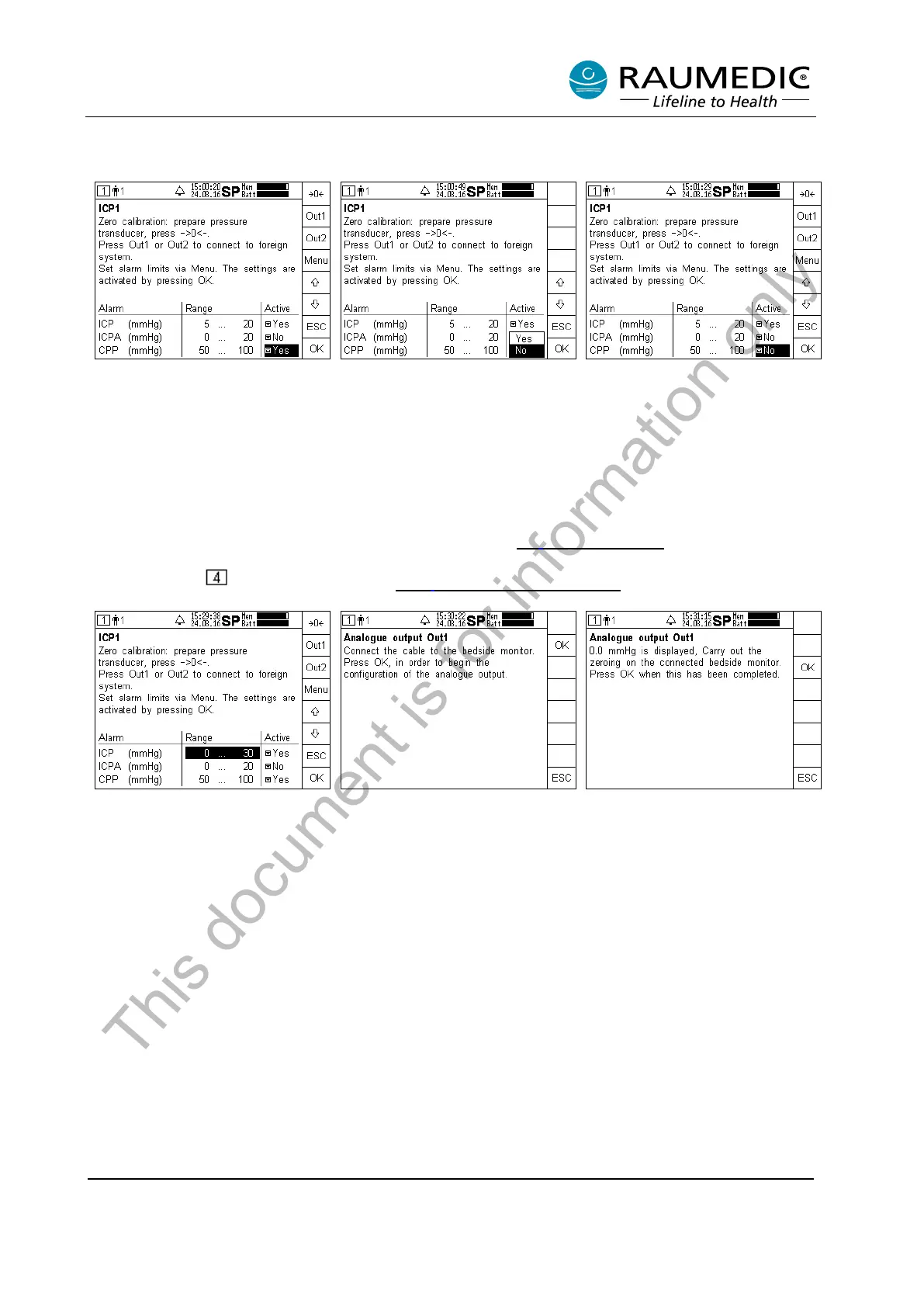
If you want to activate or deactivate an alarm, please proceed as follows:
Use the arrow keys to navigate
into the table field, the settings of
which you want to change.
Subsequently press the Menu key.
Use the arrow keys to select the
requested setting. Subsequently
press the OK key.
The new settings will be accepted.
Press the OK key to leave the
screen.
4.4.3.3 Connecting analogue outputs
The MPR1 has two analogue outputs. You can forward any two selected pressure signals of type ICP
(ICP1, ICP2, ICPT) to an external system via the analogue outputs. The pressure signals can be any two
pressures, including the ICPT. For more information see point 3.5 Analogue outputs
. You can activate the
connection to the analogue outputs, from the threshold setting screen, a further possible option for this
exists in window and is described under
4.6.1 Combine analogue outputs.
Step 1:
Select the analogue output OUT1
or OUT2 over which you want to
forward the pressure signal ICP1
to the external system.
Step 2:
In the example the output Out1 is
selected. Following the
instructions on the screen.
The cable connection between the
pressure input of the external
system and the analogue output
exists. Zero
You have 18
ke
ypress. If a timeout occurs the
system returns to step 1.
This document is for information only



 To Next Page