Instructions for Use MPR1 DATALOGGER
Manufacturer: zwo-399EN
RAUMEDIC AG, Hermann-Staudinger-Strasse 2, 95233 Helmbrechts, Germany Rev. 9, 2020-10-16
Page 32 of 98
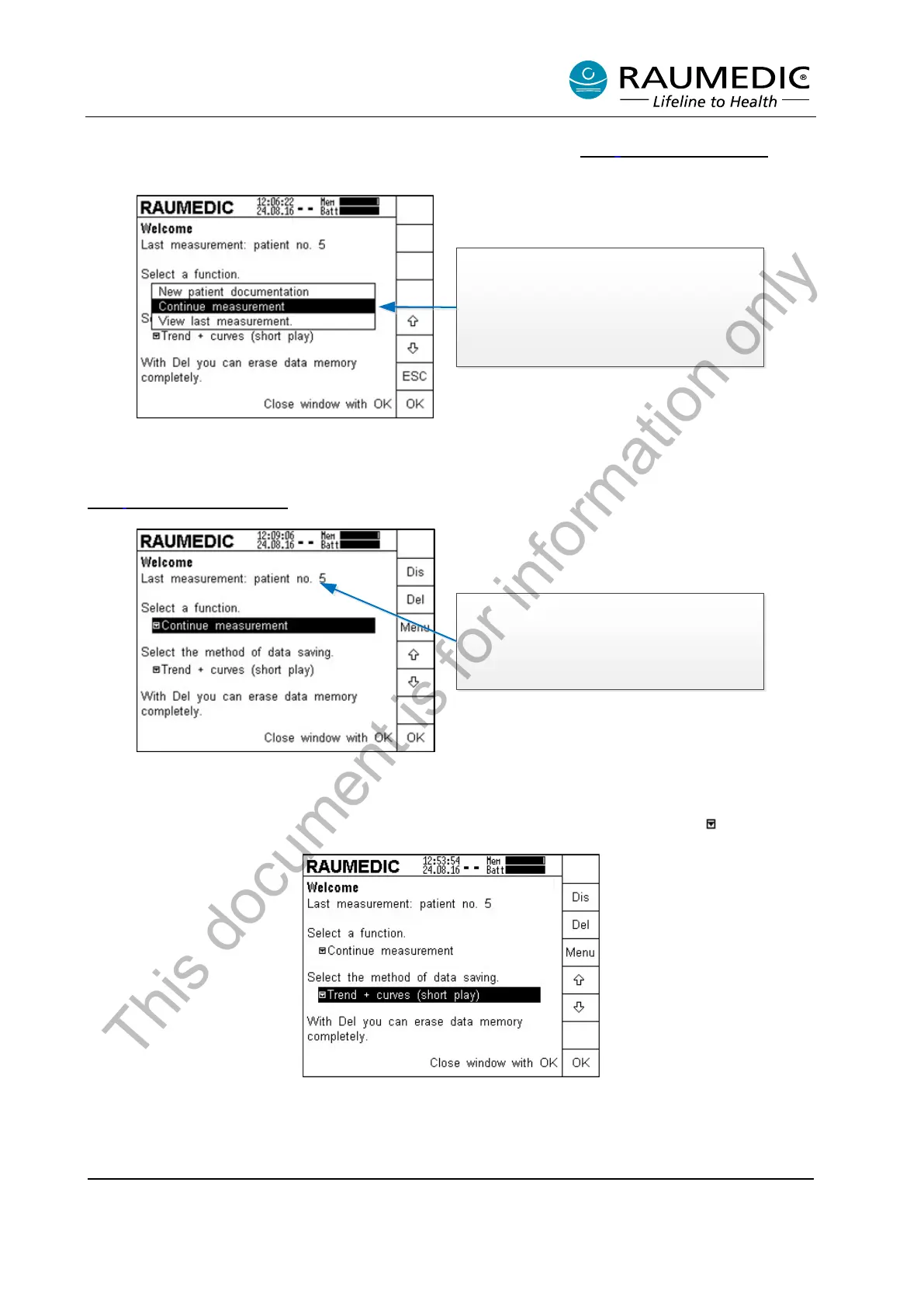
The option "Continue measurement" can only be selected, if data of a previous patient is still saved on the
MPR1. If the data stored on the MPR1 has been deleted (see point. 4.2.2 Deleting the memory
), then
a new patient is automatically created.
If the measurement is continued, this
measurement will be allocated to a patient
automatically when the data are
downloaded to the PC. No additional query
is displayed. Wrongly allocated data can
not be re-sorted automatically.
Software ver sion
Navigate using the arrow keys to the desired setting. you want to accept the selected setting, you can now
press OK. If you want to discard your selection, press the ESC key to return to the previous step. From
firmware version 2.00.0053 the option now exists of viewing the trend data of the last measurement
4.2.6 View last measurement
.
The patient IDs are counted up to 99999,
subsequently the IDs are continued with 1, which
however has no influence on the storage. Internally
the patient IDs are counted further. The last five digits
of the internal patient IDs only are displayed. An ID 0
is suppressed.
Software ver sion
4.2.4 Selecting the memory mode
In the next step, the memory mode is selected. This step is not obligatory.
Use an arrow key to navigate to the next pull-down menu which you can recognise by the symbol.
If the memory mode displayed is okay, no other selection need to be done. If you want to continue with the
last memory mode, press the Menu key first of all.
The factory setting is "Trend + curves (Short play)"
Three memory modes are available:
This document is for information only



 To Next Page