Instructions for Use MPR1 DATALOGGER
Manufacturer: zwo-399EN
RAUMEDIC AG, Hermann-Staudinger-Strasse 2, 95233 Helmbrechts, Germany Rev. 9, 2020-10-16
Page 34 of 98
4.2.5 No storage
As an alternative to the memory modes Short play (SP) and Long play (LP), from firmware version
2.00.0053 there is an option of selected a third memory mode "No storage".
The advantage of this operating mode is that device can be used in a largely unlimited way, without a
technical alarm "Memory full" being triggered.
This memory mode is recommended, if:
• the user wants to carry out patient monitoring
• does not want to use the device memory function
• is not considering any subsequent data archiving or visualisation on the PC
• wishes to carry out measuring as quietly and smoothly as possible without unnecessary technical
alarms (e.g. use at night)
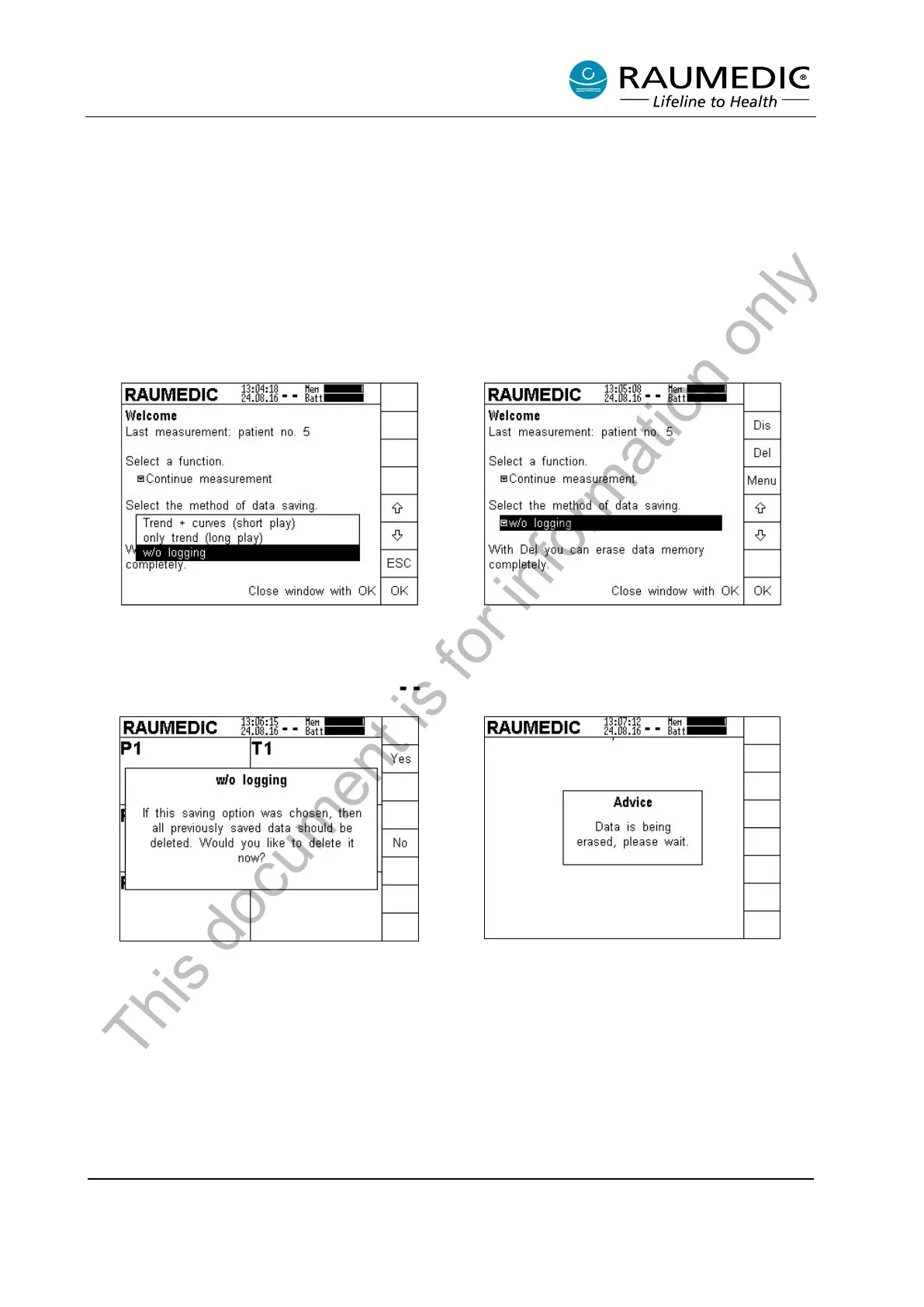
Open Data storage menu. Use the arrow keys to
select the desired memory mode "No storage".
Confirm with OK. The memory mode "No storing"
is displayed in the status line by the symbol
.
Confirm the selected Data storage with OK. If data
is already stored on the device, it must be deleted.
Data is stored on the device. The user has the
option of backing these up before deletion (Select
No).
If Yes is selected, the data are irrevocably deleted.
The deletion process lasts for a short period.
This document is for information only



 To Next Page