Instructions for Use MPR1 DATALOGGER
Manufacturer: zwo-399EN
RAUMEDIC AG, Hermann-Staudinger-Strasse 2, 95233 Helmbrechts, Germany Rev. 9, 2020-10-16
Page 43 of 98
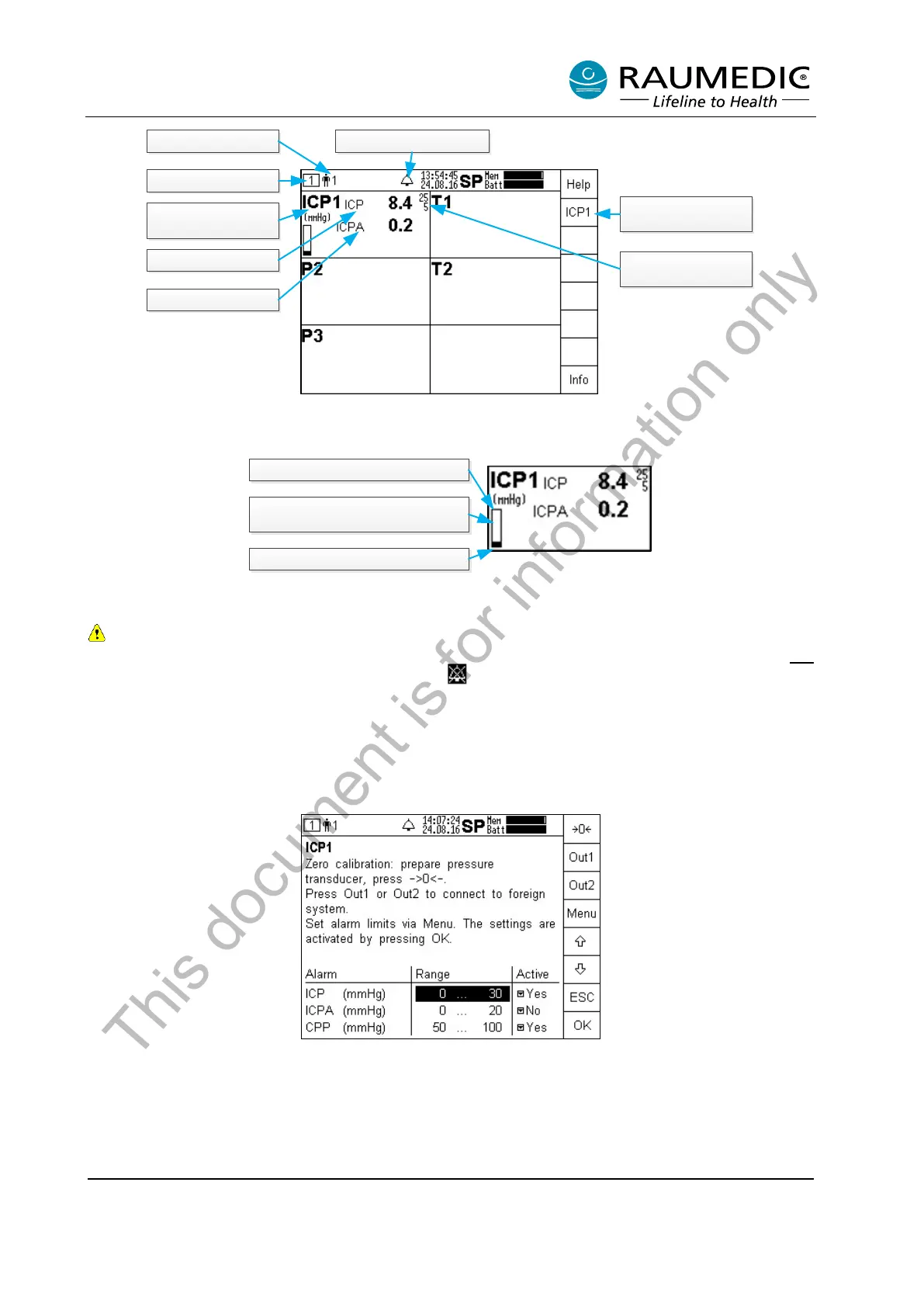
Patienten No. 1
Overview 1
Measuring location
ICP1
ICP measured value
ICPA pulse amplitude
Other settings
Alarm limits
Limiting alarm values
for ICP
Acoustic alarm active
Description for additional paramtetric representation:
upper limiting value 25 mmHg
diverse display of the measured value,
refering to the alarm limits
Lower limiting value, 5 mmHg
4.4.3.1 Invasive pressure measurement settings
Please ensure that the correct limiting alarm values have been set, which are displayed behind
the measured value, provided they have been activated. Please make sure that you have not
switched off the acoustic alarm permanently ( = acoustic alarm permanently off).
The right-hand column of the display holds the navigation field, in which you can use the soft keys to carry
out further adjustments or to call off information or help.
Additional settings are accessed by pressing the ICP1 key. For the selection of another measuring location,
this key has a different designation, such as ART. If you have connected additional pressure sensors, other
soft key designations will be displayed with the defined measuring locations.
In this window you can use the arrow keys to select whether you want to set alarm limits and whether the
limiting value monitor of the selected measuring value is to be active or not. In addition, select the measured
value to be monitored.
This document is for information only



 To Next Page