Instructions for Use MPR1 DATALOGGER
Manufacturer: zwo-399EN
RAUMEDIC AG, Hermann-Staudinger-Strasse 2, 95233 Helmbrechts, Germany Rev. 9, 2020-10-16
Page 38 of 98
4.4.2 ECG
This feature is only available in devices up to the 2011 production year. (see 2.1 Intended purpose).
Please observe chapter 3.1 ECG
Use approved accessories only.
Note: The ECG channel has not been provided with a monitoring function.
Caution! The MPR1 has not been approved for direct use on the heart.
The MPR1 can be used to lead off a simple single-channel ECG with the display of the heart rate.
Connect the ECG cable to the MPR1, using the round connector of the ECG cable (with blue marking) in
the blue socket (ECG). Once you have carried out a preliminary setting for the patient and the memory
mode, close the window by pressing OK and skip to the overview screen. Please keep in mind that some
seconds may pass until a value for HR is displayed.
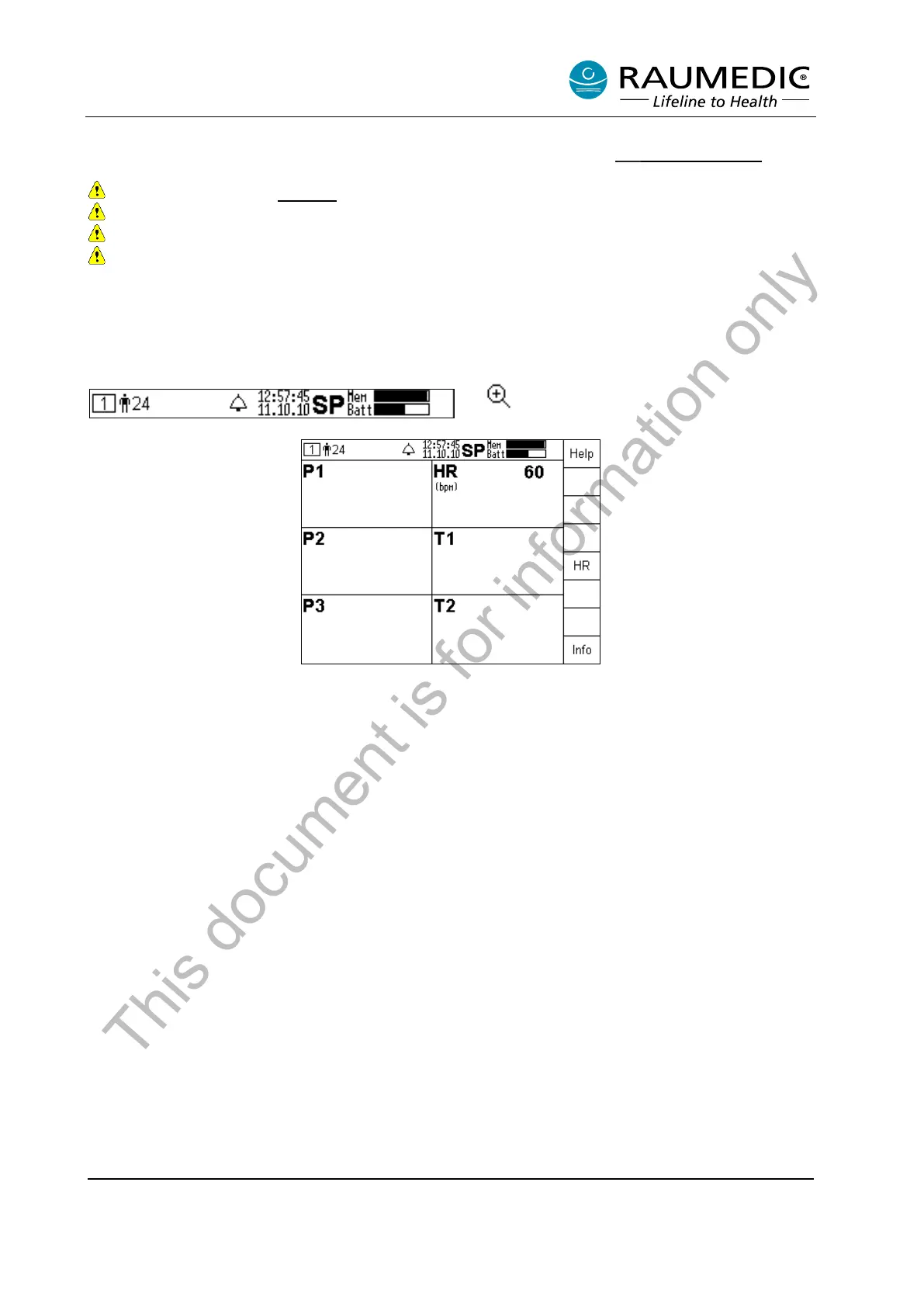
The following information is rendered in the top line of the display:
• Number of the screen (indicates that your are in the overview screen)
• ID number of the patient documented
• Time
• Date
• Memory mode (SP)
• Memory monitor
• Battery monitor
The display field will render an overview of the sensors connected. If a transducer has been recognised, a
value will be displayed in the corresponding field. In the example, the ECG cable has been connected;
signals have been recorded; a value is displayed for the heart rate. Additional settings are accessed by
pressing the Menu key.
This document is for information only



 To Next Page