Instructions for Use MPR1 DATALOGGER
Manufacturer: zwo-399EN
RAUMEDIC AG, Hermann-Staudinger-Strasse 2, 95233 Helmbrechts, Germany Rev. 9, 2020-10-16
Page 40 of 98
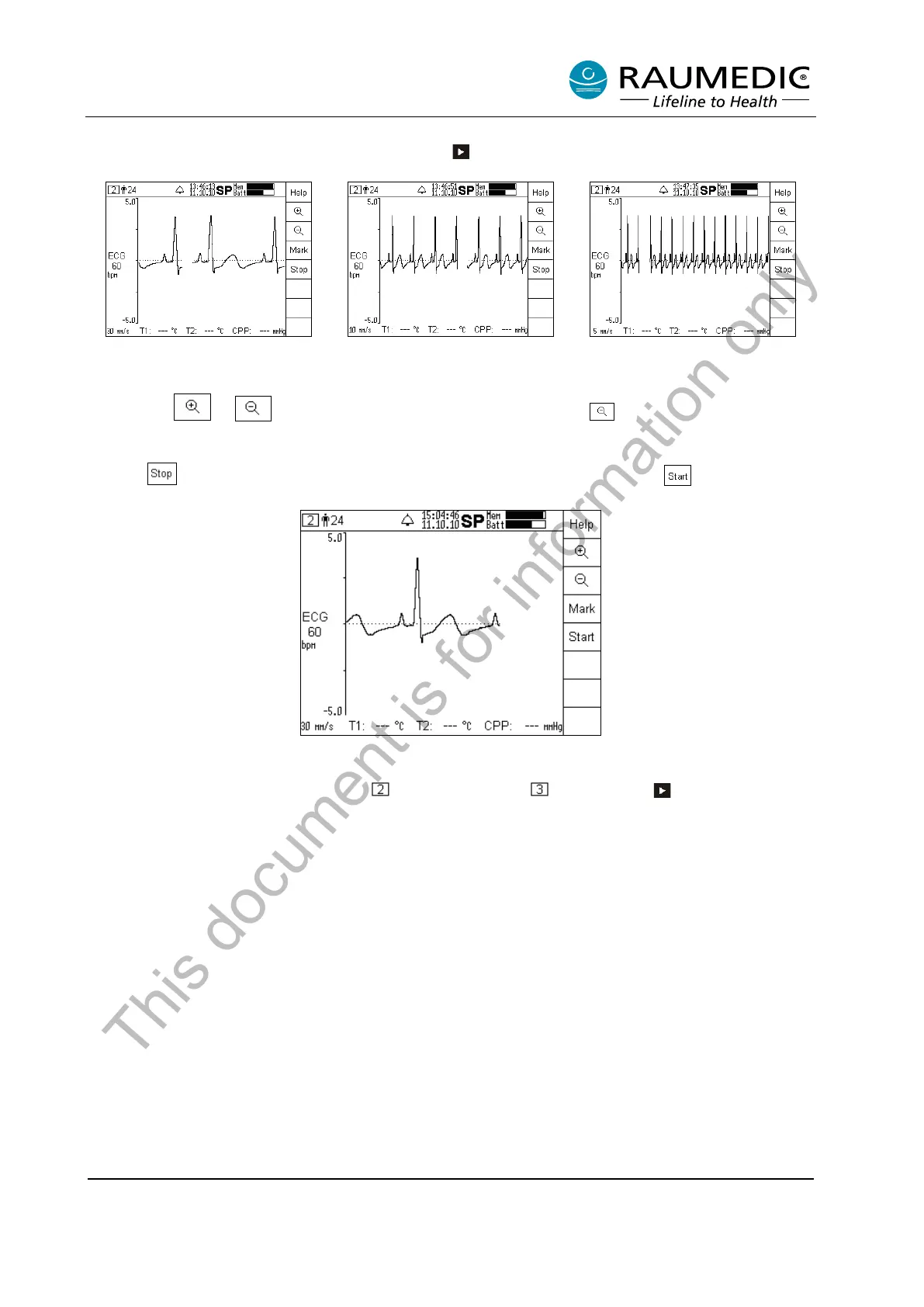
4.4.2.3 ECG graphics
In order to skip to the graphics screen, press the key . Screen No. 2 (graphics) will be accessed.
Use the key or to switch over the plotting speed. Use the key to reduce the plotting speed,
increasing the time basis of the curve.
Use the key to freeze the current curve, which is released by pressing the key .
4.4.2.4 Heart rate trend
In order to skip from the graphics screen to the trend screen , press the key . The navigation field
renders available keys to set the temporal resolution as well as page up and page down keys. Two different
speeds are available for paging up and down. If you keep one of the navigation keys pressed for a longer
period of time, the key function is carried out again through an automatic routine. Thus, you can get an
overview of the entire trend fast without having to press the key several times; subsequently you can set a
higher resolution for the time range of your choice.
The following functions are available for the display of the trend:
This document is for information only



 To Next Page