Instructions for Use MPR1 DATALOGGER
Manufacturer: zwo-399EN
RAUMEDIC AG, Hermann-Staudinger-Strasse 2, 95233 Helmbrechts, Germany Rev. 9, 2020-10-16
Page 39 of 98
4.4.2.1 ECG settings
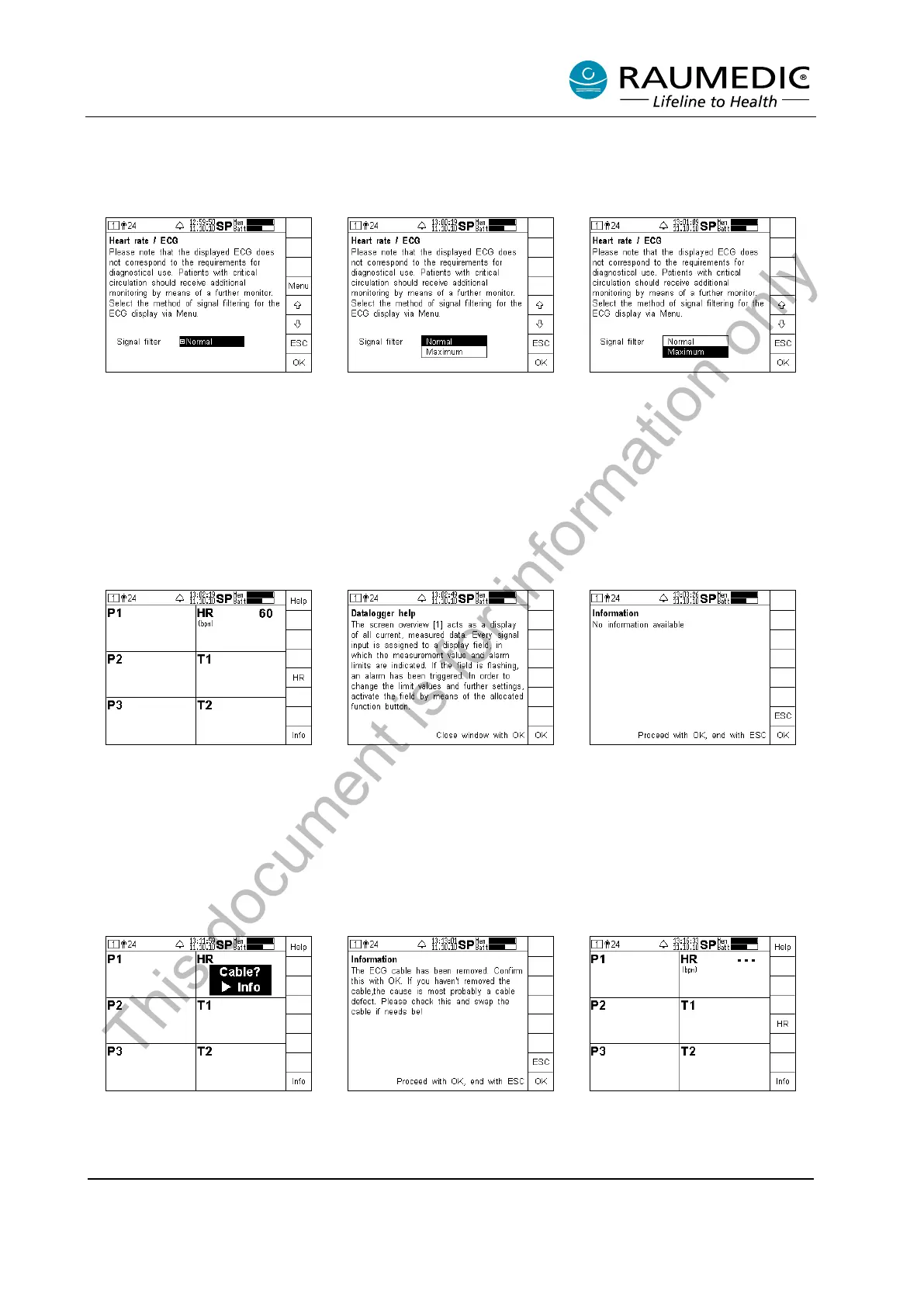
The right-hand column of the display holds the navigation field, in which you can use the soft keys to carry
out further adjustments or to call off information or help. Additional settings are accessed by pressing the
HR key.
The remaining operation is self-explanatory: After pressing the Menu key, you access the pull-down menu
for the adjustment of the signal filter. The options Normal and Maximum are available here. The frequency
ranges of the filter are listed in the chapter on Technical data.
The default setting is Normal when the apparatus has been switched on. This setting is suitable for standard
monitoring. Please chose Maximum in case of several disturbed signals. However, please keep in mind
that the signal morphology is distorted. Use the arrow keys to select a setting. Return to the previous step
without changing the settings by pressing the ESC key. Complete your entry by pressing OK.
4.4.2.2 ECG alarms
Alarms and error messages in conjunction with the ECG are indicated by the flashing Cable? symbol and
an acoustic alarm of medium priority. Reasons could be a removed or defective ECG cable. If the ECG
electrodes have been removed or the contact is insufficient, the ECG signal is weak. The measured value
HR --- is indicated instead. This is also the case, when the heart rate is out of range. The heart rate is not
monitored. For this reason, there is no menu to set the limiting alarm values.
This document is for information only



 To Next Page