Instructions for Use MPR1 DATALOGGER
Manufacturer: zwo-399EN
RAUMEDIC AG, Hermann-Staudinger-Strasse 2, 95233 Helmbrechts, Germany Rev. 9, 2020-10-16
Page 62 of 98
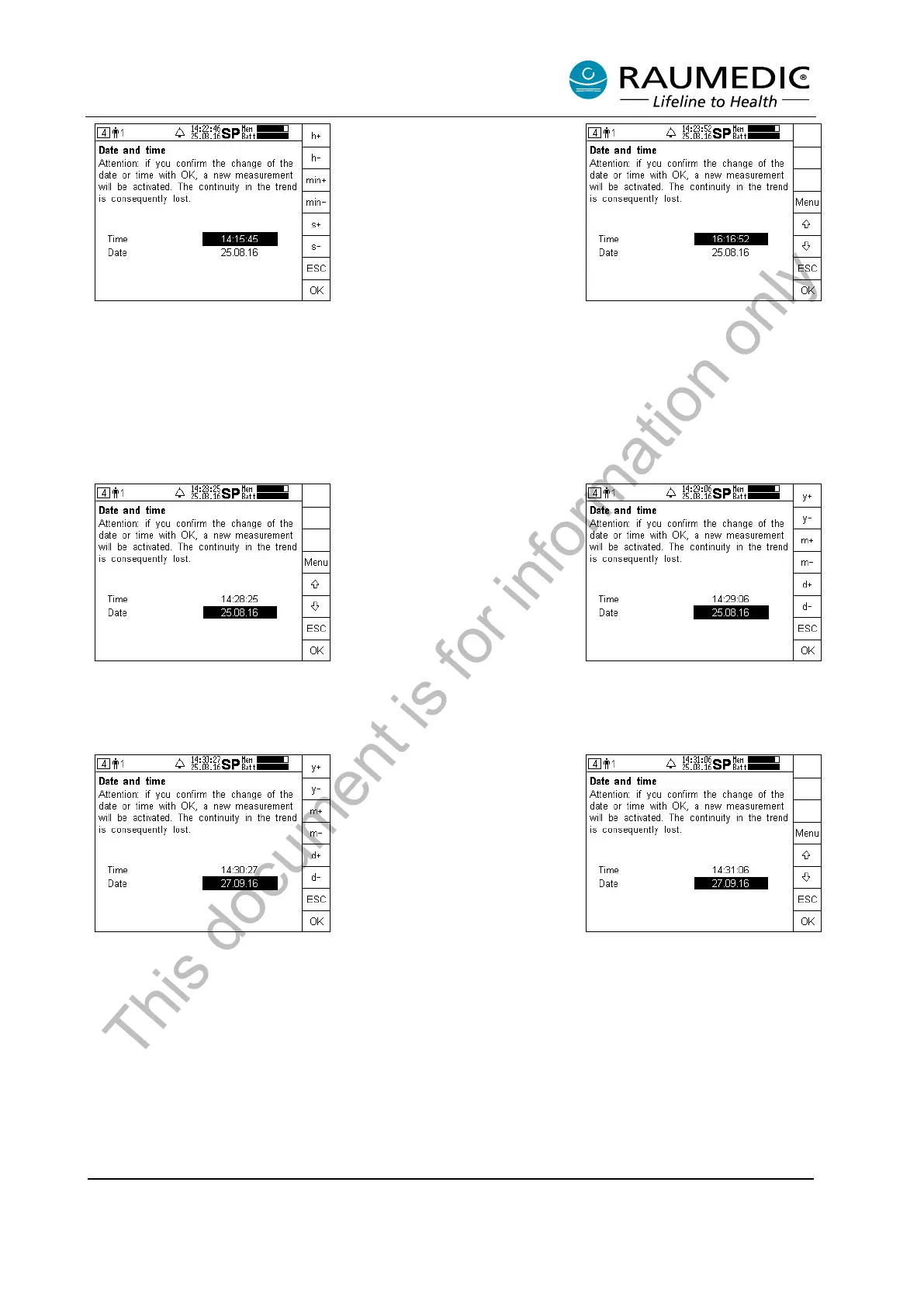
Step 3:
By pressing the + or- key the hour,
minute and second can be set.
Press the ESC
previous step.
Complete your
settings by pressing the OK key.
Step 4:
The modified time is displayed.
Setting the date:
Step 1:
Use the arrow keys to navigate in
the date field.
Step 2:
Press the Menu key to set the
date.
Step 3:
By pressing the + or-
month and day can be set.
Press
the ESC key to return to the
previous step.
settings by pressing the OK key.
Step 4:
The modified date is displayed.
This document is for information only



 To Next Page