20 Raypak, Inc.
HTC# 059105-00D
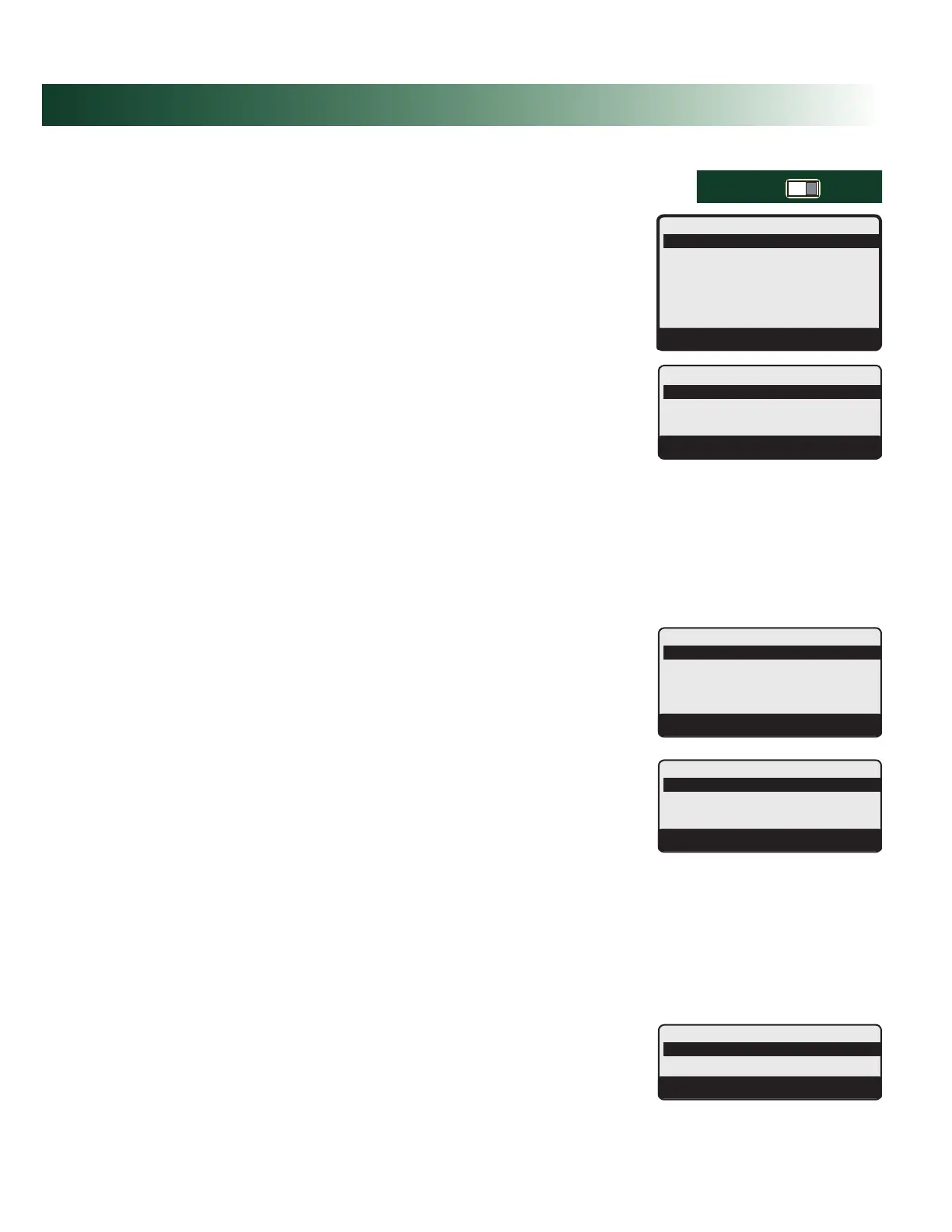
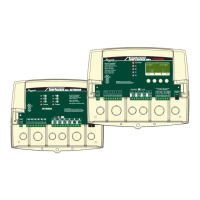
To be able to change the TempTracker mod+ Hybrid settings the Program/Run Switch must be
set to Program. The switch is located under the Enclosure Wiring Cover for security.
RUNPROGRAM
DO NOT APPLY ANY VOLTAGE
TO INPUT TERMINALS
3
4
5
6
7
8
9
10
11
12
13
15
14
17
16
18
20
19
21
24
23
29
25
27
26
28
32
30
31
L
N
-
+
+
T
T
O
O
RS-485
mA
GND
VLT
SYS
A
B
C
D
PWR
CUR / VLT
A
-
+
+
mA
GND
VLT
-
+
+
mA
GND
VLT
+
+
mA
22
-
GND
VLT
+
mA
TEMP
OUTDOOR
O
O
TEMP
SYSTEM
EXTENSION
MODULE
CUR / VLT
B
CUR / VLT
C
CUR / VLT
D
PROVE
/DHW
SHUTDOWN
/SETBACK
FOR ALL CIRCUITS
120VAC, 6A RESISTIVE
OUTPUT RATINGS:
1A PILOT DUTY, 15A TOTAL
115VAC 60Hz , 30VA MAX
INPUT RATINGS:
USE COPPER WIRE,
CLASS 1 WIRE ONLY.
CAUTION: RISK OF ELECTRIC SHOCK
More than one disconnect switch may be required
to de-energize the equipment before servicing.
ENCLOSED
ENERGY
MANAGEMENT
EQUIPMENT
99RA
/TSTAT
HYBRID
Button: MENU/<System Startup>
• When powered, the TempTracker mod+ Hybrid performs a self diagnostics-test.
• On the rst power up, the System Startup screen will appear after the initialization is
complete. If it doesn’t, the TempTracker mod+ Hybrid has already been congured.
• The System Startup menu sets the main parameters that relate to the heating application.
These settings must be set by the installer.
--------SETTINGS----
Season Winter
SystemTarget140
o
F
<SystemSettings>
<Maintenance>
<Histories>
<SystemStartup>
BACK▲▼SELECT
Modulation,Staging,Hybrid Default:Modulation
Button: MENU/<System Startup>/..../Boiler Type
• The same Raypak control can operate modulating boilers, staging boilers, or a combination
of both types.
• The Modulation option will operate a variety of modulating boilers.
• The Staging option will operate a variety of On/Off or multi-stage boilers.
• The Hybrid option will sequence two groups of boilers, condensing and non-condensing.
Each group could be of a different boiler type (Modulation or Staging). See "HYBRID
Startup Settings" on page 21. Each Multi-Stage boiler will use a single output relay. The
staging will take place using the voltage output signal.
• If BACnet is to be used, each of the Boiler Type modes will have a different set of BACnet
variables. See "Hybrid - Outdoor Reset - BACnet Variable list" on page 44..
---BOILERTYPE---
Modulation
Staging
Hybrid
BACK▲▼SAVE
Reset°F,Reset°C,SetPoint°F,SetPoint°C,4-20mAEMS Default:Reset°F
(Set Point Options Not Available with Hybrid Boiler Type)
Button: MENU/<System Startup>/..../Sensor Type
• If Reset °F is selected, all temperatures and settings will be displayed in degrees Fahrenheit
and the control will use Reset Ratios to adjust the system set point.
• If Reset °C is selected, all temperatures and settings will be displayed in degrees Celsius and
the control will use Reset Ratios to adjust the system set point.
• If Set Point °F is selected, all temperatures and settings will be displayed in degrees
Fahrenheit and the control will have an adjustable system set point.
• If Set Point °F is selected, all temperatures and settings will be displayed in degrees Celsius
and the control will have an adjustable system set point.
• The 4-20mA EMS option is only available to the Hybrid Boiler Type option. To use
4-20mA EMS with Staging and Modulating Boiler Types, select one of the Set Point options
and the EMS Input Mode menu will follow to offer the 4-20mA EMS option.
• The use of the 4-20mA EMS option requires the purchase of the 4-20mA EMS Interface
(#012019). It gives the TempTracker mod+ Hybrid the capability of accepting a remote
4-20mA signal from a BMS or EMS system as the target set point.
• If BACnet is to be used, each of the Sensor Type modes will have a different set of BACnet
variables. See "Hybrid - Outdoor Reset - BACnet Variable list" on page 44..
--SENSORTYPE--
Reset
o
F
Reset
o
C
SetPoint
o
F
SetPoint
o
C
BACK▲▼SAVE
---SENSORTYPE---
Reset
o
F
Reset
o
C
4-20mAEMS
BACK▲▼SAVE
Disable,Enable Default:Disable
(Available after Set Point with Staging or Modulation Boiler Types)
Button: MENU/<System Startup>/..../Boiler Type/Sensor Type / EMS Input Mode
• It allows the TempTracker mod+ Hybrid to utilize the 4-20mA EMS Interface (#012019) to
accept a remote 4-20mA signal from a BMS or EMS system as the target set point.
-EMSINPUTMODE-
Disable
Enable
BACK▲▼SAVE


 To Next Page