30 Raypak, Inc.
HTC# 059105-00D
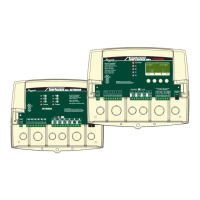
To Reset the TempTracker mod+ Hybrid control to its original factory defaults, power down
the control. Hold down the two right most buttons while powering the control back up until
the TOTALCLEARSTARTED screen appears. The Display will direct you to the
Startup menu to program the control after the defaults are loaded.
TOTALCLEARSTARTED
Releasebuttons
and
PleaseWait
NOTE: When resetting the control to original factory defaults all control settings will be overwritten and will no longer exist.
Do not turn off power to control until all Startup settings have been made. Otherwise, the next
power-up will be set to many Startup factory settings that may not t your application.


 To Next Page