DSMC2 SIDE HANDLE
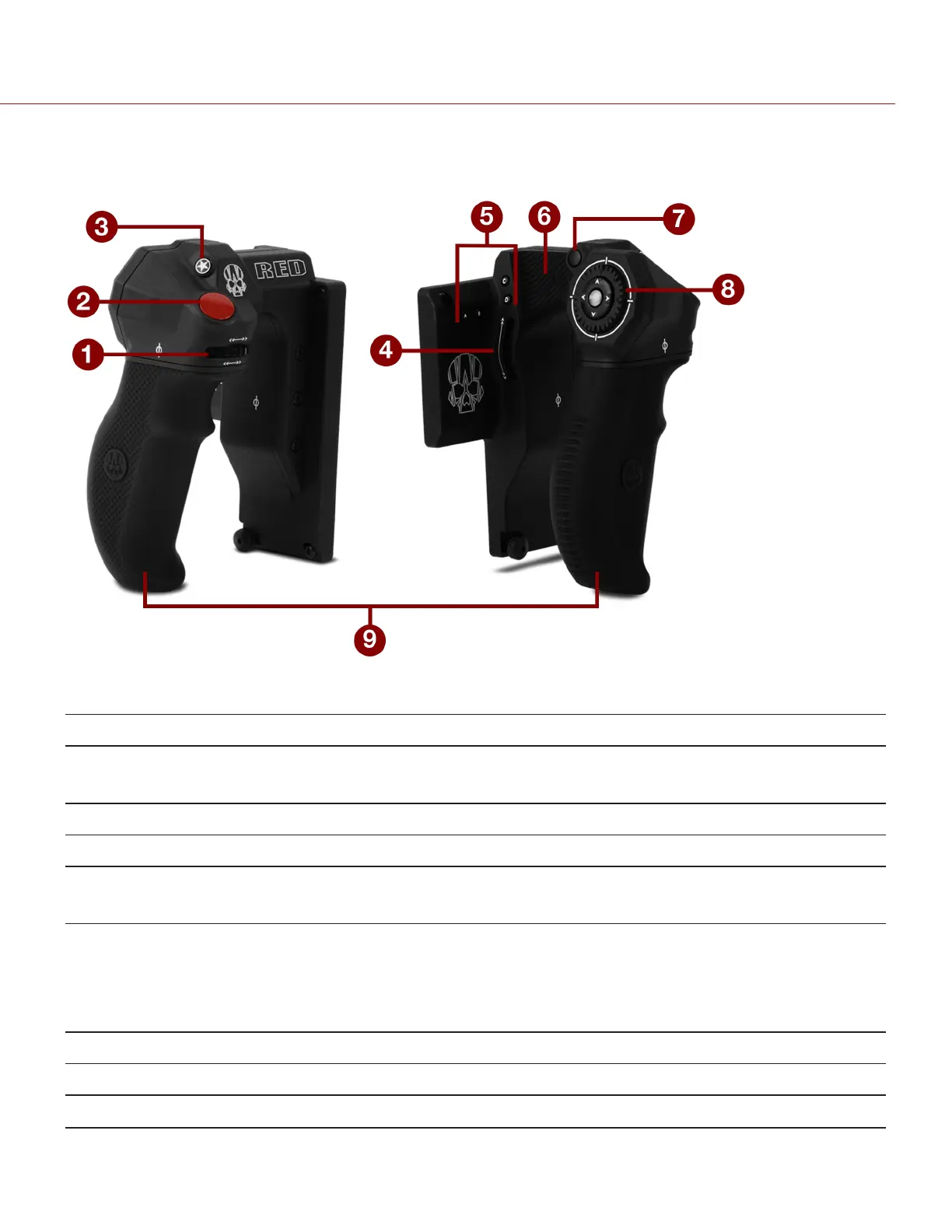
This section describes the controls and display of the DSMC2 Side Handle.
Figure: DSMC2 Side Handle
# CONTROL/ITEM DESCRIPTION
1 Focus Control Wheel
1
Clockwise (Away from camera): Increase focus distance
Counter-Clockwise (Toward camera): Decrease focus distance
2 Focus/Record Button Half-press for auto-focus; full press to Start/Stop Record
3 User Key 1 (Mark Frame Button) Mark a frame so that you can easily return to it in playback
4 Rotary Side (Iris Control Wheel)
Clockwise (Up): Open Iris
Counter-Clockwise (Down): Close Iris
5 User Keys (A–D)
A: Cycle Auto-Focus Mode
B: Auto White Balance
C: Toggle 1:1 Magnify
D: Toggle Exposure Mode
6 Thumb Pad Resting area for thumb
7 MENU Button Access menus or exit currently selected menu
8 Navigation Group Navigate menus and menu items; Go to "Navigation Group" on page70
C OPYRI GHT © 2017 R ED.C O M , I NC 955- 01 38 _V6.3, REV-D | 73
WEAPON/EPIC-W OPERATION GUIDE



 To Next Page