Regency
®
Model 4720 Control/Communicator Installation Manual (P/N 150476, Rev. A) Revised 10/98
49
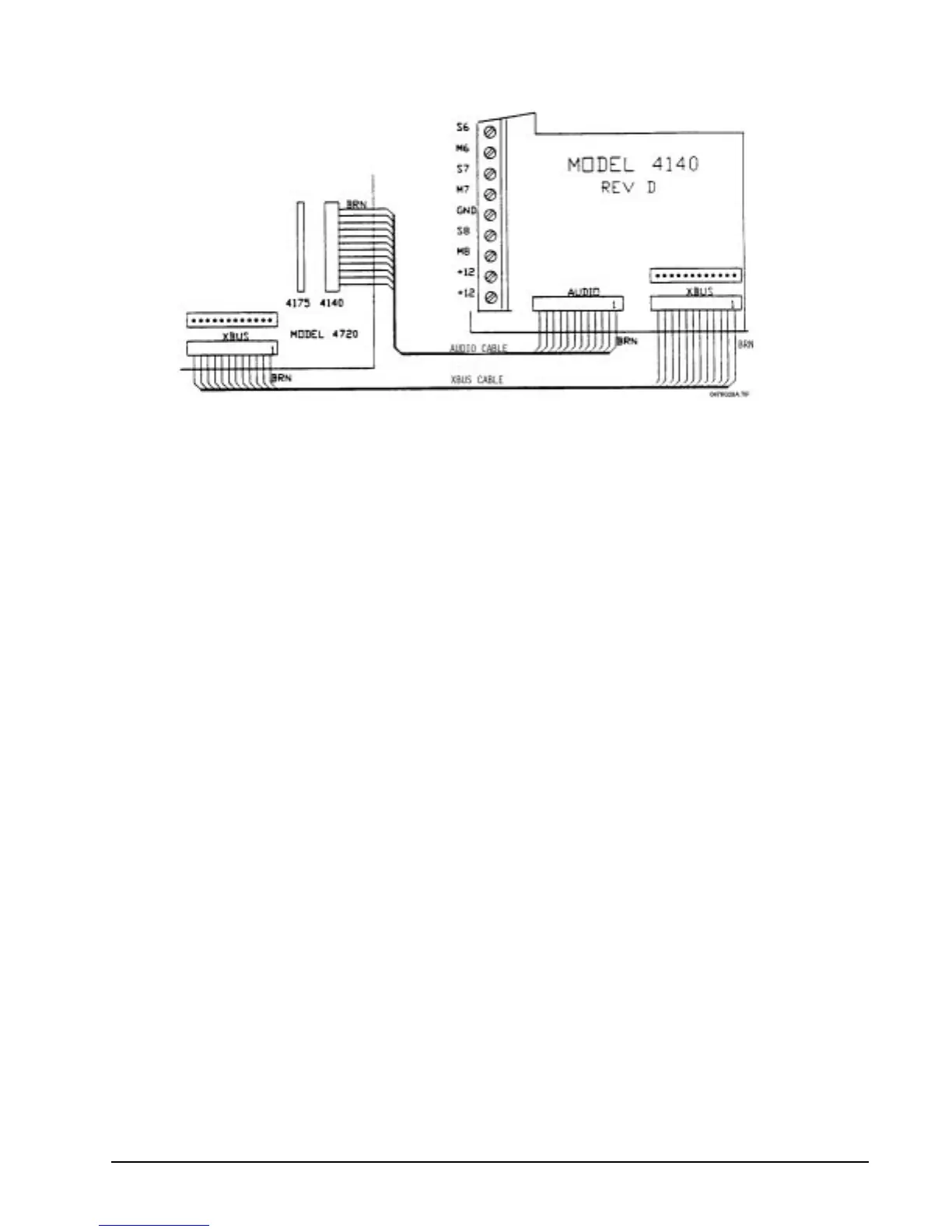
Figure 14.1a: Connecting the Model 4140 to the Model 4720
14.1.1 Mounting the Model 4640
The Model 4640 is designed to be mounted next to a touchpad at its right side. The plastic prongs
sticking out of the Model 4640 are for attachment to a touchpad.
To mount:
1. Remove the touchpad's back plate.
2. Remove the hidden alignment notch on the right side of the touchpad plate. Use side-cutters to
make cuts in the grooves on the notch. Move the cut notch back and forth a few times. It should
break off easily. If necessary, use a knife to clean off any excess plastic.
3. Slide the Model 4640's prongs into the indentation you made on the touchpad. Secure the Model
4640's back plate to the wall using pan head screws. Pull wires through the indentation in the
back plate of the Model 4640. Snap the front plate firmly, being careful not to pinch the wires
between the front and back plates.



 To Next Page