12
• The ReliOn™ Premier BLU Blood Glucose Meter uses two 3.0 V
lithium batteries.
• Do not mix old and new batteries.
• Do not mix alkaline, standard (carbon-zinc) or rechargeable
(ni-cad, ni-mh, etc.) batteries.
• Before using the meter, check the battery compartment and
insert batteries if empty.
• When the
symbol appears on the display while the meter
is in use, the batteries should be replaced as soon as possible.
• The test results may not be saved if the batteries run out.
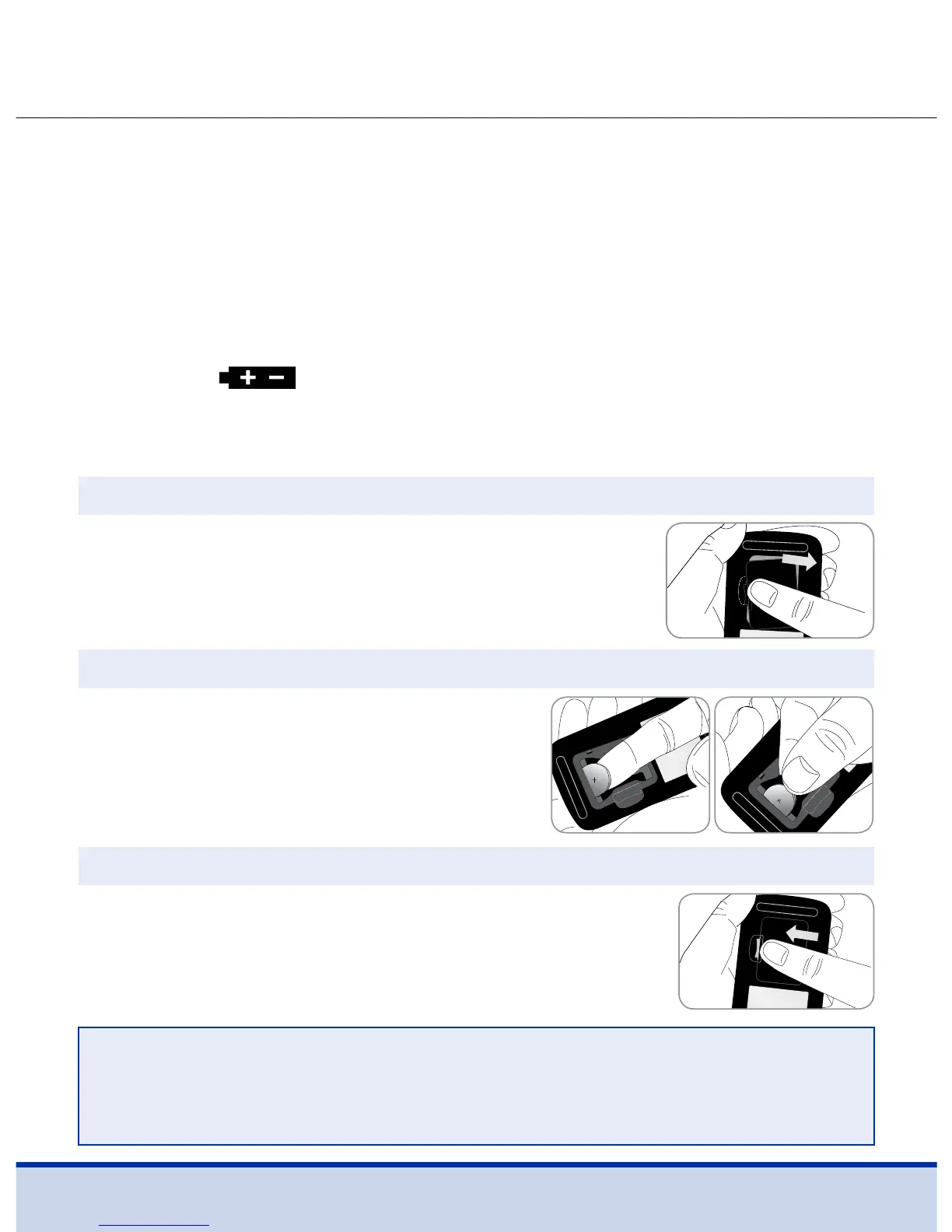
Inserting or Replacing the Batteries
Make sure the meter is turned off. Push the
cover in the direction of the arrow to open
the battery compartment.
Step 1
NOTE
• Removing the meter batteries will not affect your stored results.
However, meter setting may need to be reset, see page 17.
Remove the used batteries and insert
two new batteries with the ‘+’ side
facing up. Make sure the batteries are
inserted firmly.
Step 2
Place the cover on the battery compartment.
Close the battery cover firmly. A click may
be heard.
Step 3



 To Next Page