47
Setting the Alarm Function
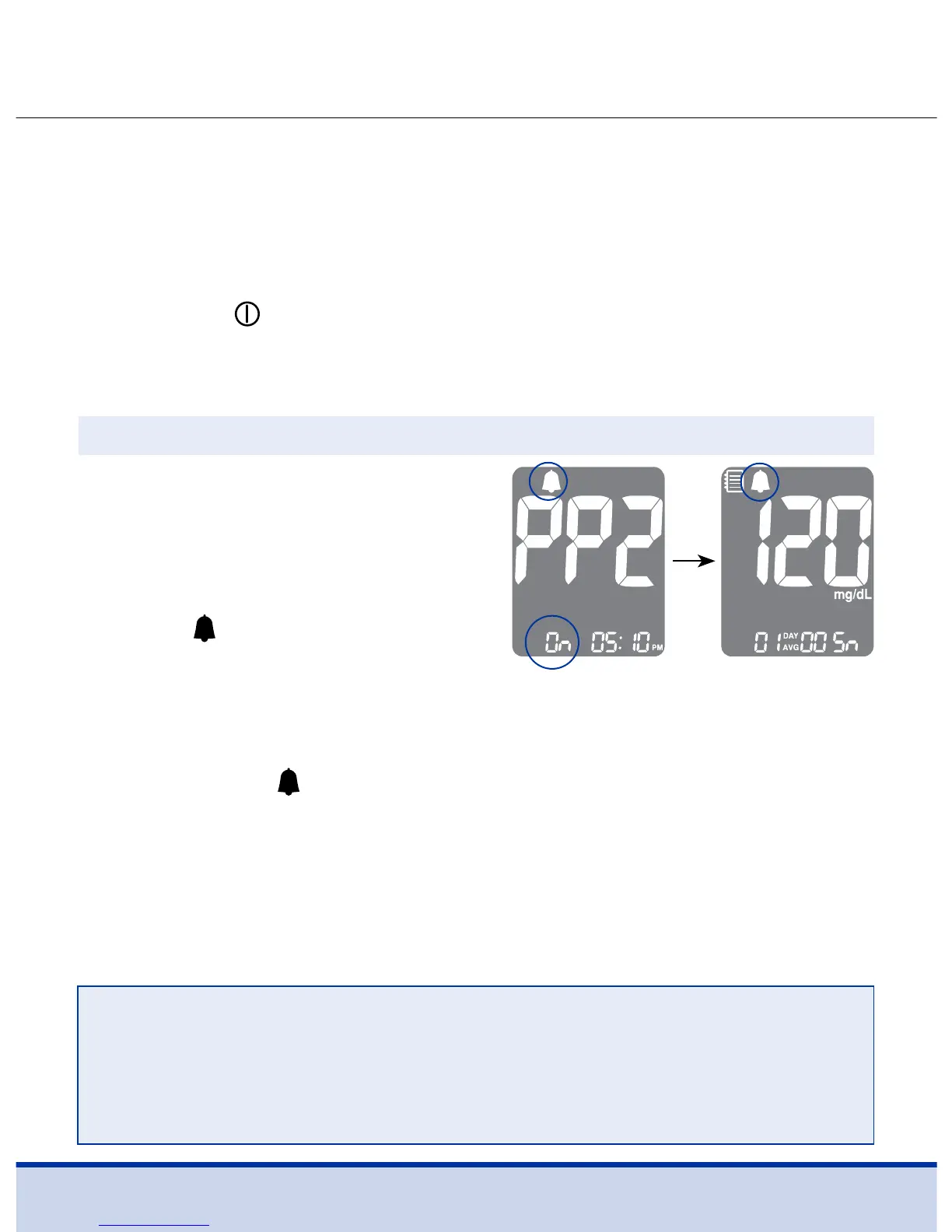
Without inserting a test strip,
press and hold the < button for
three (3) seconds to set the
post-meal alarm.
‘PP2’, the
symbol and ‘On’ will
be displayed. The screen will
then automatically change to the
memory recall mode.
Four types of alarms can be set in the ReliOn™ Premier BLU
Blood Glucose Meter. One (1) post-meal alarm (PP2 alarm) and
three (3) time set alarms (alarm 1–3).
• The PP2 alarm goes off 2 hours after setting the alarm.
• The alarms ring for 15 seconds and can be silenced by pressing
the <, > or
button, or by inserting a test strip.
Setting the Post-meal Alarm (PP2 alarm)
Step 1 Turning the PP2 Alarm On
At this time, the
symbol, indicating that the PP2 alarm has
been set, will be displayed on the screen.
NOTE
• The PP2 alarm will automatically turn off if the meter’s time
setting is adjusted to more than two hours before or just
past the currently activated PP2 alarm time.



 To Next Page