20
Step 3 Entering the PIN Number
1
SMARTPHONE: Select ‘My Day’ in the bottom left corner of
the screen. Then scroll down to ‘Blood Sugar Readings’ and
select ‘Add Reading’.
On the next screen select ‘Sync your meter’ and then
‘Sync Meter’.
2
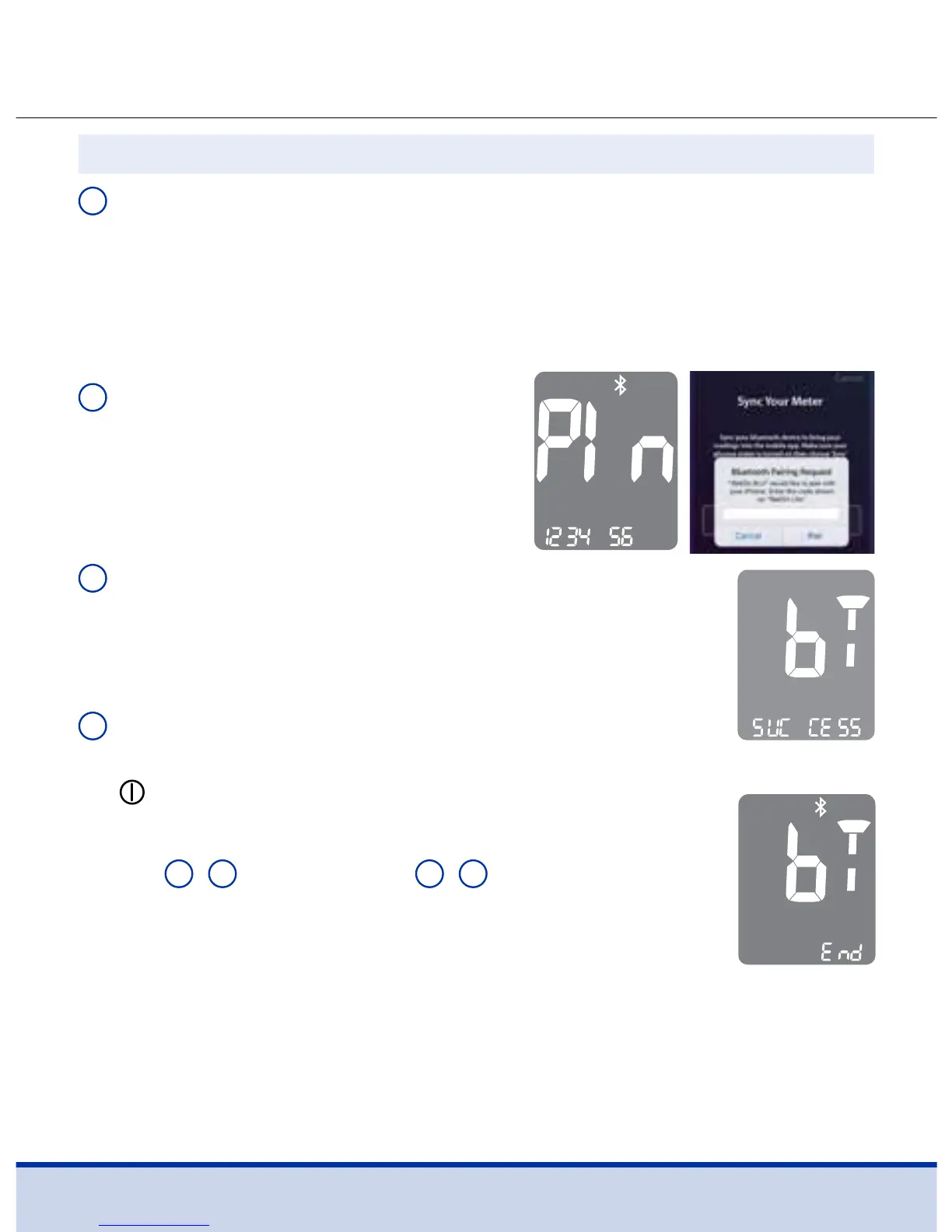
METER/SMARTPHONE: The
meter will now display a 6-digit
PIN code. Enter this PIN code into
the ReliOn™ Life mobile app and
select ‘Pair’.
3
METER: When your meter and smartphone
are paired (connected), the meter will display
‘SUCCESS’ and the test results in the meter will be
transferred to your smartphone.
4
METER: When the data transfer is finished, the
meter will display ‘End’ on the screen. Press the
button to go to Step 4, Setting the Year.
METER: If the meter displays ‘FAIL’ and then ‘OFF’,
repeat
2
–
4
in Step 2 and
1
–
2
in Step 3.
SMARTPHONE: If the ReliOn™ Life app displays
‘Unable to Sync’; select ‘Try Again’. If it still displays
‘Unable to Sync’, follow steps listed on the ReliOn™
Life app screen.



 To Next Page