19
1
4
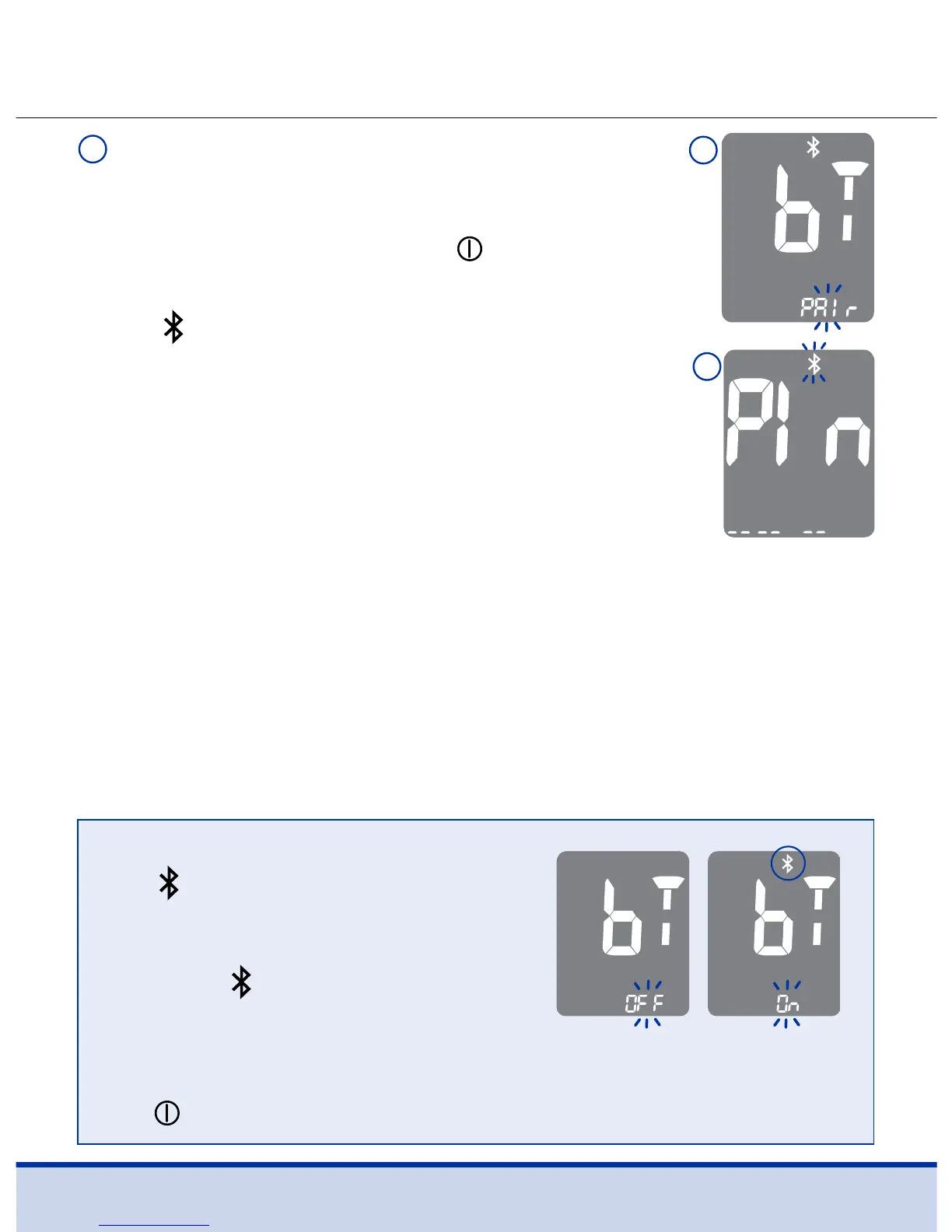
METER: Press the < or > button. The meter
screen will first display ‘OFF’, then ‘On’ and
finally ‘PAIr’. To pair (connect) your meter to
your smartphone, press the button when
‘PAIr’ is blinking on the screen (1).
The
symbol and ‘Pl n’ will appear on
the screen (2).
NOTE
• The
symbol will appear on
the screen when the Bluetooth®
feature is on.
• When the
symbol is not present
on the screen, the Bluetooth®
feature is off.
• When you need to turn the Bluetooth® feature on or off, press
the
button when ‘On’ or ‘OFF’ blinks on the screen.
2



 To Next Page