35
Applying Blood Sample
Preparing the Meter and Test Strip
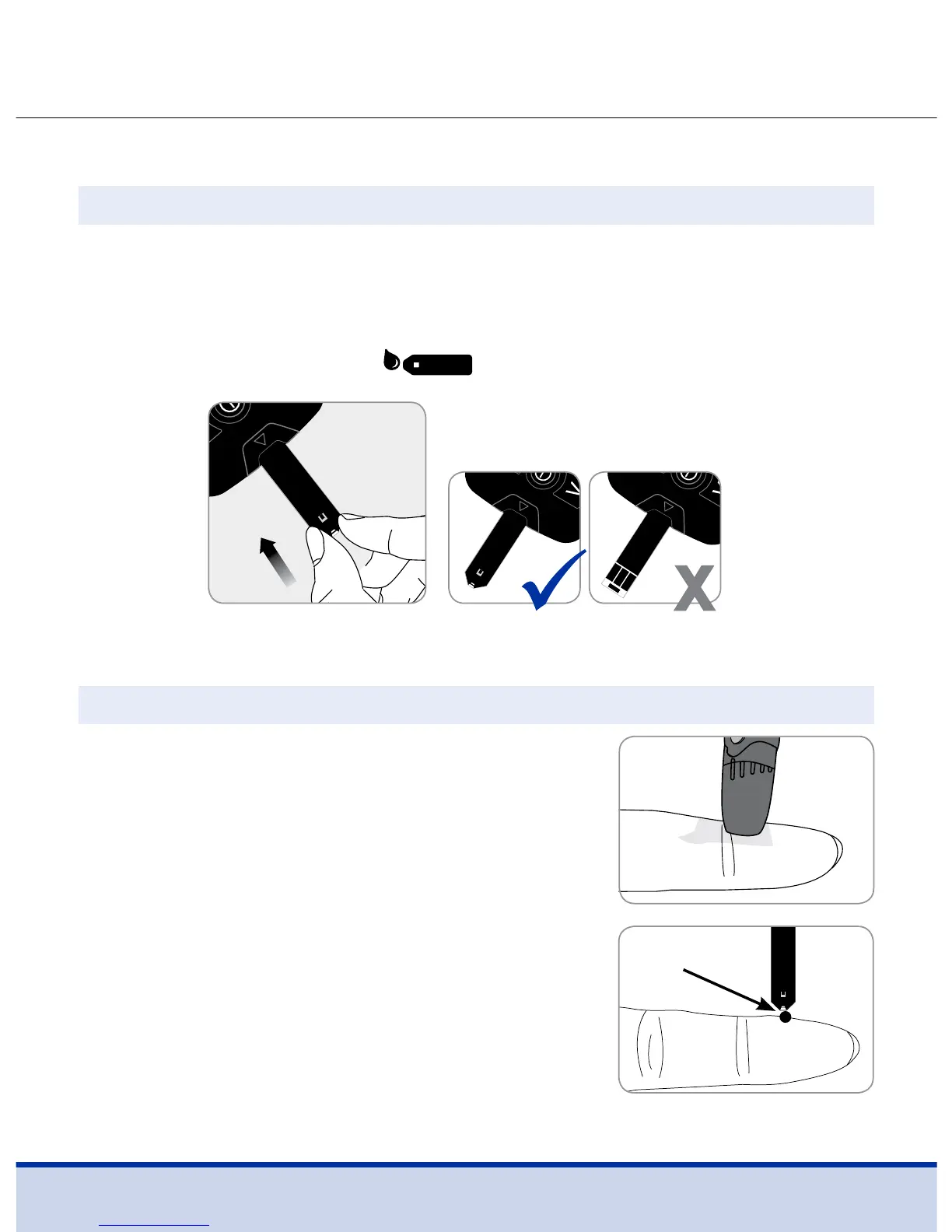
Insert a test strip with the contact bars facing upwards into the
meter’s test strip port.
Push the test strip in gently until the meter beeps. Be careful not
to bend the test strip. The symbol will appear on the screen.
Step 6
Obtain a blood sample using the lancing
device. Place the device against the pad
of the finger. The best puncture sites are
on the middle or ring fingers.
Press the release button. Remove the
device from the finger. Wait a few seconds
for a blood drop to form.
A minimum volume of 0.5 microliter is
needed to fill the confirmation window.
Step 7
Approximate size



 To Next Page