18
1
METER: If you do not want to pair (connect)
your meter to your smartphone, press the
button when the screen to the right
appears. The meter will go to Step 4, Setting
the Year.
Setting Up Bluetooth®
2
SMARTPHONE: If you want to pair (connect) your meter to
your smartphone, launch the ReliOn™ Life mobile app on your
smartphone, select ‘Profile’ in the bottom right corner of the
screen, then select ‘My Meters’ from the list and finally ‘+’ in
the upper right of the screen.
Step 2 Bluetooth® Pairing
3
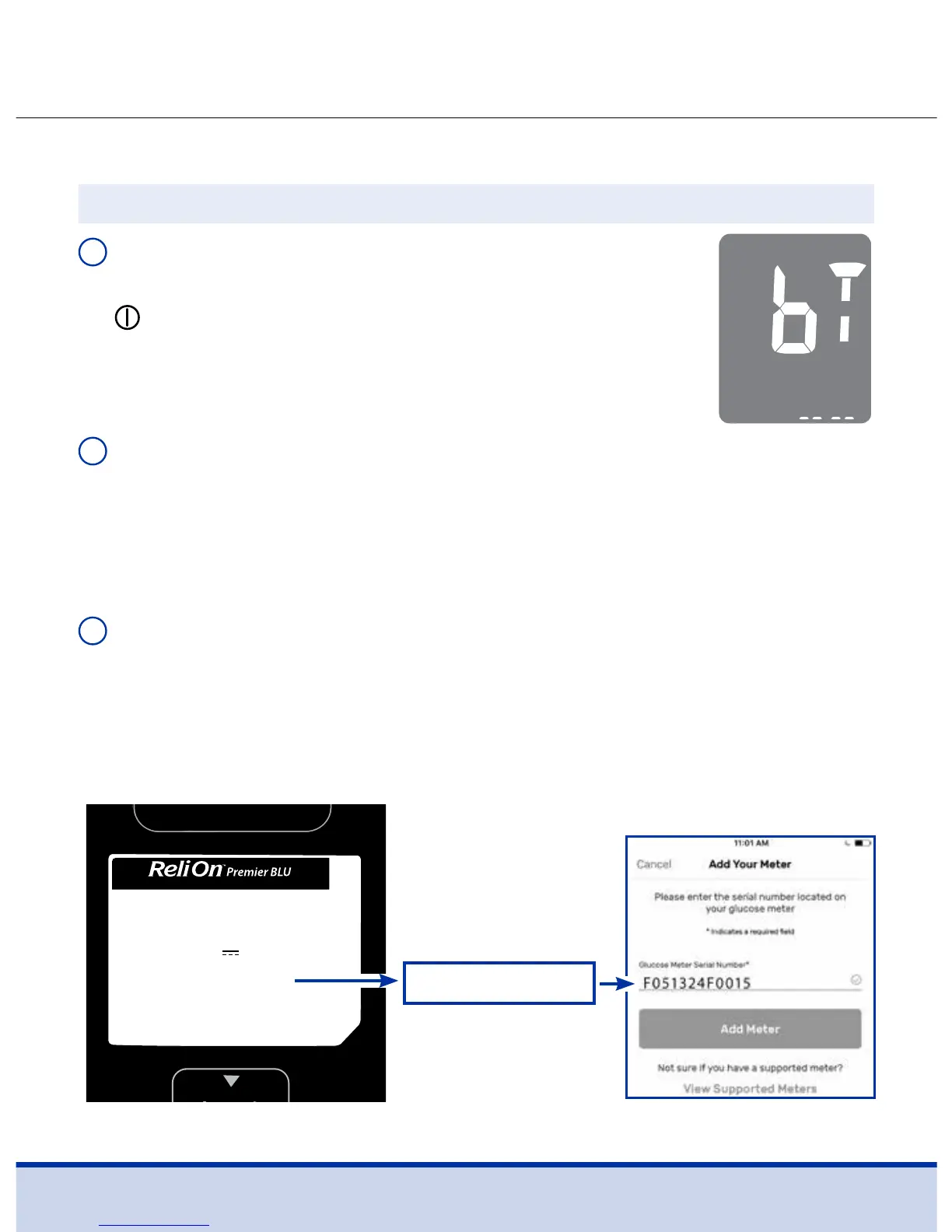
SMARTPHONE/METER: Enter the serial number (found on the
back of your ReliOn™ Premier BLU Blood Glucose Meter) into the
ReliOn™ Life app.
For self-testing use only. For in vitro diagnostic use only.
Use with ReliOn™ Premier Blood Glucose Test Strips.
For single user / home use only.
Blood Glucose Meter
SGA1E0214 REV0 10/2017
Contains FCC ID: OELBM001 / Product of Korea
GTIN (01) 00681131169806
SN (21) F051324F0015
Model : GM01AAB
3V 15mA (CR2032 x 2)
Customer Service: 1-855-776-0662, 7a.m.–7p.m. Central time, 7 days a week
Distributed by: Wal-Mart Stores, Inc, Bentonville, AR 72716 ReliOnBGM.com
Ex: 12-character
serial number
Enter only the 12-character serial number. See example below.
Select ‘Add Meter’.
F051324F0015



 To Next Page