24
This setting allows you to turn the test strip expiration date
indicator ‘On’ or ‘OFF’. This setting turns the function ‘On’ or
‘OFF’ only. See page 26 to set the test strip expiration date.
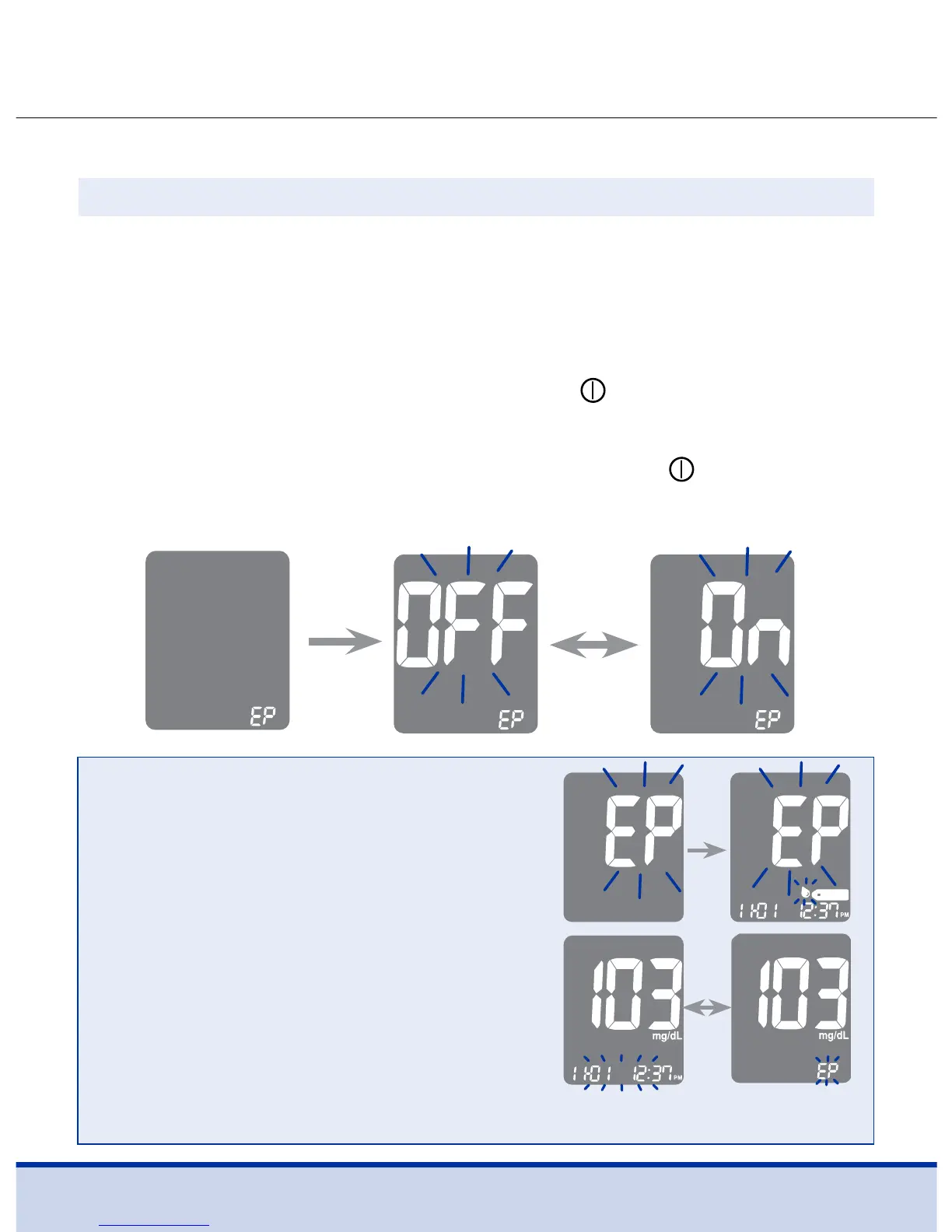
When ‘EP’ appears on the screen, press the < or > button. The
screen will display ‘On’ or ‘OFF’. Press the
button to confirm
the setting.
If you do not want to set the indicator, press the
button while
the screen displays ‘OFF’.
Turning on the Test Strip Expiration Date Indicator
Step 11
NOTE
• If the preset expiration date expires,
the meter will display ‘EP’ when the
test strip is inserted.
• The display will alternate between
‘EP’, and date and time when the
test result is displayed right after
the test.
• If the expiration date is set to
October of 2019, the meter will
display EP at the start of November, 2019.



 To Next Page