36
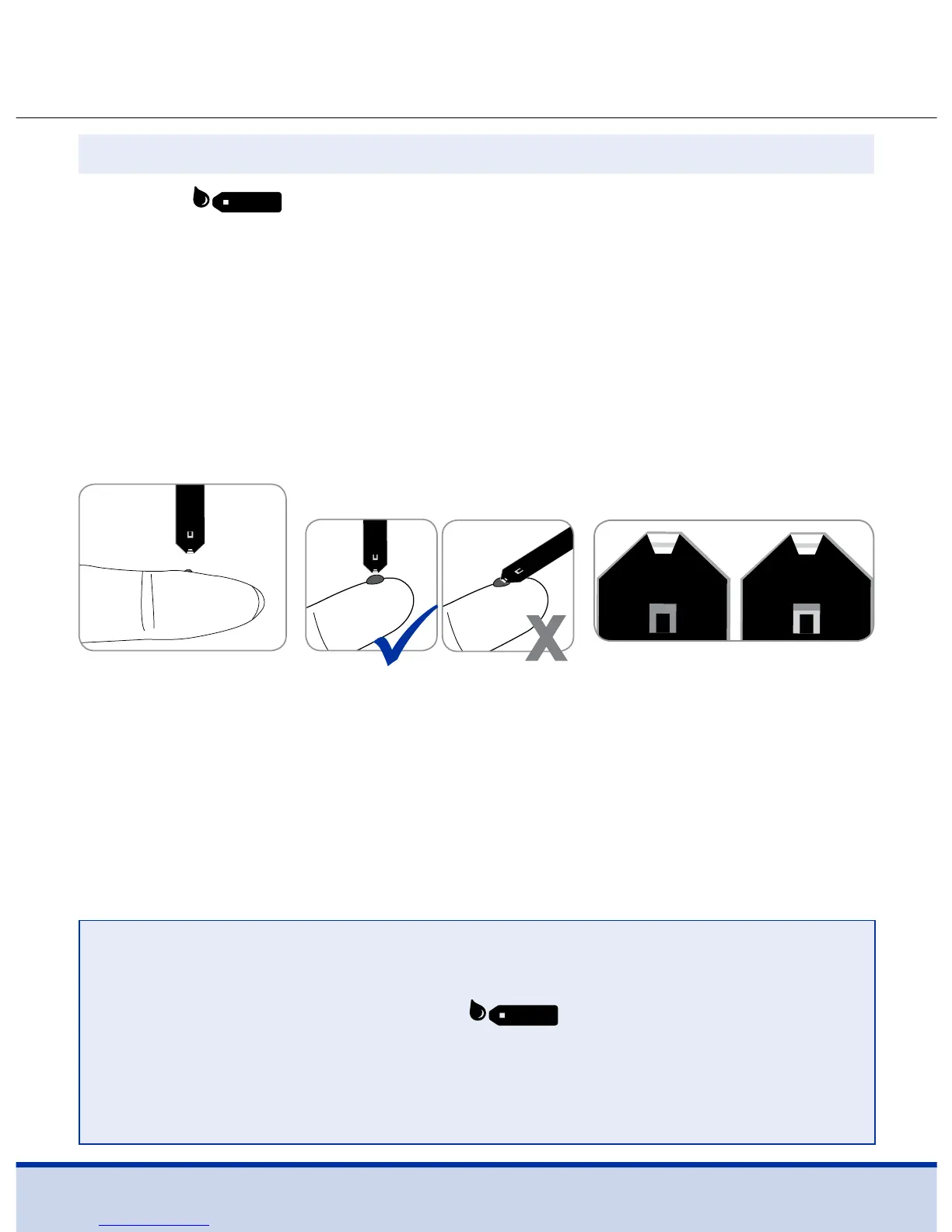
After the symbol appears on the screen, apply the blood
sample to the narrow end of the test strip until the meter beeps.
If the confirmation window is not filled in time because of
abnormal viscosity (thickness and stickiness) or insufficient
volume, the Er4 message may appear.
It is recommended to place the test strip vertically into the blood
sample site as shown below.
Step 8
Good
Sample
Insucient
Sample
NOTE
• The meter may switch off if the blood sample is not applied
within two (2) minutes of the
symbol appearing on
the screen.
• If the meter turns off, remove the test strip, reinsert it and
start from step 2.



 To Next Page