29
Shake the ReliOn™ Premier
Control Solution bottle before
each test.
Remove the cap and squeeze
the bottle to discard the first
1 or 2 drops.
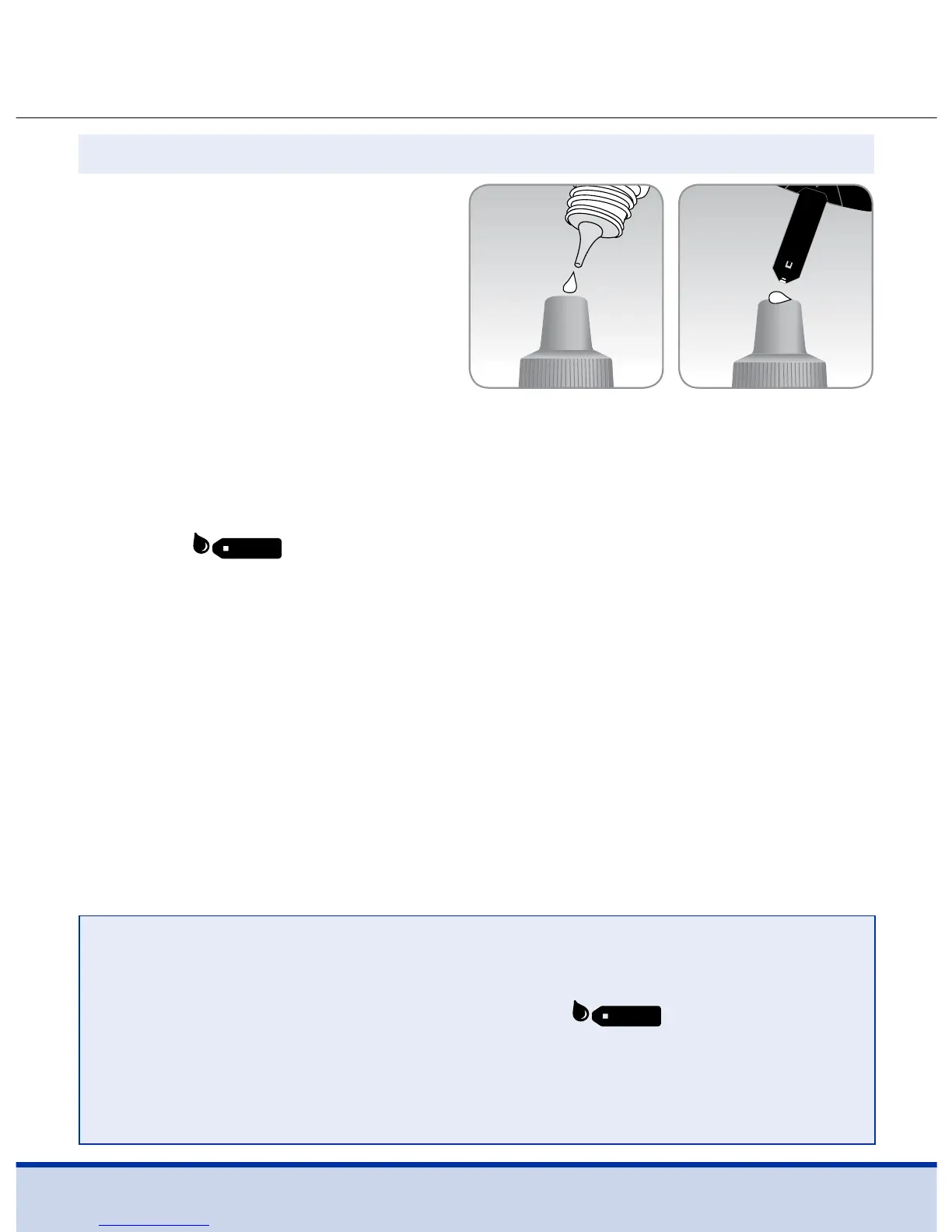
Wipe the tip with a clean tissue or cloth. Dispense a drop
of control solution onto a clean non-absorbent surface. It helps
to squeeze a drop onto the top of the cap as shown.
After the
symbol appears on the display, apply the
solution to the narrow edge of the test strip until the meter
beeps. Make sure the confirmation window fills completely.
Step 3
NOTE
• The meter may switch off if the control solution sample
is not applied within 2 minutes of the
symbol
appearing on the screen.
• If the meter turns off, remove the test strip, reinsert, and
start from step 2.



 To Next Page