VR-3800D Series Digital Video Recorder
49
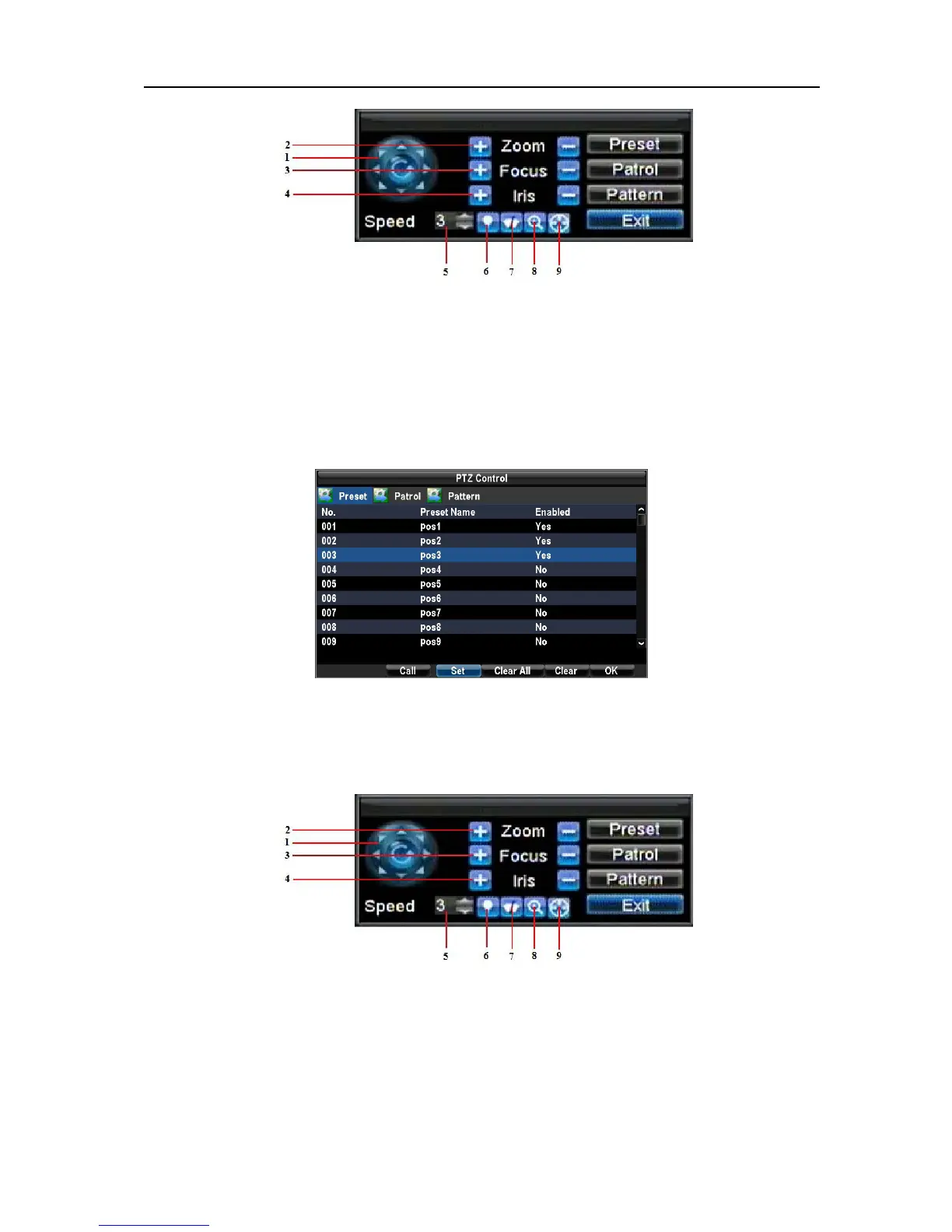
2. To setup and call PTZ presets:
Select a preset number and click Set (Use the PTZ control panel or drag the picture or through
front panel/remote/keyboard operation to adjust the position of the preset). Select a Preset number and
click the Clear button to delete the preset. You may also select the Clear All button to delete all presets.
Select a Preset and click the Call button to call preset.
Note: Only valid presets can be called and deleted.
Setting up and Calling PTZ Patrols
1. Enter the PTZ Control interface by clicking PTZ in the mouse menu or the PTZ button on the front panel.
Select the Patrol button or Patrol in right click menu to enter the Patrol Management menu.
2. Select a Patrol Number to set.
Select valid presets and click the Set button to enter the Patrol configuration menu. A sequence should have
at least 2 valid presets.
UnRegistered



 To Next Page