GB.25
AUXILIARY AUDIO SOURCES (1/3)
Your system has two types of auxiliary
inputs:
– for connecting an external audio
source (MP3 player, portable music
player, USB key, phone, etc).
– with Bluetooth® (Bluetooth® audio
player, Bluetooth® phone).
To find the input position, please refer
to the section on “Introduction to the
controls”.
Operating and connection
principles
There are two types of connections:
– a USB socket;
– a Jack socket.
Connect your portable audio player, de-
pending on the type of device.
Once you have connected a USB
socket or jack, the system automati-
cally detects the auxiliary source.
Note: the USB key used must be for-
matted to FAT32 format and have a
maximum capacity of 32GB.
Selecting an auxiliary source
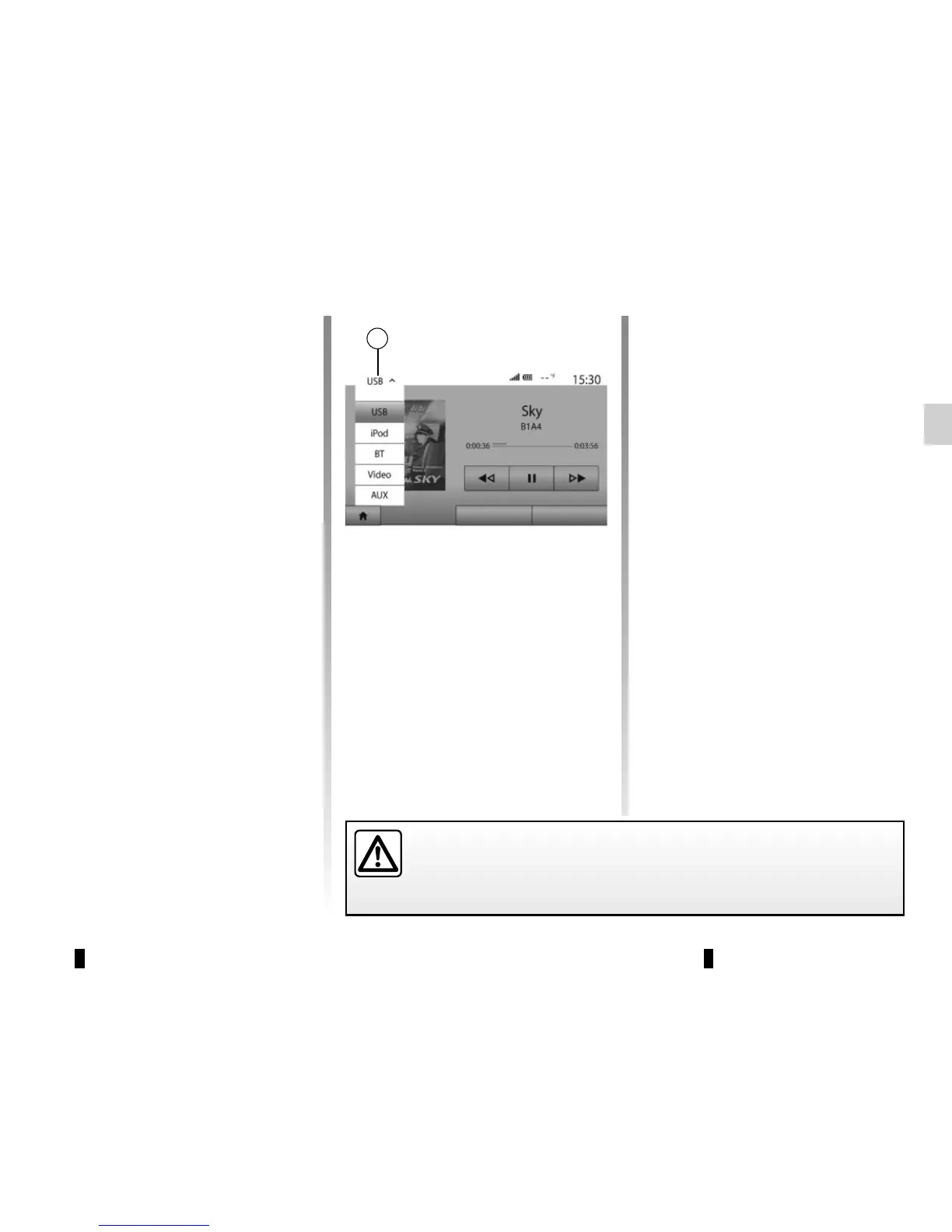
To select an input source, press 1.
A list of available input sources is dis-
played instantly:
– USB: USB key, MP3 player, tele-
phone, etc. ;
– iPod®: device with integrated iPod®;
– BT: Bluetooth® devices;
– Video: USB flash drive (MP4 file);
– AUX: 3.5 mm jack.
In navigation mode or when listen-
ing to the radio, select your auxiliary
audio source by pressing “Home”, then
“Media”.
The system starts playing the last audio
track played.
Only handle the portable audio player when traffic conditions permit.
Store the portable audio player safely while driving (risk of being thrown
in the event of sudden braking).
Main List Options
1



 To Next Page