GB.36
ENTERING A DESTINATION (1/6)
Destination menu
Press “Home” > “Nav” > “Destination”
to access the destination menu.
The destination menu offers several
methods to enter a destination:
– enter an address (complete or par-
tial);
– select an address from “Points of in-
terest”;
– select a destination from the pre-
vious destinations;
– select an address from the
Favourites;
– select for destination by using the
map;
– select a latitude and longitude.
Entering an address
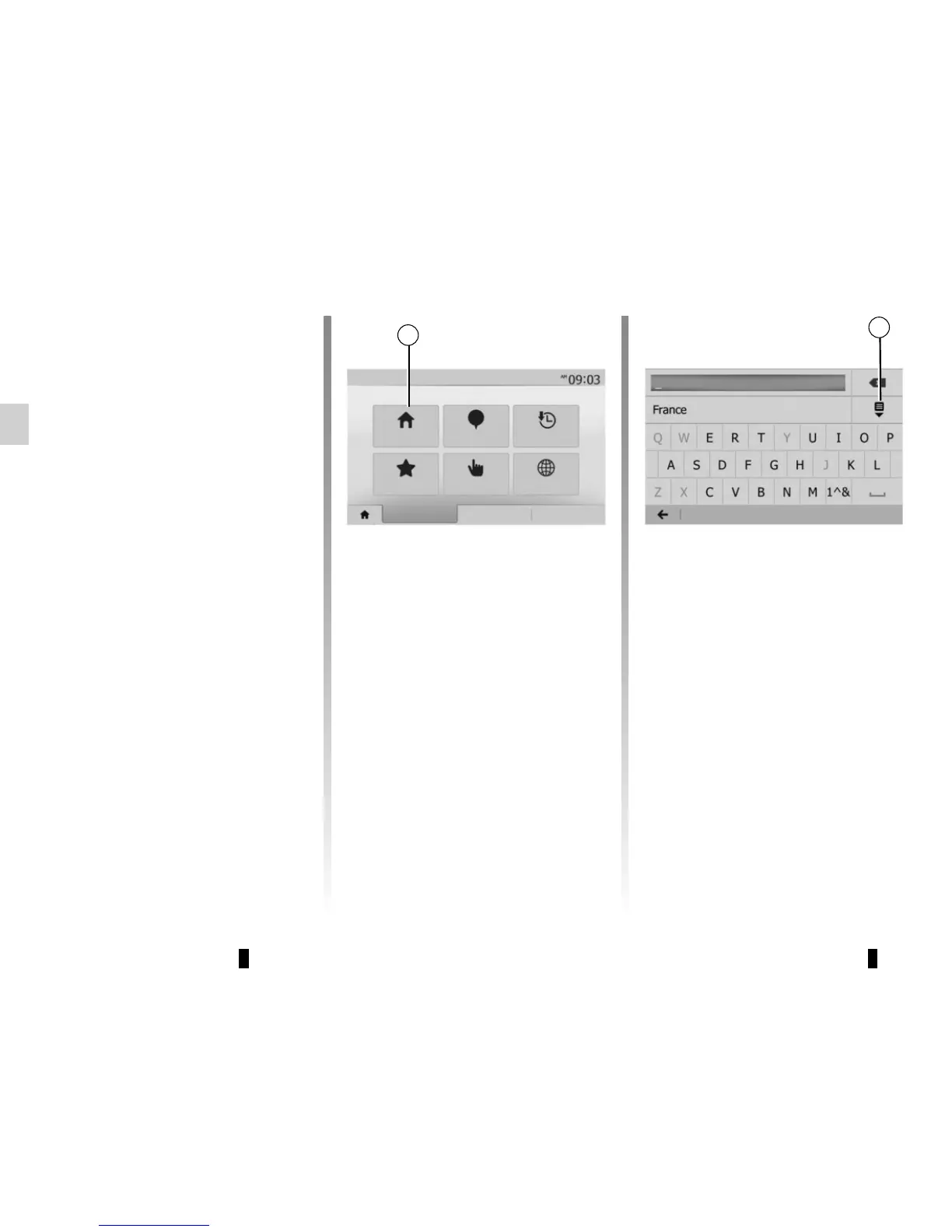
To enter an address, press 1.
This item allows you to enter all or part
of the address: country, town, street
and house number.
Note: only addresses known to the
system through the digital map are au-
thorised.
When using for the first time:
– press “Country”;
– enter the name of the country re-
quired using the keypad.
When entering the address the system
will remove the brightness of certain let-
ters to help enter the address.
The system may suggest several coun-
try lists by pressing 2. Select the re-
quired country in the lists.
– Do the same for “Town/Area”,
“Street”, “Cross street” and “Street
number”.
Note: “Cross street” and “Street
number” can be activated after select-
ing “Street”.
Note: when entering the street, it is not
necessary to specify the type of road
(street, avenue, boulevard, etc.).
Note: The system stores previous ad-
dresses in its memory. Once you have
entered a destination by address, that
address will be displayed when the
device is next used.
2
Options
Navigation
Address
History
Points of interest
CoordinateFind on map
Destination
Route Options
Favourites
1



 To Next Page