GB.49
MANAGING THE FAVOURITES (1/2)
Creating an entry
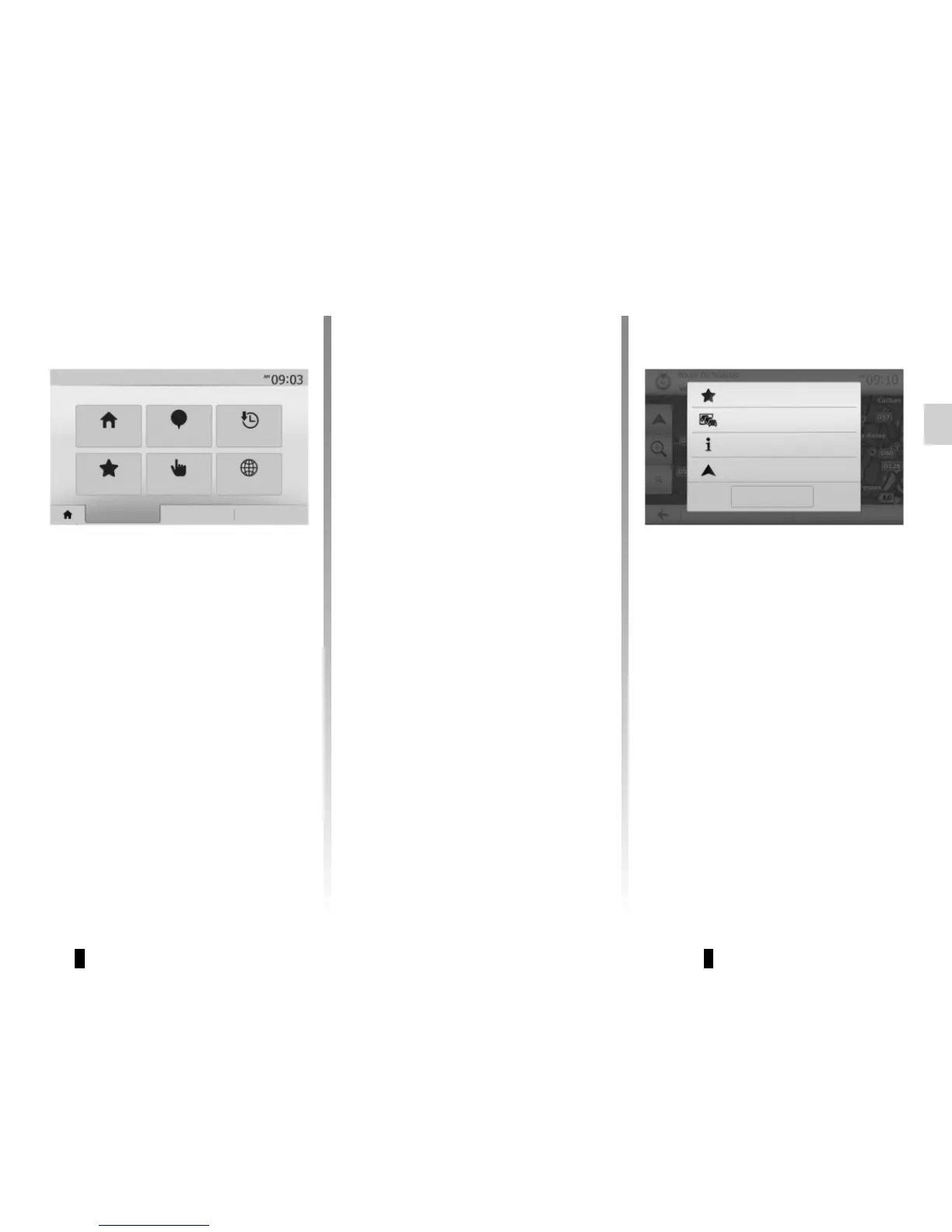
Press “Home” > “Nav” “Destination” to
access the destination menu. You have
a number of methods available to enter
a destination:
– “Address”: please refer to the infor-
mation on “Entering an address” in
the section on “Entering a destina-
tion”.
– “Points of interest”: please refer to
the information on “Selecting a point
of interest (POI)” in the section enti-
tled “Entering a destination”.
– “History”: please refer to the infor-
mation on “Select a destination from
previous destinations” in the section
entitled “Entering a destination”.
– “Favourites”: access destinations
you have saved.
– “Find on map”: please refer to the
information on “Selecting a destina-
tion on the map” in the section on
“Entering a destination”.
– “Coordinate”: please refer to the
information on “Entering destina-
tion coordinates” in the section on
“Entering a destination”.
In all cases, once the address is con- -
firmed, the system will locate it on the
map. Press “Options” and then press
“Add to favourites” to add the destina-
tion to Favourites.
Before saving a favourite destination,
you can change its name using the dig-
ital keypad.
Current traffic
Close
Add to favourites
News
Navigation
Address Points of interest History
Favourites Find on map Coordinate
Destination Route Options
Back to Car



 To Next Page