GB.51
NAVIGATION SETTINGS (1/4)
The “Options” tab at the bottom of
the “Navigation” menu enables you to
change the map display or the naviga-
tion settings.
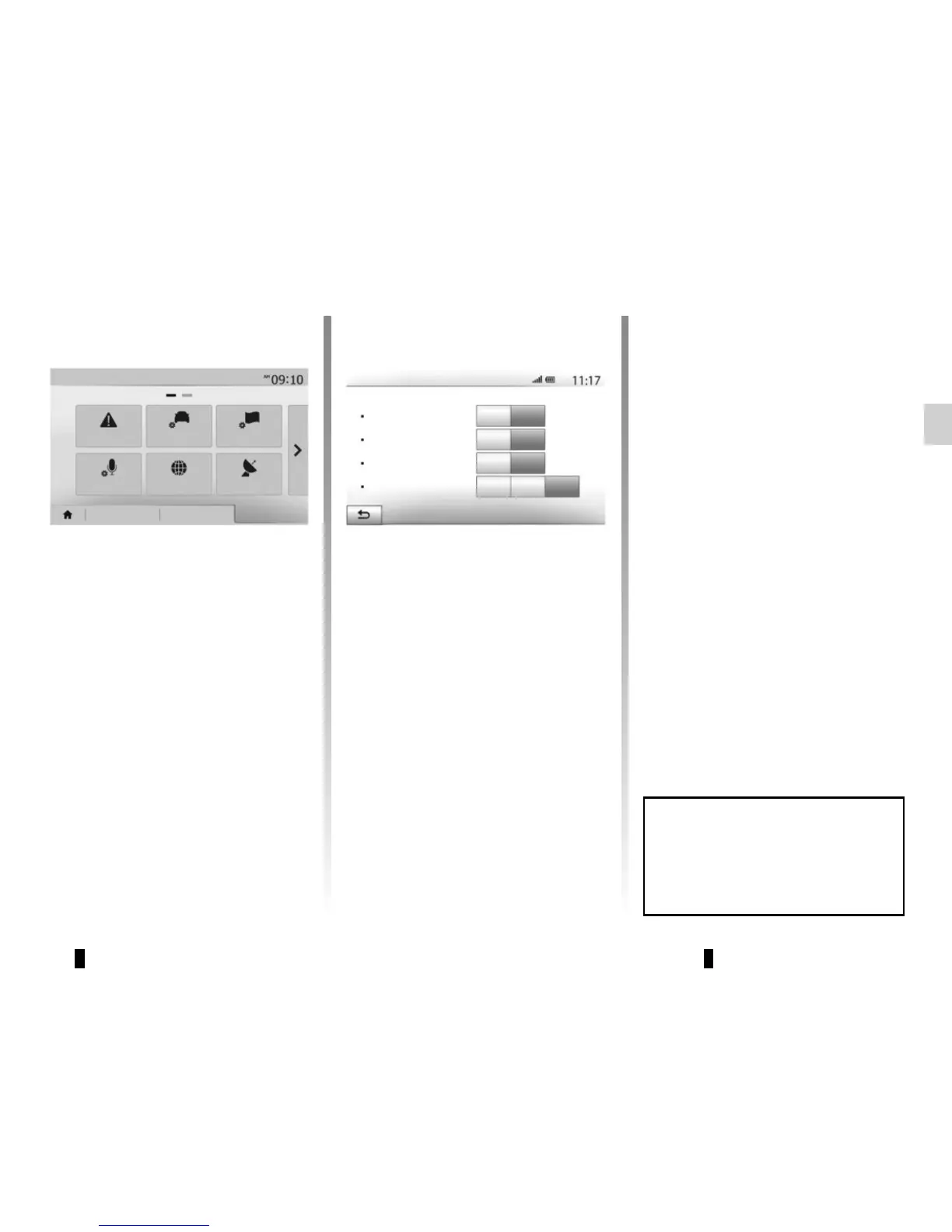
« Warnings »
This item allows you to set up warnings.
Warning in the event of excess
speed
Maps may contain information about
the speed limits of the road segments.
The system is able to warn you if you
exceed the current limit.
This information may not be available
for your region, or may not be fully cor-
rect for all roads on the map.
The following warning types are avail-
able:
– beep: you receive a non-verbal warn-
ing when you exceed the speed limit;
– visual warning: the current speed
limit is shown flashing in red on the
map when you exceed it.
Press “On” or “Off” to activate or deacti-
vate the warning.
Speed limit always visible
Activate or deactivate the speed limit
display for the section of road taken by
pressing “On” or “Off”.
Alert point warnings
When the driver crosses the increased
care area, a visual warning signal ap-
pears on the screen, along with a beep.
These hazardous areas are sections of
road on which drivers should take extra
care. They can be permanent or tem-
porary. You can activate or deactivate
this function.
Pre-alert distance
You can choose a distance from a
number of choices, to give the distance
at which you wish to be notified of a ha-
zardous area.
Off
Off
Off
On
On
On
Warn when speeding
Show speed limit
Alert points
Warnings
Navigation
Warnings
Route settings
Map settings
Voice Settings Coordinate
format
GPS
Destination Route Options
Pre-alert distance
0 m
200 m
500 m
In certain countries it is illegal to
download and activate the warning
areas and this could lead to prose-
cution.



 To Next Page