GB.44
Changing voice guidance
language
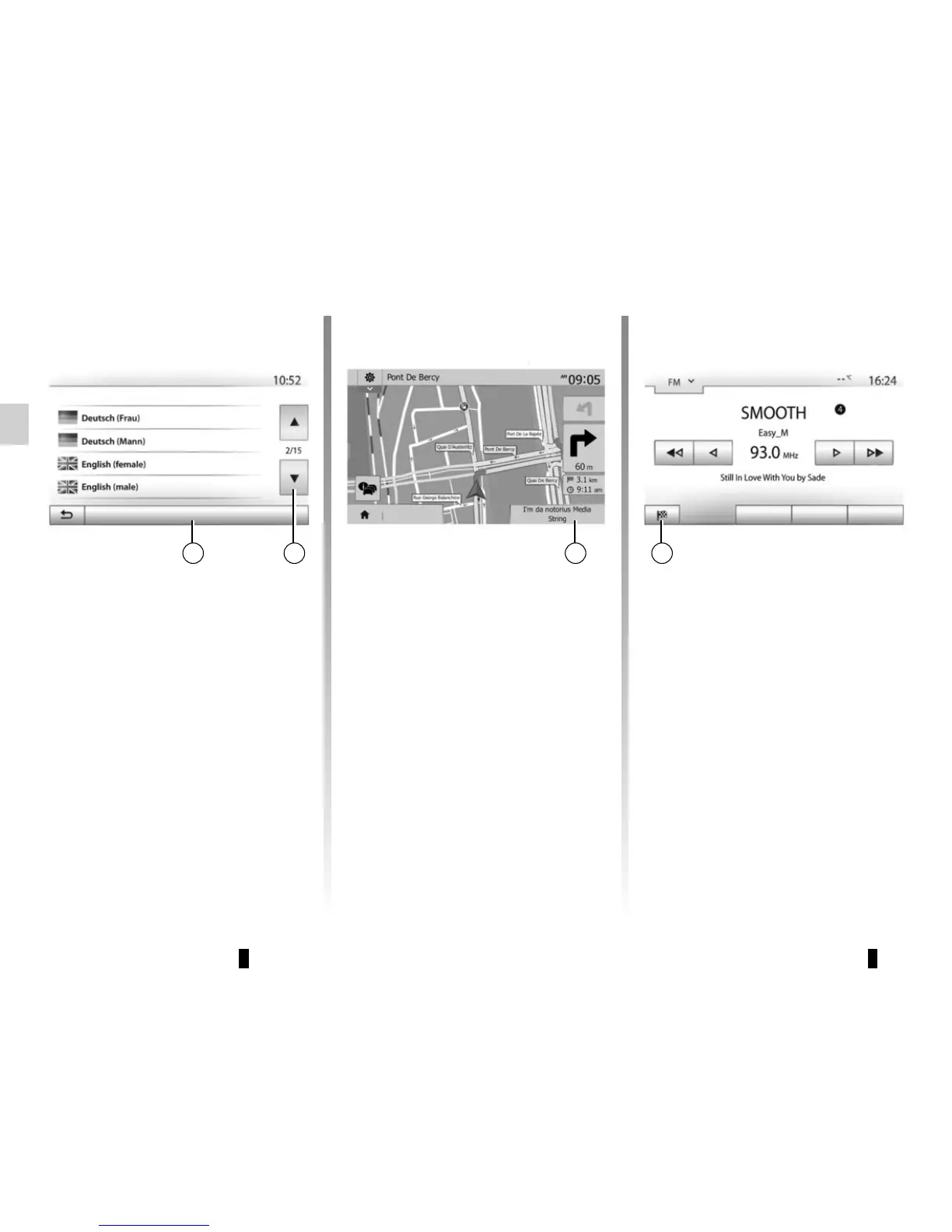
Press “Home” > “Nav” > “Options” >
“Setting” to change the language of the
voice guidance.
Scroll the language list by pressing 12.
Select the desired language and
press 11 to confirm.
To set the voice guidance sound, please
refer to the information on “Audio pref-
erences” in the section on “Audio set-
tings”.
1211
Voice language
OK
Listening to the radio during
voice guidance
While listening to a radio station during
voice guidance and before each change
of direction, the system will temporarily
cut the sound of the radio until you pass
the junction.
You can access the radio station lis-
tening screen during navigation by
pressing 13. To return to the naviga-
tion screen, press 14. To return to the
main menu, keep 14 pressed down for
around three seconds.
GUIDANCE (3/6)
Main List Presets
Destination
1413
Route information
This function allows you to view your
route.
Press “Home” > “Nav” > “Route” after
entering a destination.
Six choices will be given:
– “Edit route”;
– “To avoid”;
– “Overview”;
– “Cancel Route”;
– “Alternative routes”;
– “Route”.
Options



 To Next Page