GB.70
Making a call from the
phonebook
With the telephone connected, from the
“Phone device” menu, select “Phone
Book” from drop-down menu “1”.
Select the contact (or the suitable
number of the contact has more than
one). The call is made automatically by
pressing the contact’s number.
Note: you can make a call from the
multimedia system using the voice re-
cognition from your smartphone. Refer
to the Section entitled “Using voice re-
cognition”.
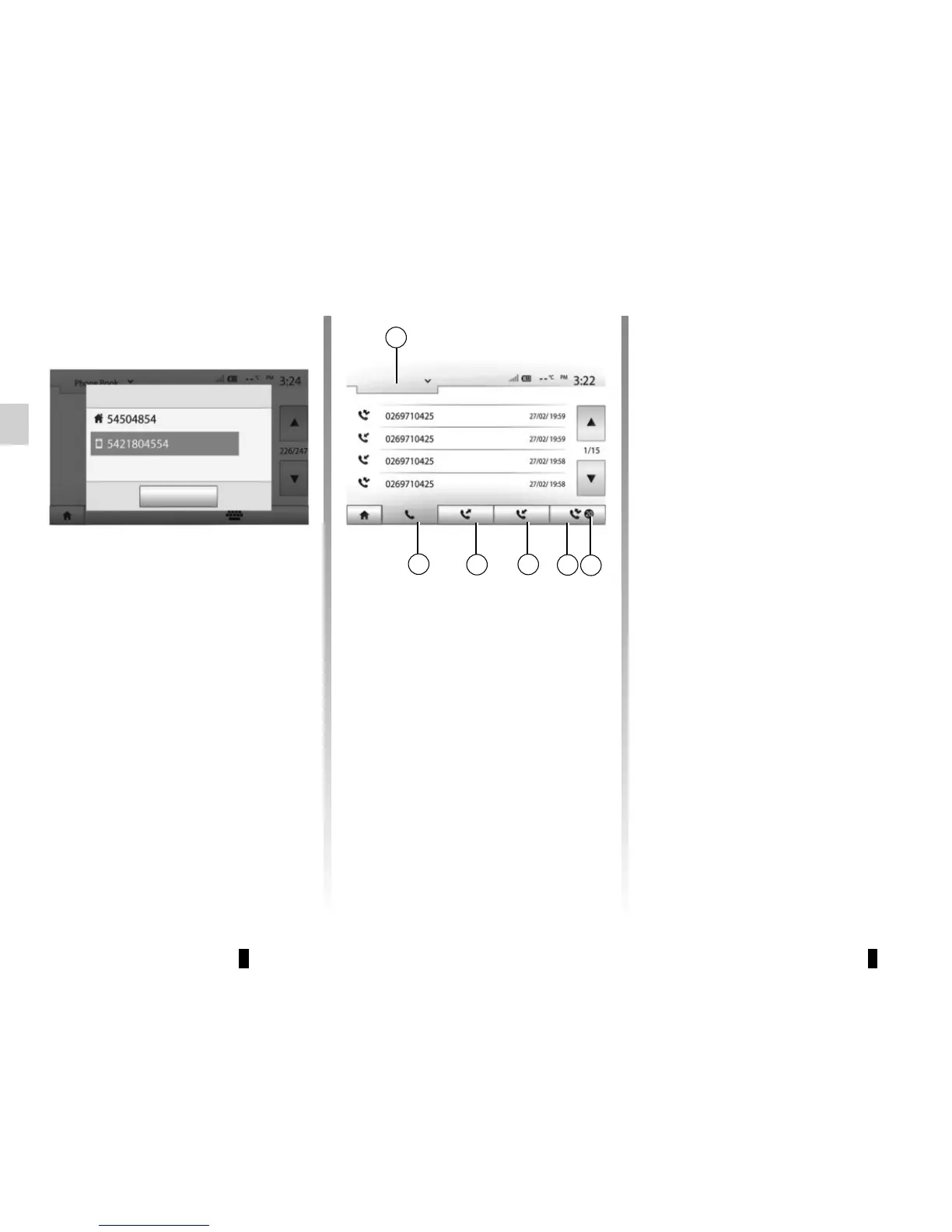
Press 1 to scroll the list and then press
“Calling Lists”.
Press 6 to access to the list of All Calls.
Press 5 to access the list of Outgoing
Calls.
Press 4 to access the list of Incoming
Calls.
Press 3 to access the list of Missed
Calls.
Note: The marker 2 indicates the
number of missed calls.
For each list, the contacts are listed
from the most recent to the oldest.
Select a contact to make the call.
MAKING, RECEIVING A CALL (1/3)
1
6
5
4
3
Calling Lists
All
Dialling a number from the
call history
You can use the call list stored on the
phone memory to make a call.
After connecting your unit and
Bluetooth® phone via Bluetooth® wi-
reless technology, the numbers in your
phone's “All Calls”, “Outgoing Calls”,
“Incoming Calls”, and “Missed Calls”
lists are transferred automatically into
the call list on your multimedia system.
2
Close
Adam Smith



 To Next Page