GB.73
– adjust the air-conditioning controls to
the desired temperature in the pas-
senger compartment when starting
up the engine, then set to de-icing
mode (please see Section 2 of the
vehicle manual);
REMOTE ENGINE START-UP (1/3)
Remote Engine Start
Warning: Never park your vehicle in an enclosed room
Automatic Start
Car Ready for
Wake up every 2 hours
Car will be ready in 0 hours & 0 minutes
Off On
Off On
Change
OK
Set Time
Dark
Radio Media Phone
SettingNavDriving eco2
1
2A
4
Departure Time Set
Remote Engine Start
OK
When fitted, this function lets you pro-
gramme the engine to start remotely, in
order to heat or ventilate the passen-
ger compartment up to 24 hours before
using the vehicle.
Adjust the heating level required (tem-
perature, de-icing) before programming
the function. Configuration and pro-
gramming are done via the multimedia
display.
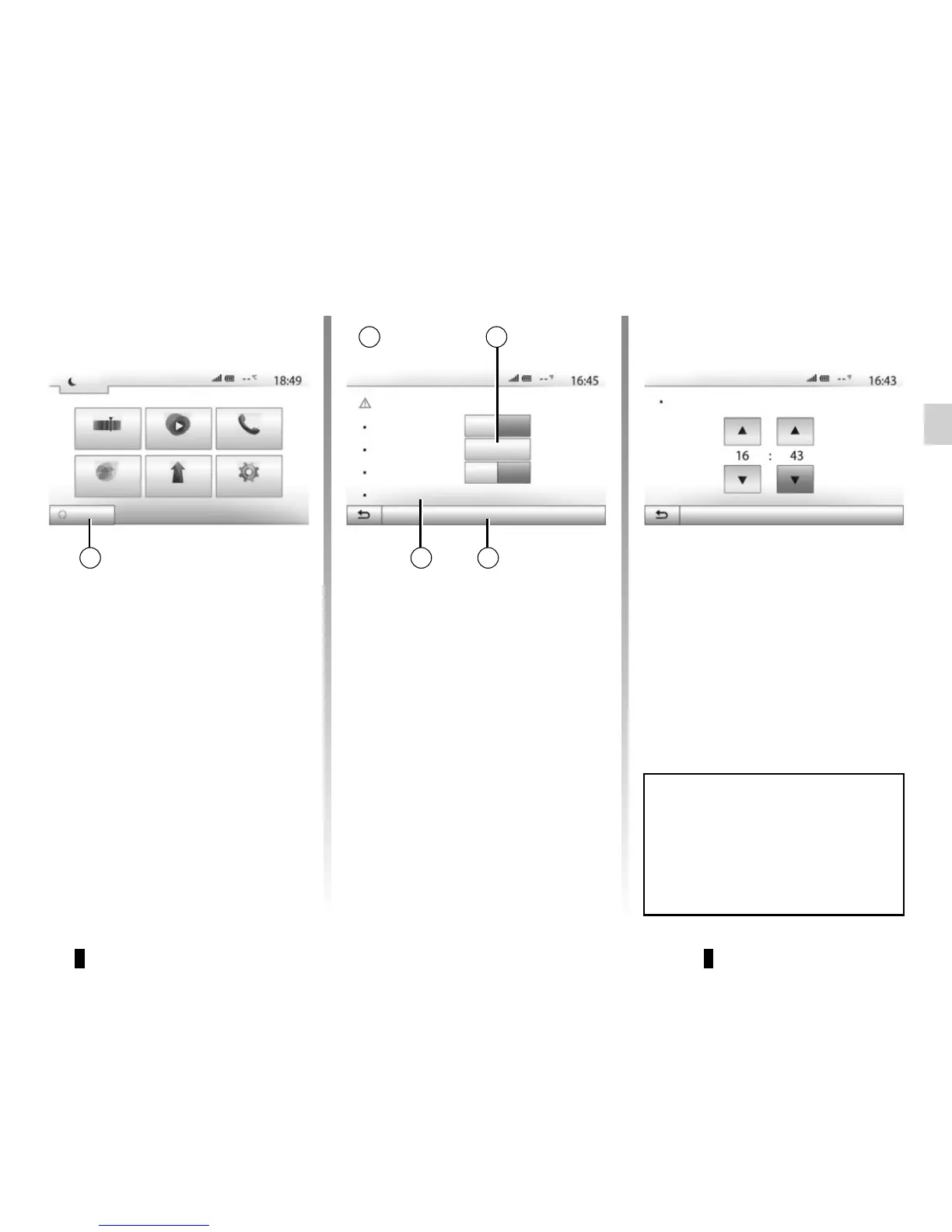
Setting the start time for the
function
– Switch on the ignition, then press 1
from the main menu. Screen A is dis-
played;
– select the “On” button on the
“Automatic Start” line to activate the
function;
– set the start time when you wish
to use your vehicle by pressing
button 2;
– press on the “up” and “down” arrows
to scroll through the hours and min-
utes until you get the desired time;
– press “OK” to confirm. The 4 marker
shows you the time left before the
time you wished to use the vehicle;
– press “OK” 3 to confirm and finalise
the programming;
To activate remote start-up by pro-
gramming, you must select a time at
least fifteen minutes later than the
time displayed by the multimedia
system.
3



 To Next Page