GB.43
GUIDANCE (2/6)
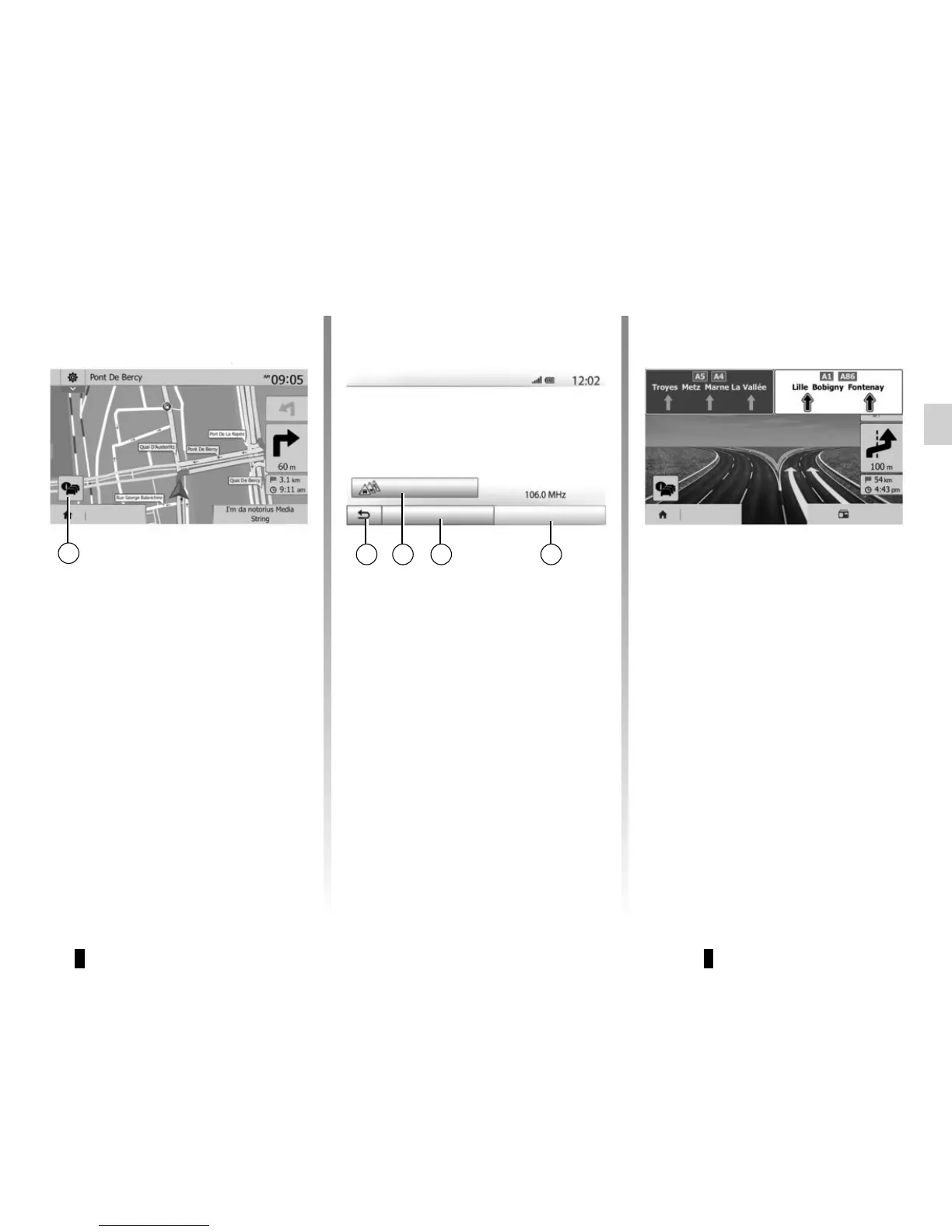
Intersection map
During guidance, before each change
of direction.
Alternative route
The system offers an alternative route
in the event of an accident or heavy
traffic along the planned route. Press
“Yes” or “No” as required.
Traffic summary
During guidance, you can get traffic in-
formation at any time by pressing 6.
Motorway junction view
During guidance, before each motor-
way junction, the system will display a
three-dimensional view of the junction.
Note: for some junctions, only a small
turn arrow will appear on the map.
The system will switch back to normal
mode after you have passed the junc-
tion.
Destination Radio
The screen gives you various events
appearing on your route. The system
will let you know the length of the delays
caused by these incidents on your trip.
Press 8 to change the event display
settings. Press 10 to make a detour, 9
to access traffic options (please refer
to the section on “Navigation settings”)
or 7 to return to navigation.
Note: traffic information depends on
your subscription and on signal recep-
tion.
7 9 108
6
Destination
Traffic summary
There are no events affecting your route.
Significant events:
0
All delay: 0 : 00
Flow events:
Closure and block
Accident
Lane restriction
Other:
0 OF 37
0 OF 16
0 OF 17
0 OF 26
0 OF 3
Event list
V-Trafic
Options Offer detour



 To Next Page