GB.77
REVERSING CAMERA (2/2)
This function is an additional
aid. It cannot, therefore,
under any circum-stances
replace the vigilance or the
responsibility of the driver.
The driver should always look out
for sudden hazards during driving:
always ensure that there are no
moving obstacles (such as a child,
animal, pram, bicycle, etc.) or small,
narrow objects such as stones or
posts in your path when manoeu-
vring.
The screen shows a reverse image.
The gauges are a representation
projected onto flat ground. This in-
formation must not be taken into
account when superimposed on a
vertical object or an object on the
ground.
Objects which appear on the edge
of the screen may be deformed.
In very bright light (snow, vehicle in
sunshine etc.), the camera vision
may be adversely affected.
OnOff
Look in all directions
3 4
6
7
5
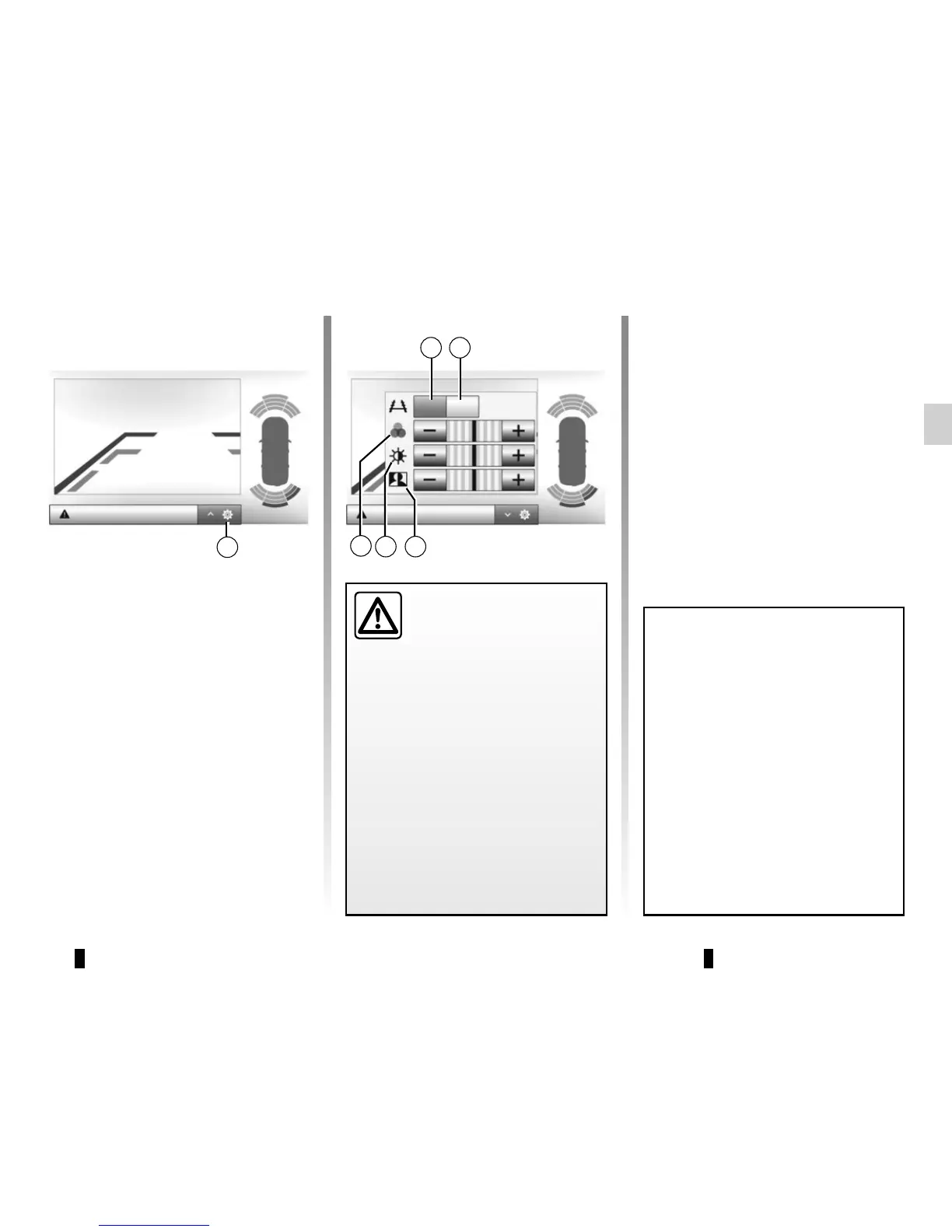
Settings
Press 2 to display a list of settings.
You can activate or deactivate the guide
display by pressing 3 or 4.
Press “+” or “-” to set the contrast 5,
brightness 6 and colours 7.
2
Look in all directions



 To Next Page