Chapter 7
Performance Verification
REF 1029568 Rev A BiPAP® Focus™ Ventilator Service Manual © Respironics, Inc. 7-27
28. The program now requests “Remove Negative Flow Resource”.
Remove the resource and click OK.
29. The program has now completed calibrating the flow and pressure
sensor. Pressure and flow accuracy of the device must now be verified.
The program will now read the pressure and flow parameters from the
device and compare these reading to the pressure and flow values that
the user will enter. When prompted to power cycle the unit, make sure
to re-enter Diagnostic mode during power up.
30. The program will first verify positive flows. Completely open the flow
valve. Follow the prompts on the screen for the various flow settings.
When prompted to set a flow, click OK only after the flow has been
set.
31. After zero flow is confirmed, the program will verify negative flow.
Connect the patient tubing between the outlet of the flow valve and
the negative flow source. Turn on the negative flow source and follow
the prompts. When prompted to set a flow, click OK only after the flow
has been set.
32. After completion of the negative flow verification, pressure accuracy
will be checked. Turn off the negative flow source. Disconnect the
patient tubing and occlude the O
2
port at the BiPAP Focus outlet port.
The program will now command the ventilator to produce the specific
pressures. Observe the manometer and enter the value for each
pressure setting.
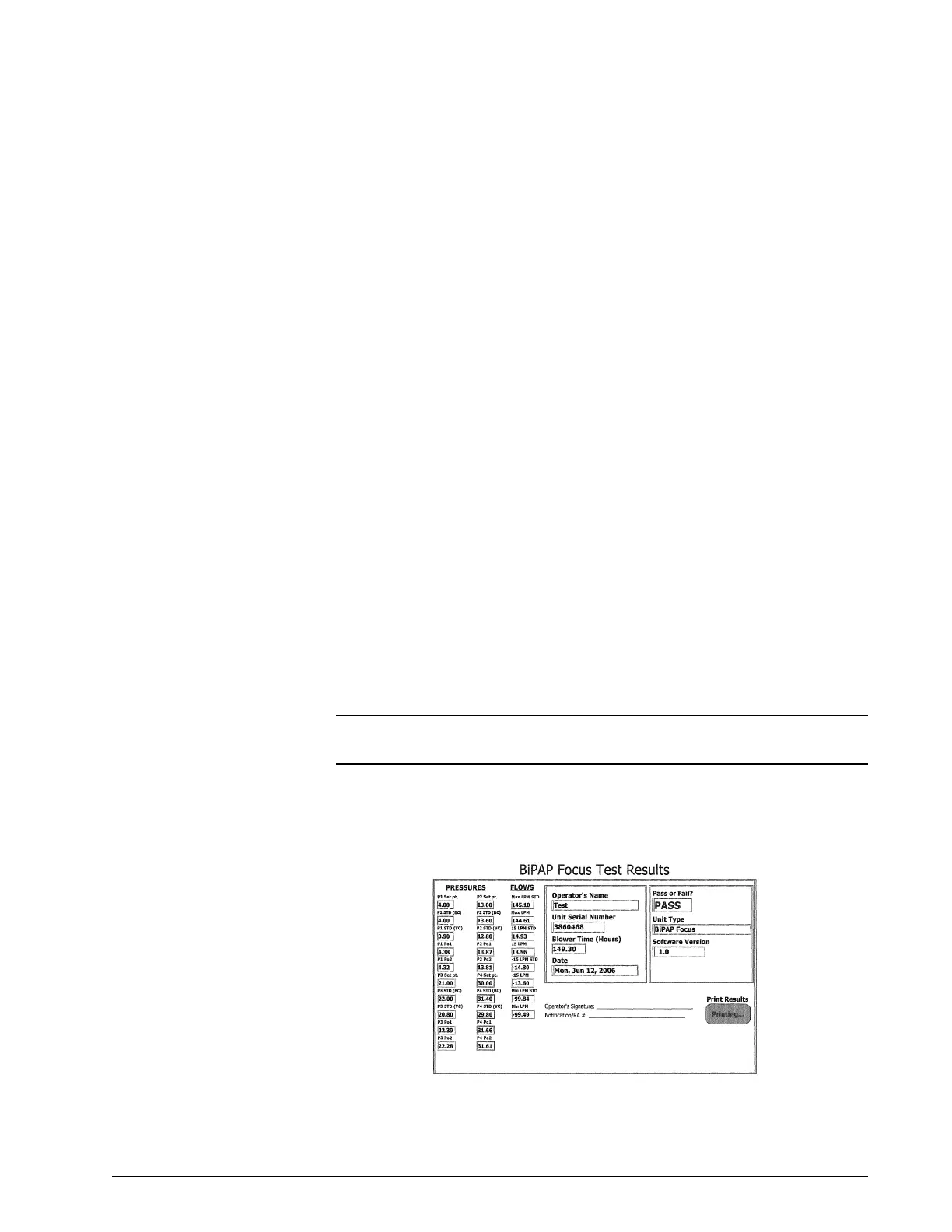
33. A green PASS prompt will appear on the computer screen. Click the
OK button to view the test data sheet. Click OK on the print results
button to print the test data sheet.
Figure 7-31: BiPAP Focus Test Results print out
NOTE: Pressure accuracy of both the blower and the valve is checked;
therefore, step 32. is performed twice.



 To Next Page