Chapter 5
Diagnostic Mode and Troubleshooting
REF 1029568 Rev A BiPAP® Focus™ Ventilator Service Manual © Respironics, Inc. 5-3
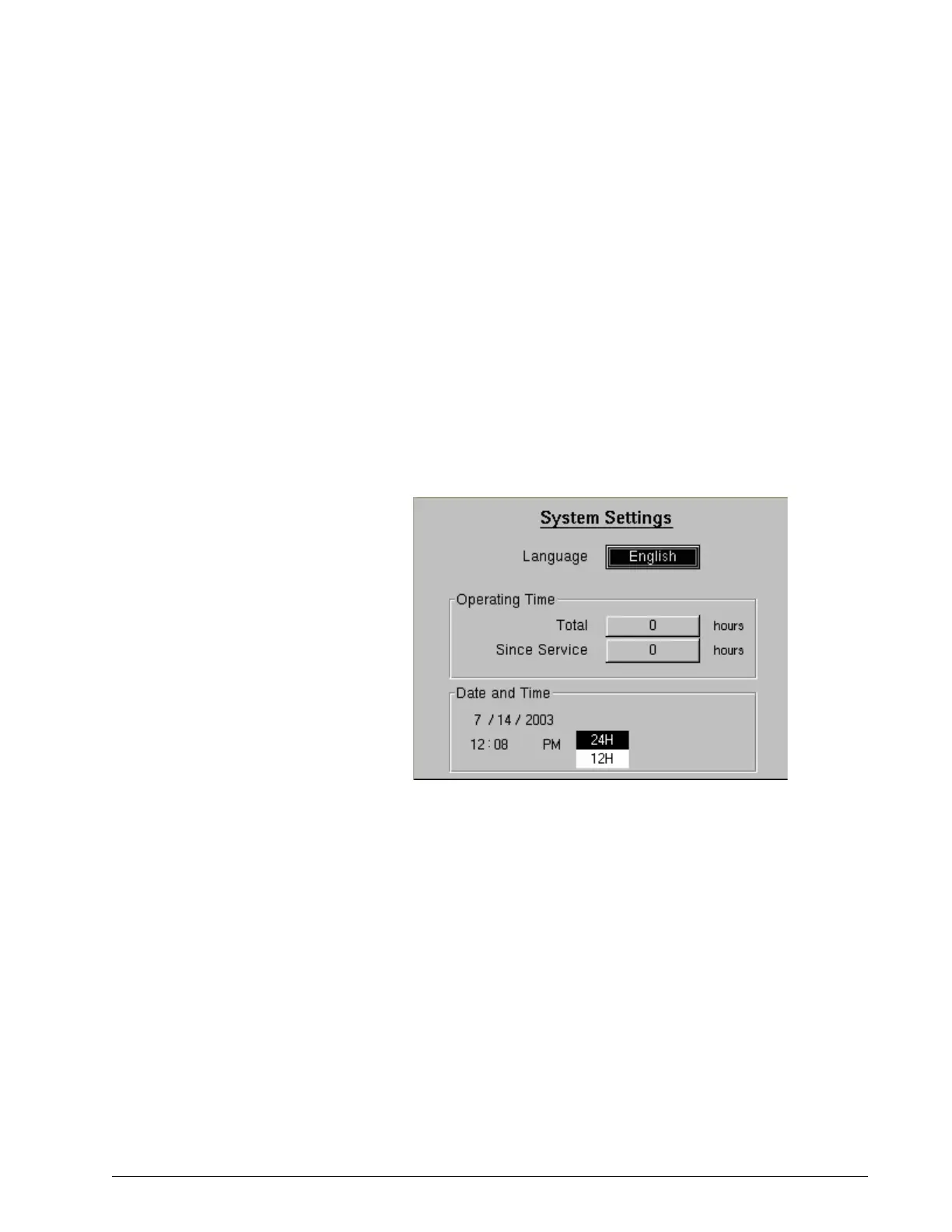
System Settings The systems settings screen (Figure 5-3) allows:
• Set the date and time: select the month, day, year, hour, minute, and
12- or 24-hour format.
• Language, Time Since Service: choose the Language and reset the
time since the last service
1. Use the arrow keys to highlight the field or button whose value to
change, then press Enter.
2. Use the arrow keys to adjust a value or select a setting from a drop-
down menu, then press Enter (or press Cancel to exit without making a
change).
3. Press the Menu key to return to the main menu.
Figure 5-3: Diagnostic Mode: System Settings Screen
Preferences The preferences screen (Figure 5-13) allows:
• Adjust display units.
• Adjust alarm volume.
• Adjust display contrast.
• Adjust display brightness.
• Select reverse or normal video.
• Adjust screen lock timer.















 To Next Page