Chapter 6
6-2 BiPAP® Focus™ Ventilator Service Manual © Respironics, Inc. REF 1029568 Rev A
Ventilator Communications
Installing
Communications
Software on the
Service PC
Communications software allows the ventilator to communicate with the
service PC. Follow these steps to install BiPAP Focus communications software
onto a service PC:
1. Connect the universal serial bus (USB) cable between the service PC
and ventilator.
2. Connect the female end of the serial communications cable to the
service PC. Then connect the male end labeled Software/Rasp to the
ventilator.
3. If the software drivers for the communications software are not already
installed on the PC, the New Hardware Found Wizard appears when
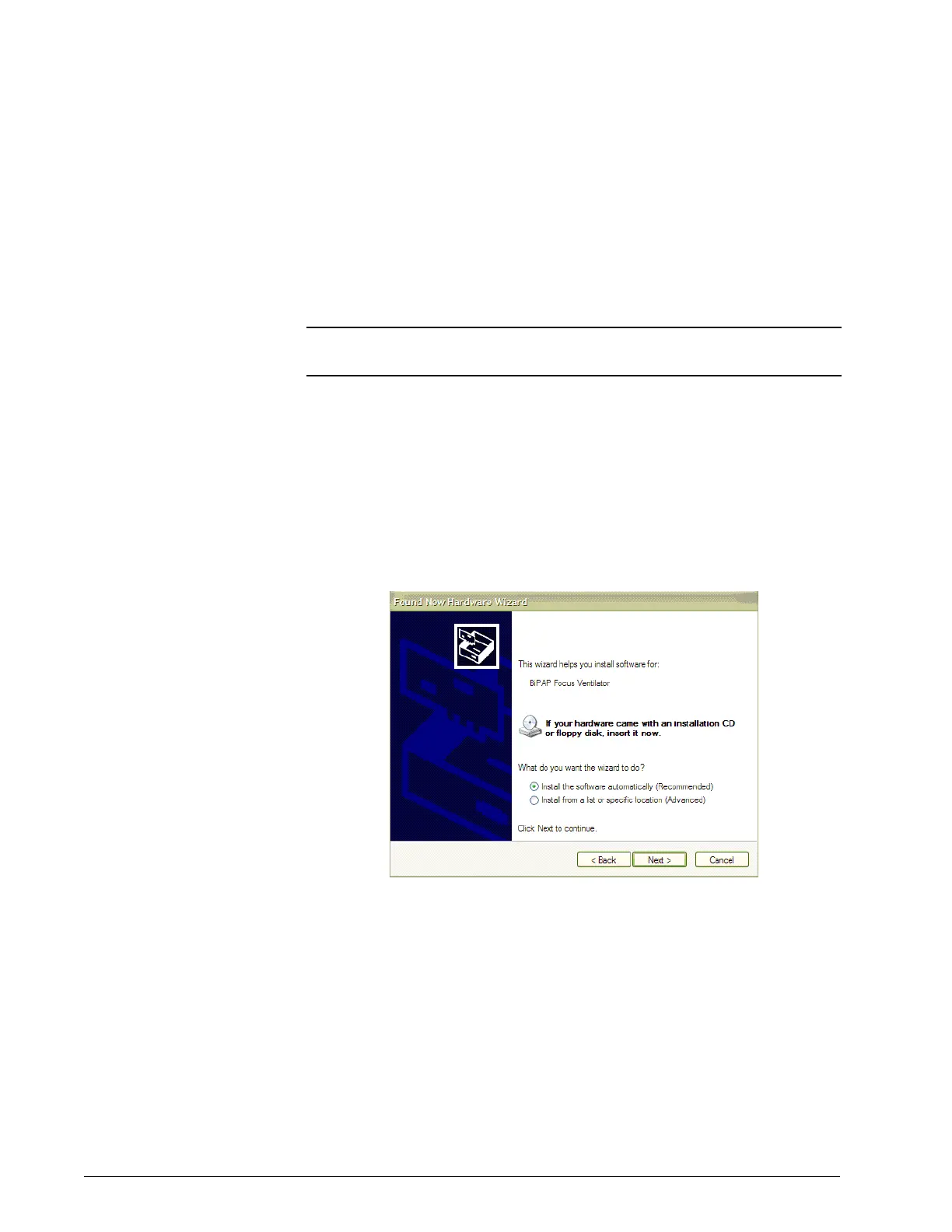
the ventilator is powered on. Select “Install software automatically”
and click Next. Refer to Figure 6-1. If drivers are loaded proceed to
step ‘1.’ on page 6-4.
Figure 6-1: New Hardware Wizard
4. Select the BEST driver then click Next. Refer to Figure 6-2.
NOTE: Do not connect the USB cable through a hub or docking station. Using
an intermediate connection causes communication errors.















 To Next Page