Chapter 6
6-6 BiPAP® Focus™ Ventilator Service Manual © Respironics, Inc. REF 1029568 Rev A
Ventilator Communications
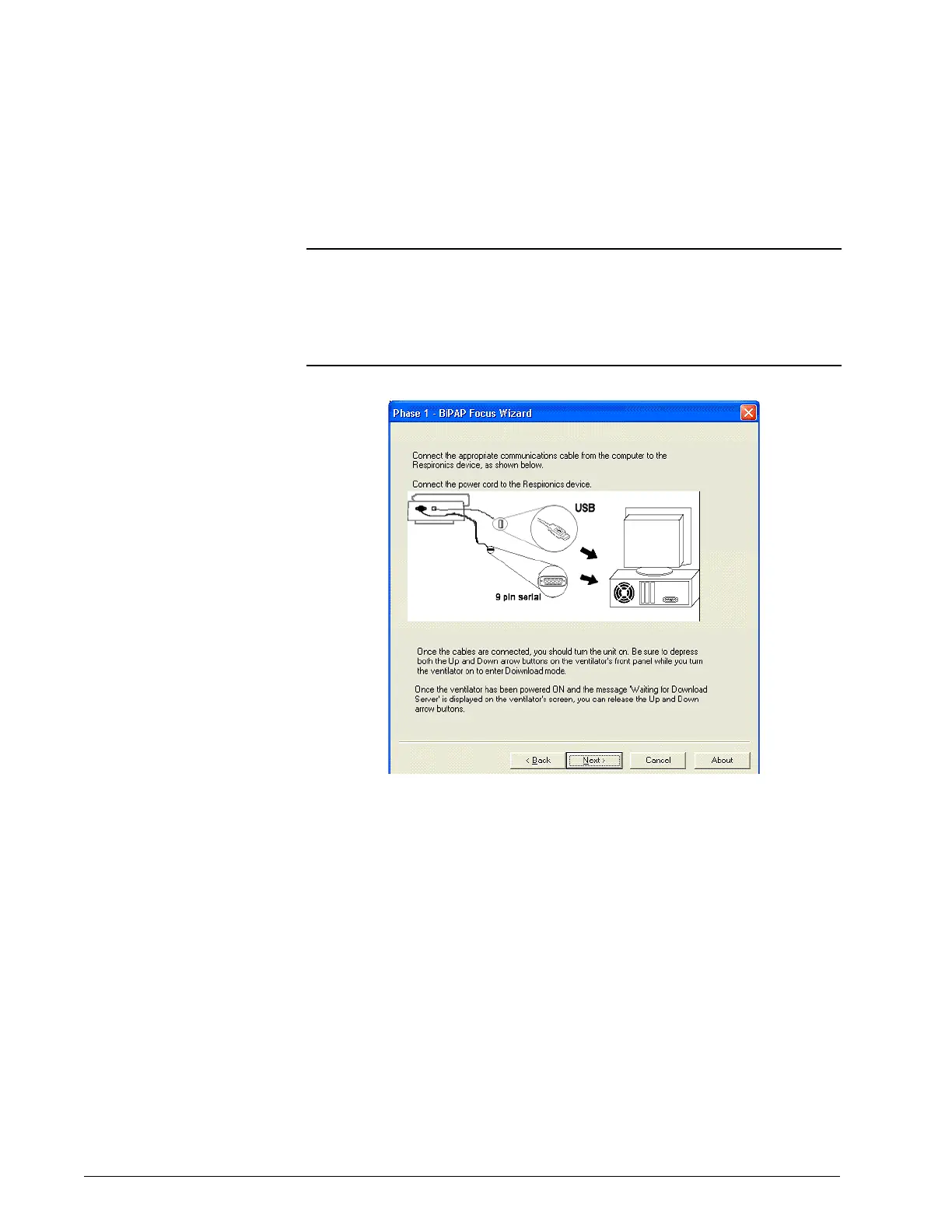
3. The screen then shows cable connection information (Figure 6-7):
Verify the cables are connected properly then click Next.
Figure 6-7: Communications Cable Connection Screen
4. The screen shows the controller board software installation process.
NOTE: Do not connect the USB cable through a hub or docking station. Using
an intermediate connection causes communication errors.
NOTE: The female end of the serial communications cable should be connected
to the service PC. The male end, labeled Software/Rasp, should be
connected to the ventilator.















 To Next Page