Setting Originals
39
2
E
EE
E
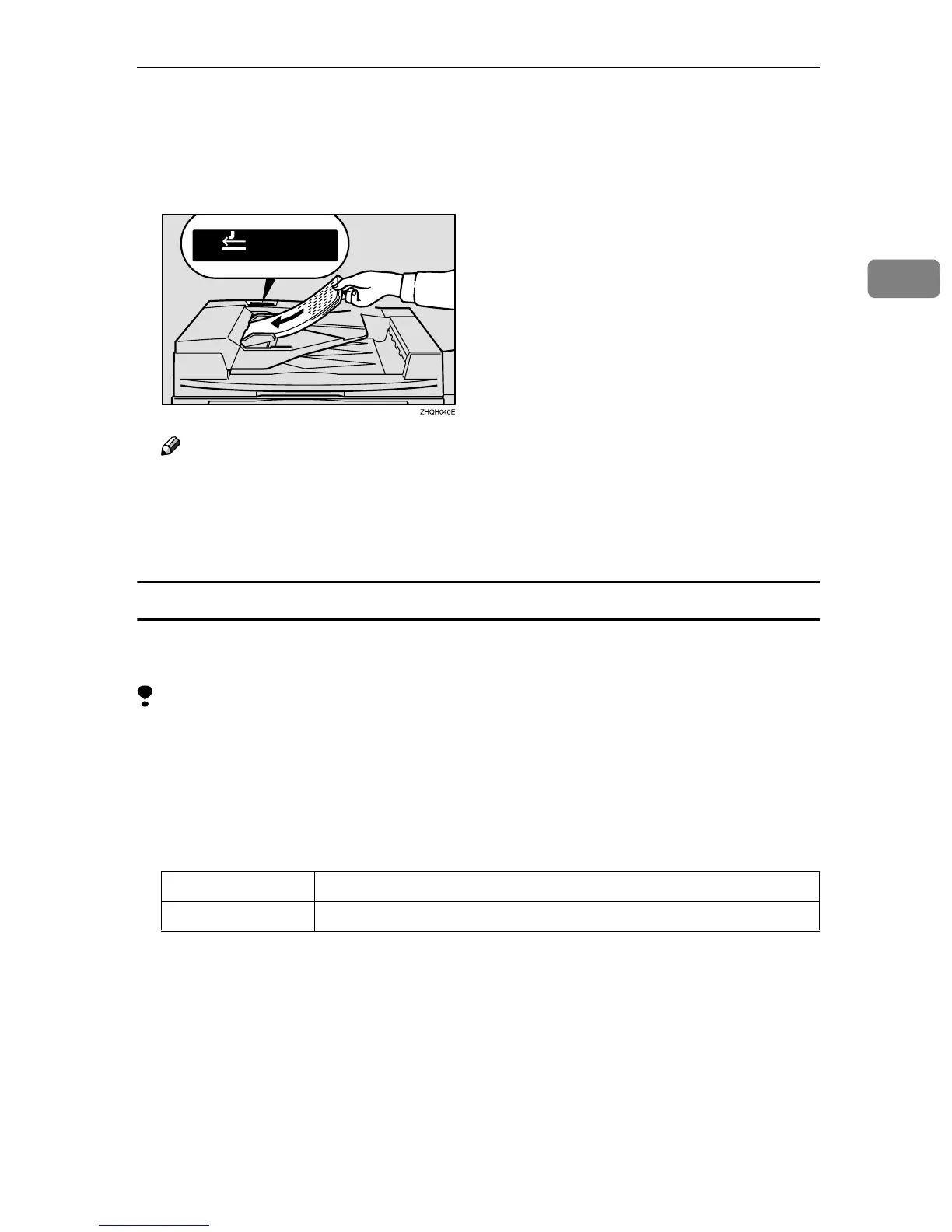
After all the previously set originals are fed, set the next originals while the
Auto Feed indicator is on.
The second and subsequent originals can be fed automatically without press-
ing the {
{{
{Start}
}}
} key.
Note
❒ When the Sort, Combine or Duplex function has been set, press the {
{{
{#}
}}
} key
after all originals are scanned.
❒ You can change the lighting-up time of the Auto Feed indicator. See “Batch
(SADF) Auto Reset Time” in ⇒ p.309 “Input/Output”.
Mixed Sizes mode
When originals of different sizes are set on the document feeder at a time, the
machine automatically checks the size of the originals and makes copies.
Limitation
❒ When setting originals of different sizes on the document feeder and making
copies without using Mixed Sizes mode, parts of the original image might not
be copied.
❒ The weight of originals that can be set with this function is 52 – 81 g/m
2
, 14 –
20 lb. Bond.
❒ The original sizes that can be set with this function are as follows:
❒ For smaller originals, the copy image might be slanted since the originals
might not be correctly aligned with the original guide.
Metric version A3L, B4L, A4KL, B5KL
Inch version 11" × 17"L, 8
1
/
2
" × 14"L, 8
1
/
2
" × 11"KL, 5
1
/
2
" × 8
1
/
2
"KL



 To Next Page