Copying
40
2
A
AA
A
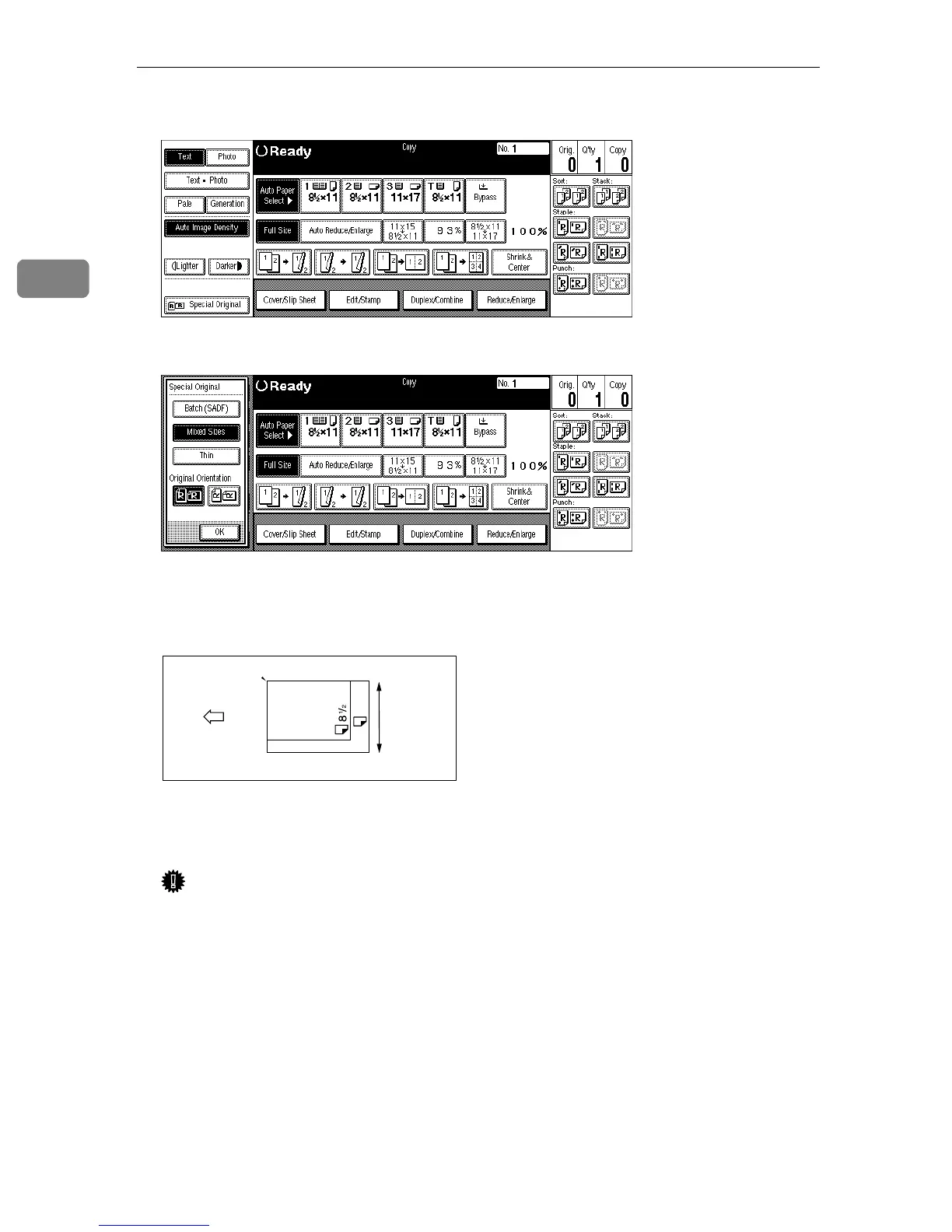
Press the [Special Original] key.
B
BB
B
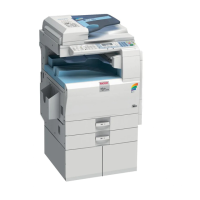
Press the [Mixed Sizes] key.
C
CC
C
Press the [OK] key.
D
DD
D
Align the rear and left edges of the originals as shown in the illustration.
1: Set into the document feeder.
2: Vertical size
Important
❒ If the originals are of different vertical sizes, put the longer original on the
bottom, otherwise the sizes might not be detected correctly.
E
EE
E
Adjust the guide to the widest original size.
F
FF
F
Set the aligned originals face up into the document feeder.
1
2
CP19AN
11X17
X14



 To Next Page