Setting Originals
41
2
Thin mode
Use Thin mode if the scanned image is distorted at the edges when copying thin
(52 g/m
2
, 14 lb. Bond or lighter) originals.
Important
❒ Set to Thin mode when you place thin paper into the document feeder, other-
wise your originals might be damaged.
A
AA
A
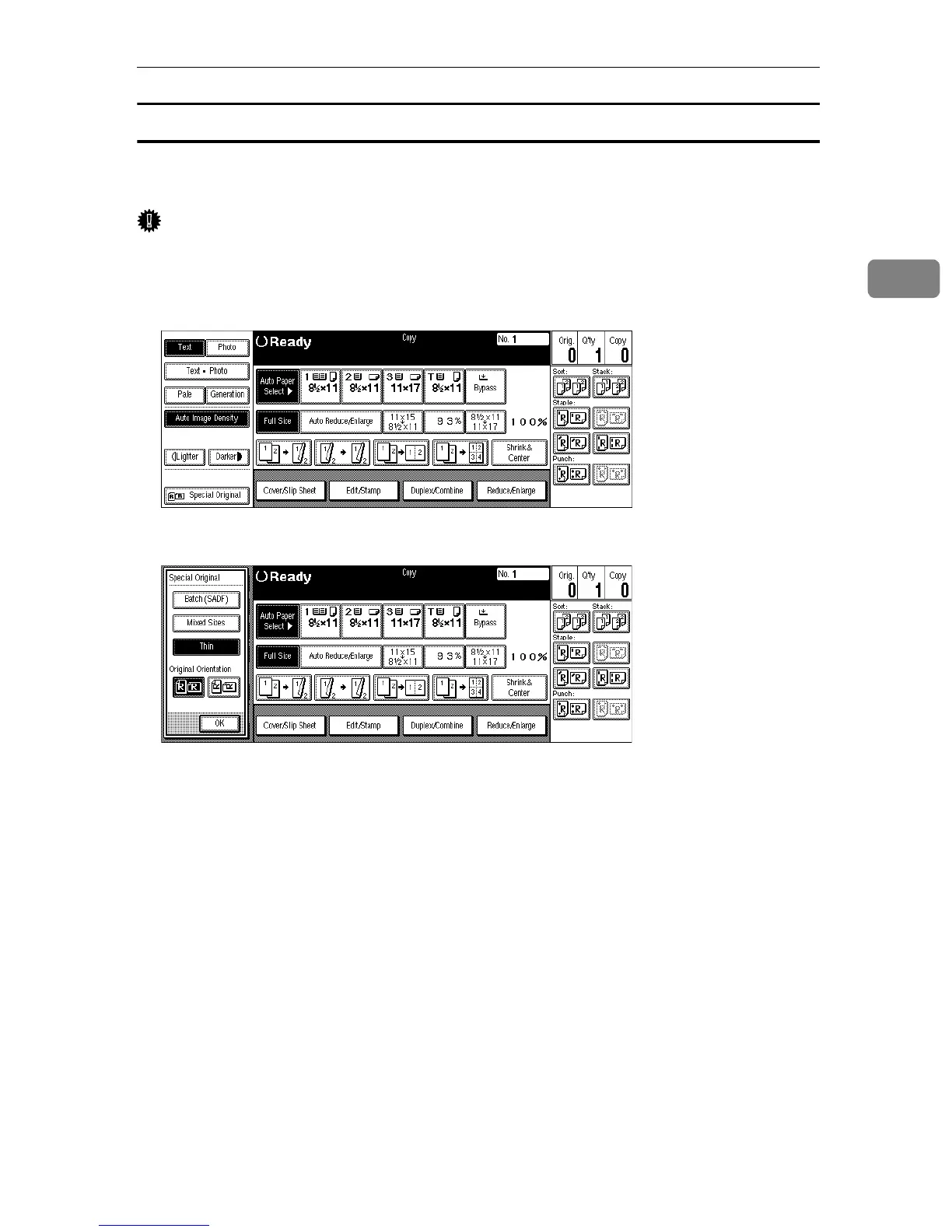
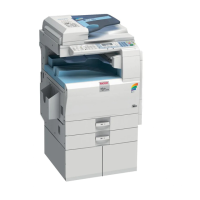
Press the [Special Original] key.
B
BB
B
Press the [Thin] key.
C
CC
C
Press the [OK] key.



 To Next Page