Suggested action:
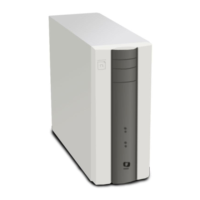
1. Make sure that the E-25C service switch 1 is set to ON and service switch 2 is set to OFF.
If the service switches are in the wrong position, turn OFF the E-25C, set the switches correctly,
turn ON the power, and allow the installation to resume.
2. Turn OFF the E-25C, wait 10 seconds, and then turn it ON again.
3. Check the LED on the USB flash drive.
If the LED is not blinking (remains OFF or solid), the USB flash drive may be improperly seated.
Turn OFF the E-25C, reseat the USB flash drive, turn ON the power, and then allow the
installation to resume.
4. Retry the installation using a different USB flash drive.
5. Reseat the cables to the HDD.
6. Replace the HDD cable.
7. Replace the HDD. [Link to Hard Disk Drive (HDD)]
8. Replace the motherboard. [Link to Motherboard]
9. Replace the CPU. [Link to CPU and Cooling Assembly]
Suggested action:
1. Turn OFF the E-25C, reseat the USB flash drive, turn ON the power, and then allow the
installation to resume.
2. Retry the installation using a different USB flash drive.
3. Replace the motherboard. [Link to Motherboard]
4. Reseat the cables to the HDD.
5. Replace the HDD cable.
6. Replace the HDD. [Link to Hard Disk Drive (HDD)]


 To Next Page