4.System Maintenance
93
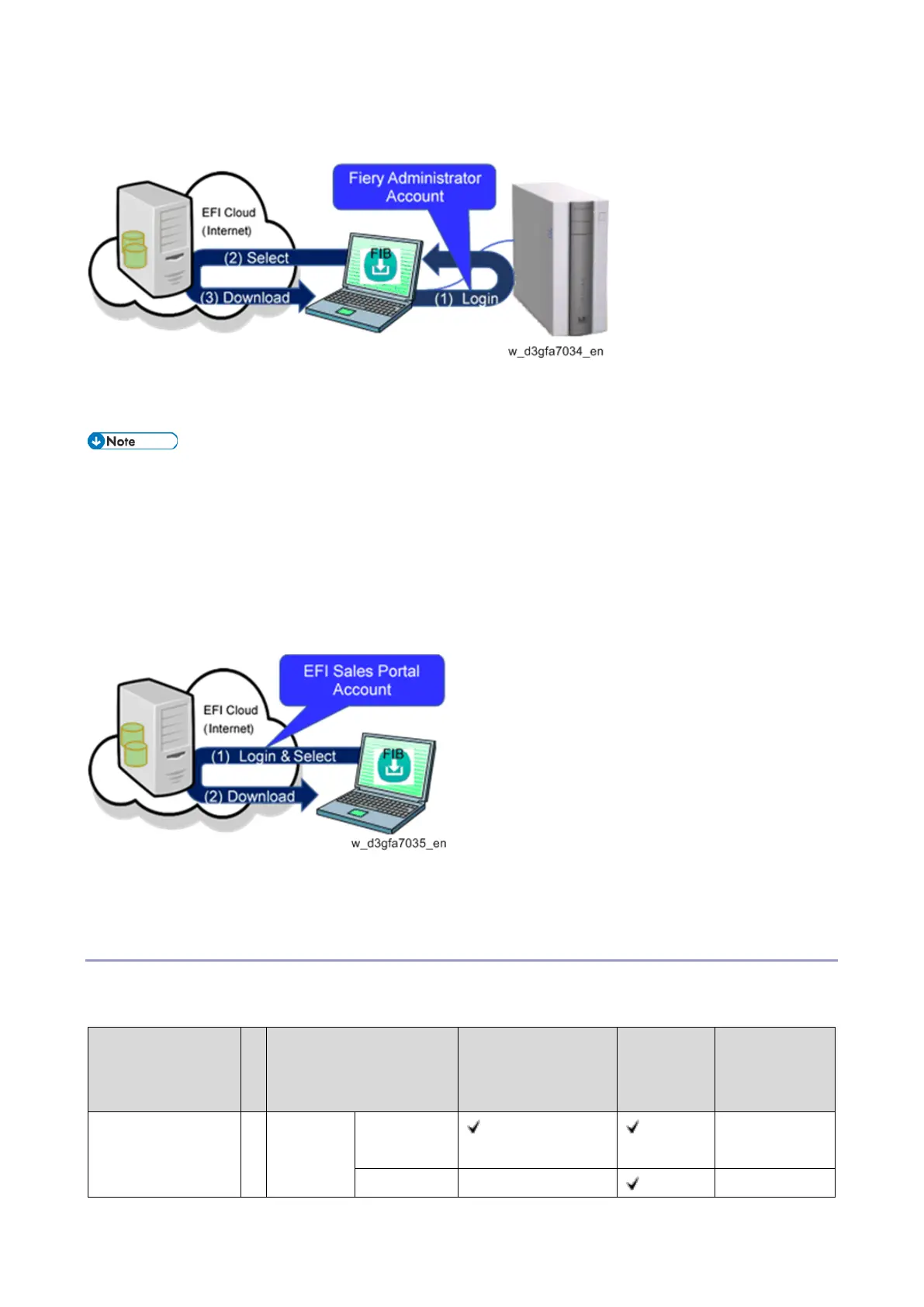
Using the Fiery Administrator Account
After you connect and log in to the E-25C with the Fiery administrator account, you can download the
system software from the EFI cloud sever to your Windows PC.
Access to the internet is required only for the Windows PC. E-25C does not have to be
connected directly to the internet.
With this method, only the system software for E-25C can be downloaded.
(You can download a different version of the system software for E-25C, but not those for
different models.)
Using the EFI Sales Portal Account
Using the EFI Sales Portal account, you can download system software for various models/versions for
RICOH products.
Comparison of the Installation Procedure
First decide the method of system software installation; via network or USB and confirm the outline of
the procedure by referring to the table below.
Procedure
(Section headings of
this manual)



 To Next Page