Installing the Extended USB board
1. Check the contents of the package.
2. Turn the machine off and unplug the power cord.
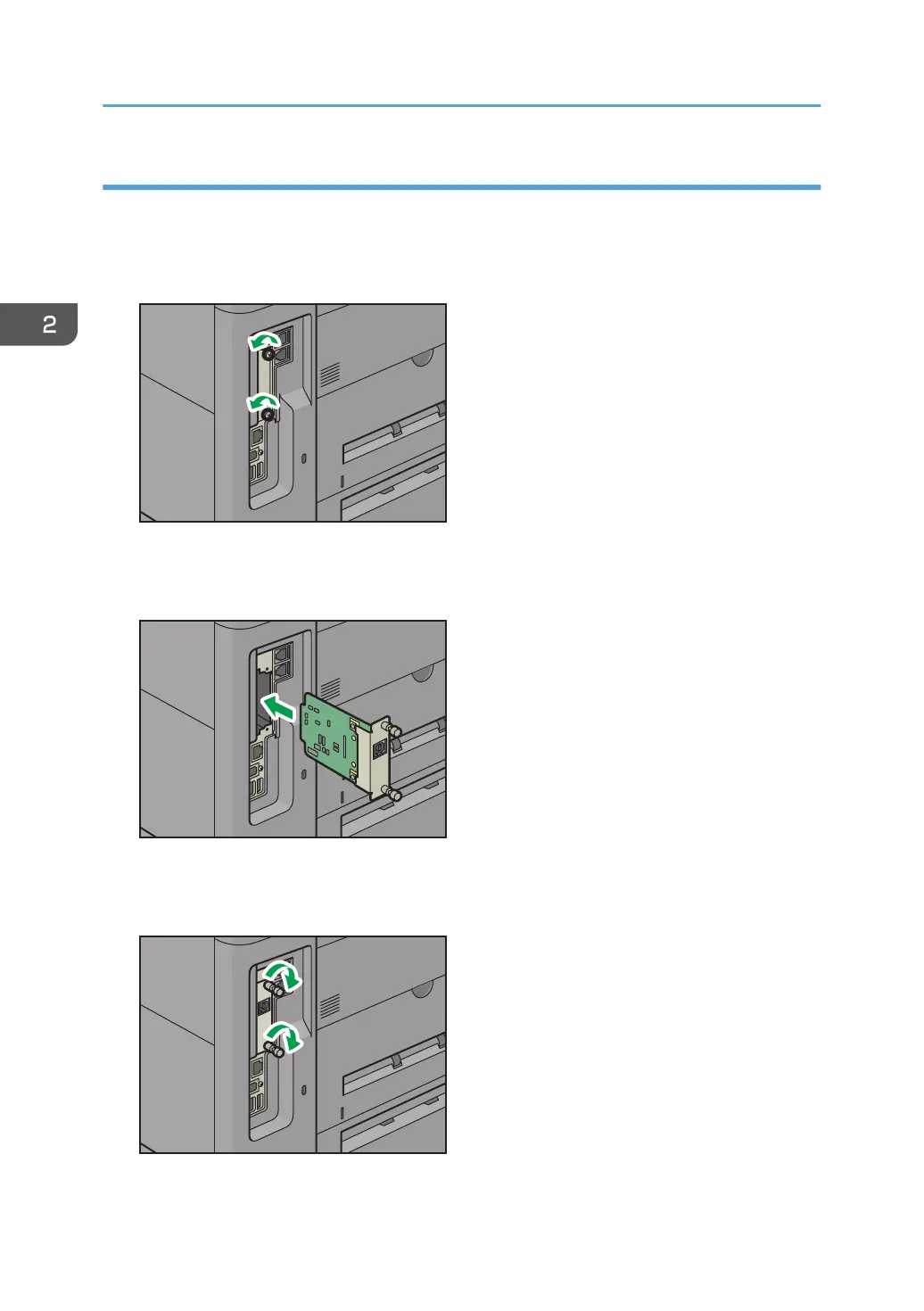
3. Loosen the two screws and remove the slot cover.
The removed cover will not be reused.
4. Fully insert the interface board.
Check that the interface board is firmly connected to the controller board.
5. Tighten the two screws to secure the interface board.
6. Plug in the power cord, and then turn on the machine.
2. Getting Started
36



 To Next Page