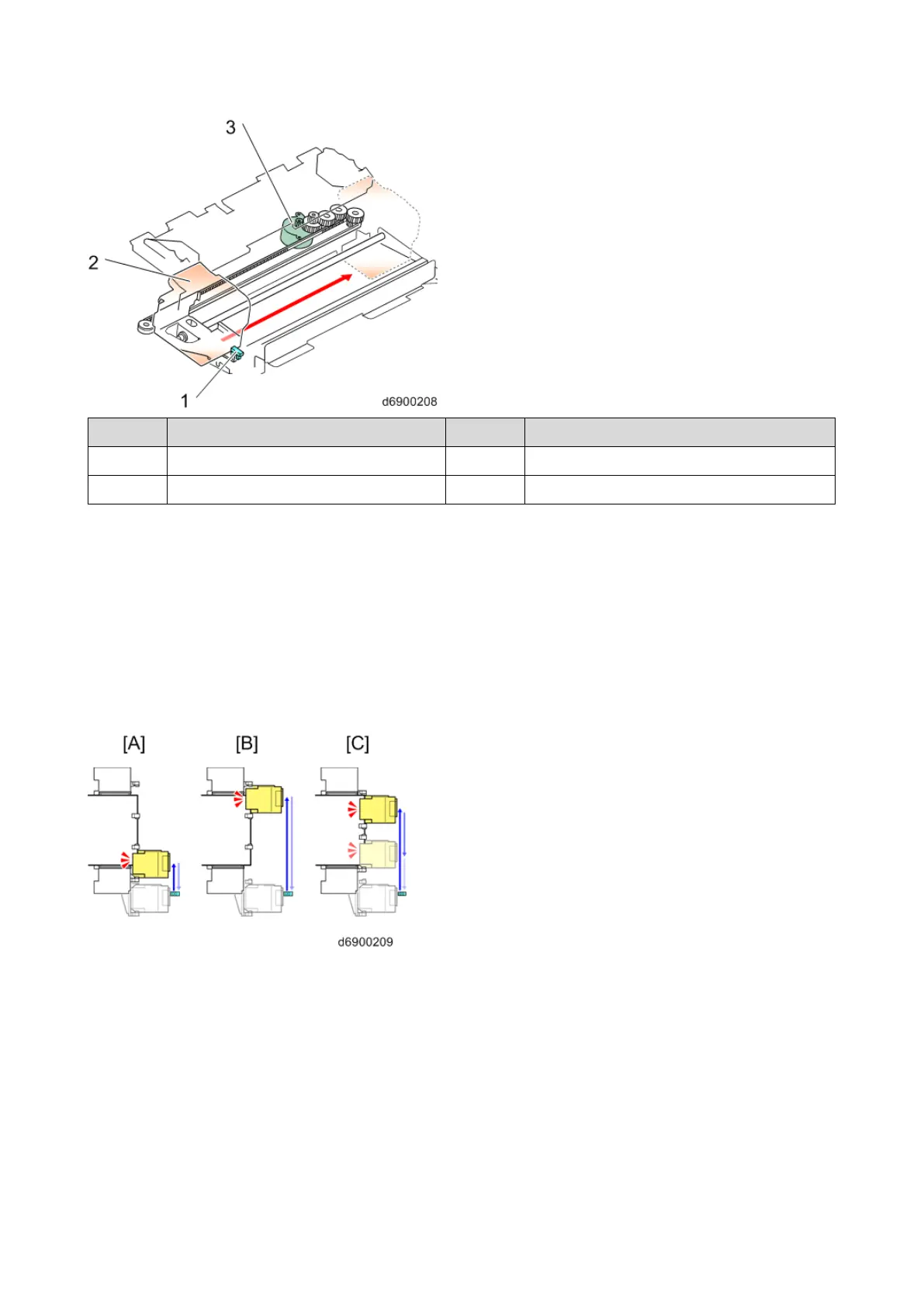
The stapler moves from the home position to the paper size to be stapled, and temporarily stands by.
Next, the paper is transported, and after the jogger operation (paper alignment), stapling is performed.
The following picture shows the stapler standby position according to various stapling positions. From
the left, there is front parallel one position, back parallel one position, and parallel two positions.
For parallel two positions, the first staple is inserted from the front, and it then moves to the back to
perform stapling.
Stapling is performed back and forth, i.e., the second staple is back > front, the third staple is front >
back, etc.
[A]: Front parallel, one position
[B]: Back parallel, one position
[C]: Parallel, two position
Paper eject (bundle eject)
After stapling, the eject paper exit guide plate descends, and ejects the bundle of paper while gripping it
with the eject roller.



 To Next Page