1.Detailed Descriptions
14
from the front of the machine). During paper shifting, the paper exit roller and paper exit belt move
to the pressure release position.
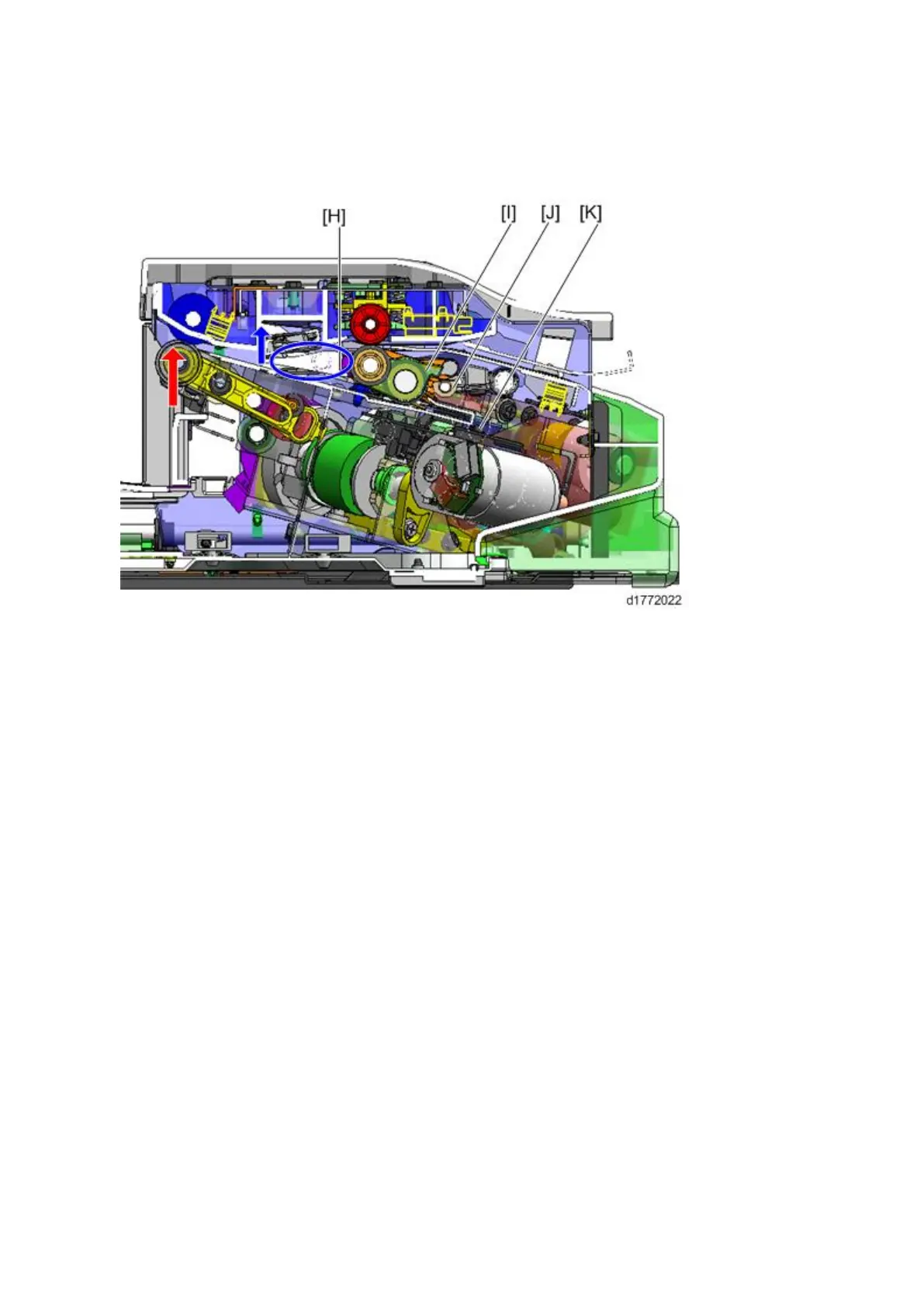
• Stacking (Position B)
After shifting is completed, the paper exit rollers move to the strong pressure position and received
the paper from the shift rollers. After the trailing edge of the paper has passed the junction gate, the
paper exit roller rotates in the opposite direction. Paper is transported to the stacking area, and
then passed through the reverse rollers [H].
At this time, the junction gate [J] moves to the lower position (the gate’s edge is raised, as shown
by the blue arrow and circle) to bring paper to the stacking area.
After paper is transported to the reverse rollers, the paper exit rollers move to the pressure release
position to allow shifting of the next sheets (as shown by the red arrow). When the transported
sheet of paper touches the stack guide [K], the paper is aligned (main-scan direction). After the
paper is stacked, the trailing edge presser [I] moves to the press position (the reverse rollers move
to the pressure release position) and holds back the stacked paper.



 To Next Page