1.Detailed Descriptions
11
Paper exit roller/paper exit belt release mechanism
Pressure release timing of the paper exit rollers
• Waiting (before paper is received): Strong pressure
• When paper is transported: Pressure released
• When paper shift is completed (shift motor stops): Strong pressure
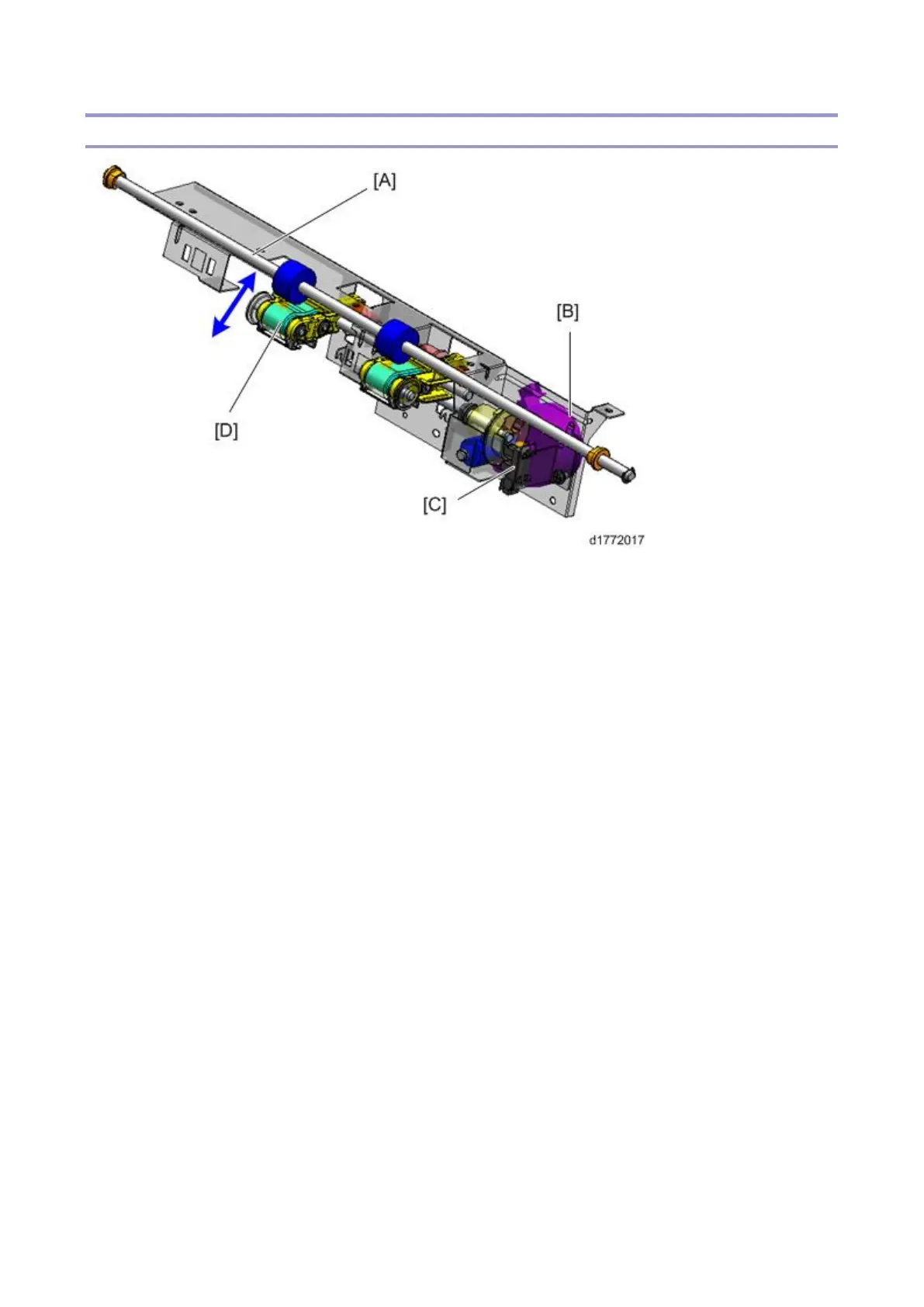
When paper is transported, the paper exit rollers/paper exit belt ([A] and [D]) are at the pressure release
position so that they do not interfere with paper shifting.
When paper shift is completed, the rollers are moved to the strong pressure position for paper
transportation and paper exit.
Positions of the paper exit roller/paper exit belt
• HP (strong pressure)
• Pressure release position
• Weak pressure position
The paper exit pressure motor [B] rotates clockwise/anti-clockwise to drive the paper exit drive belt [D]
to the strong pressure or weak pressure positions.
The paper exit pressure HP sensor [C] detects the home position.
Details of each position
• Home position (strong pressure position)
This is used for paper transportation and paper exit. The pressure increased using the paper exit
pressure motor [B], and the paper exit roller (drive) [A] and the paper exit belt (driven) [D] come
into contact in order to nip the paper firmly.
[C] is the paper exit pressure HP sensor.



 To Next Page