2.Replacement and Adjustment
25
Exterior Covers and Tray
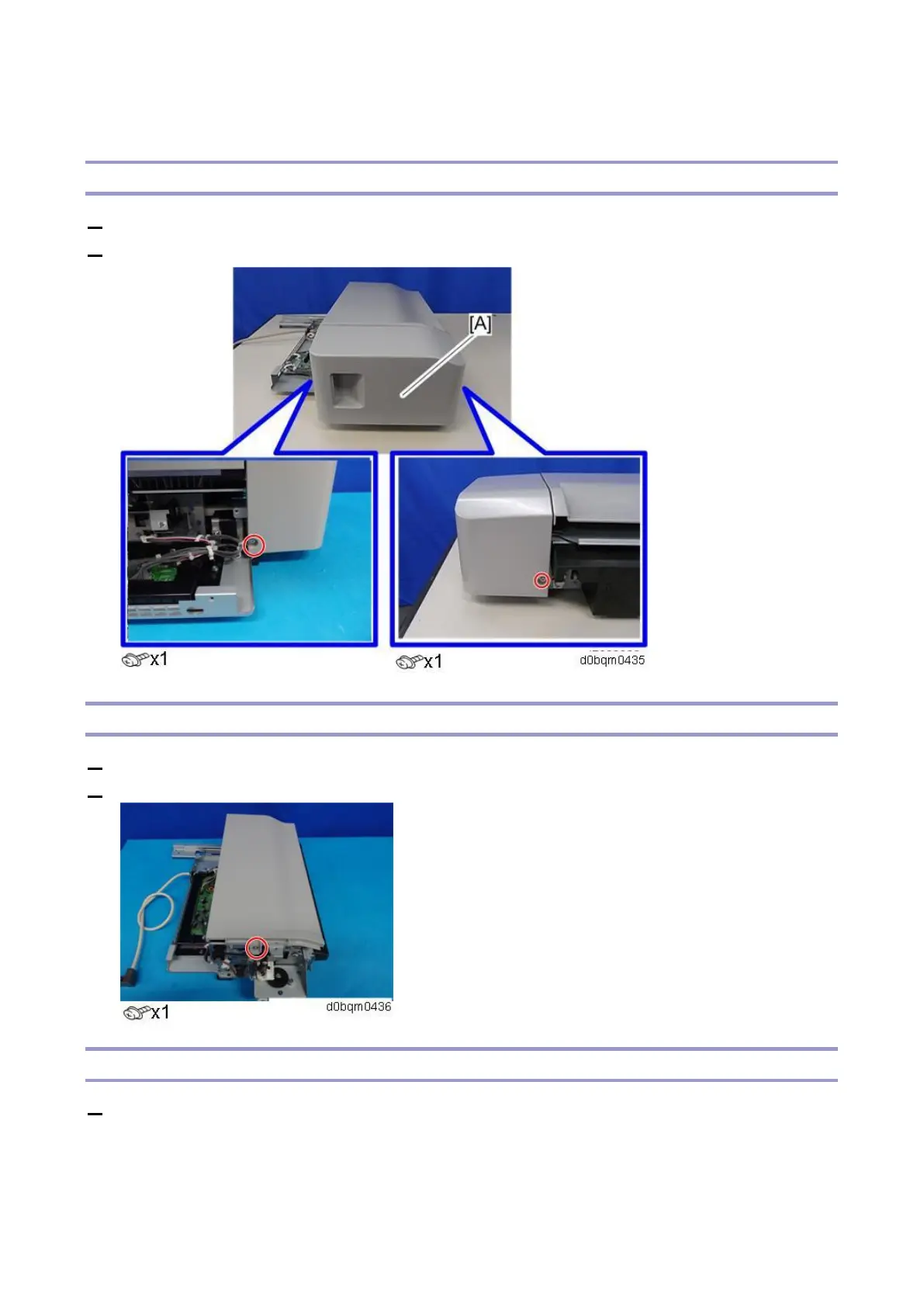
Finisher Front Cover
1. Remove the paper exit cover (Paper Exit Cover).
2. Remove the finisher front cover [A].
Finisher Upper Cover
1. Remove the finisher front cover (Finisher Front Cover).
2. Remove the finisher upper cover.
Rear Cover
1. Remove the finisher (Removing the Internal Finisher).



 To Next Page