Robustel R3000 Quad User Guide
RT_UG_R3000 Quad_v.3.0.0 28 May, 2017 55 / 131
Confidential
General Settings @ Access Point
Enter the WEP key. The key length should be 10 or 26
hexadecimal digits depending on which WEP key is used, 64 digits
or 128 digits.
Specify the RTS (request to send) threshold or CTS (clear to send)
threshold and digits from 256 to 2346. The router AP will never
send the signal before sending out data if setting the RTS
threshold as 2347, and the router AP will send the signal once it
sending out data if setting the RTS threshold as 0.
Set the transmit rate. You can choose Auto or specify a Transmit
Rate, including 1Mbps, 2Mbps, 5.5Mbps, 6Mbps, 11Mbps,
12Mbps, 18Mbps, 24Mbps, 36Mbps, 48Mbps, 54Mbps, MCS0,
MCS1, MCS2, MCS3, MCS4, MCS5, MCS6 and MCS7.
Select from “verbose”, “debug”, “info”, “notice”, “warning” or
“none”.
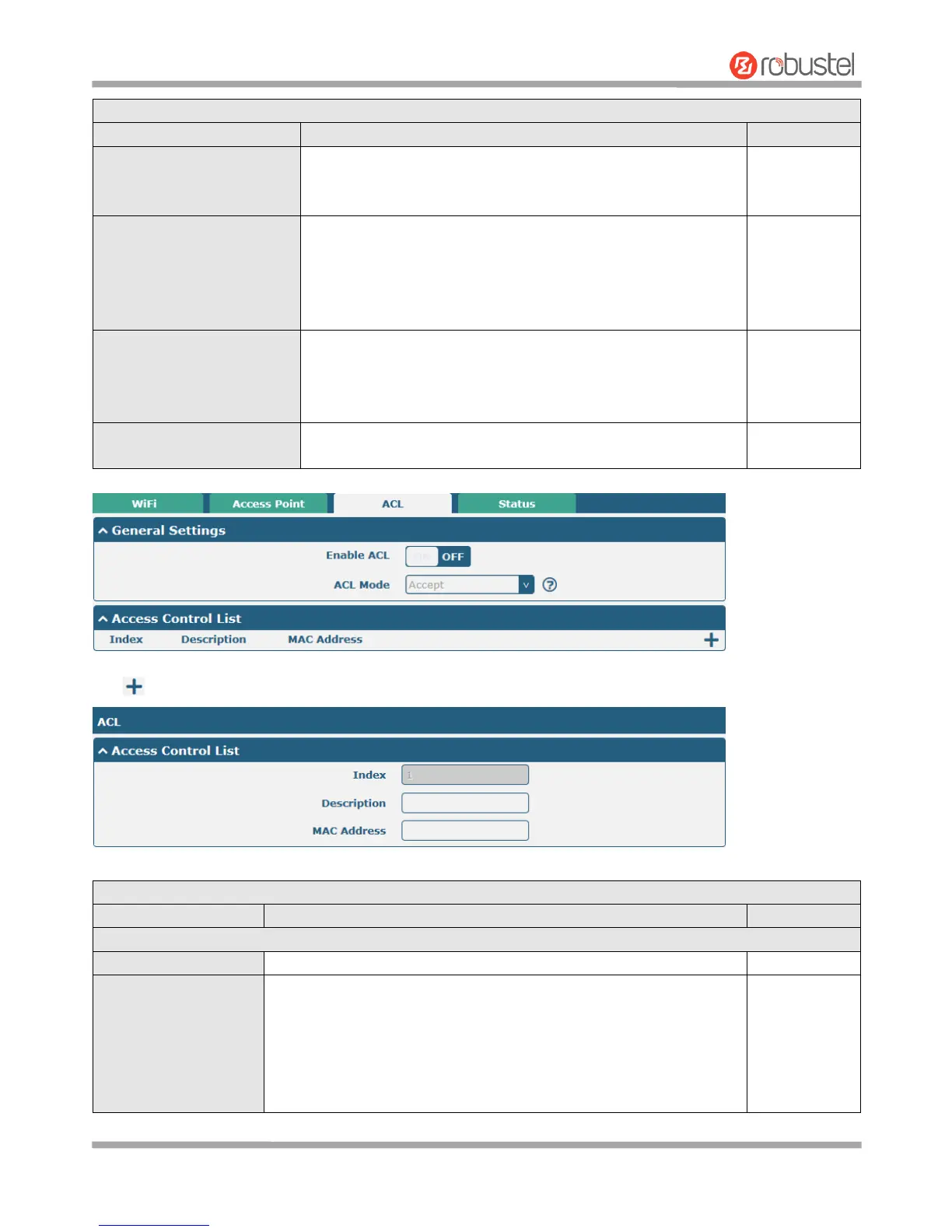
Click to add a MAC address to the Access Control List. The maximum count for MAC address is 64.
Click the toggle button to enable/disable this option.
Select from “Accept” or “Deny”.
Accept: Only the packets fitting the entities of the “Access Control
List” can be allowed
Deny: All the packets fitting the entities of the “Access Control
List” will be denied
Note: Router can only allow or deny devices which are included in













 To Next Page