Robustel R3000 Quad User Guide
RT_UG_R3000 Quad_v.3.0.0 28 May, 2017 69 / 131
Confidential
General Settings @ General
Click the toggle button to enable/disable the NAT Traversal function. This
option must be enabled when router under NAT environment.
Set the keepalive time, measured in seconds. The router will send packets
to NAT server every keepalive time to avoid record remove from the NAT
list.
Click the toggle button to enable/disable this option. Enable for IPsec VPN
information output to the debug port.
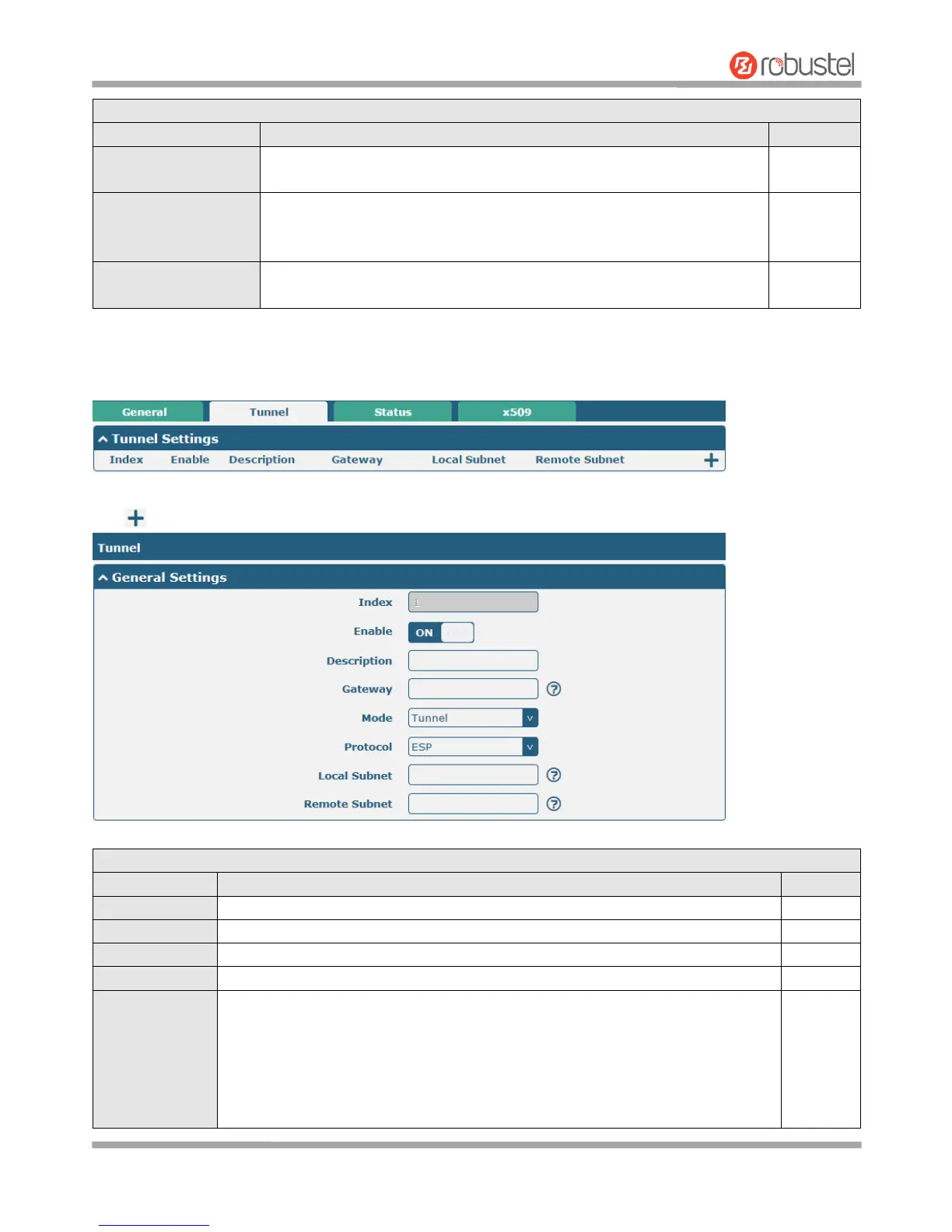
Tunnel
Click to add tunnel settings. The maximum count is 3.
General Settings @ Tunnel
Indicate the ordinal of the list.
Click the toggle button to enable/disable this IPsec tunnel.
Enter a description for this IPsec tunnel.
Enter the address of remote IPsec VPN server. 0.0.0.0 represents for any address.
Select from “Tunnel” and “Transport”.
Tunnel: Commonly used between gateways, or at an end-station to a gateway,
the gateway acting as a proxy for the hosts behind it
Transport: Used between end-stations or between an end-station and a
gateway, if the gateway is being treated as a host-for example, an encrypted
Telnet session from a workstation to a router, in which the router is the actual












 To Next Page